EasyManua.ls Logo

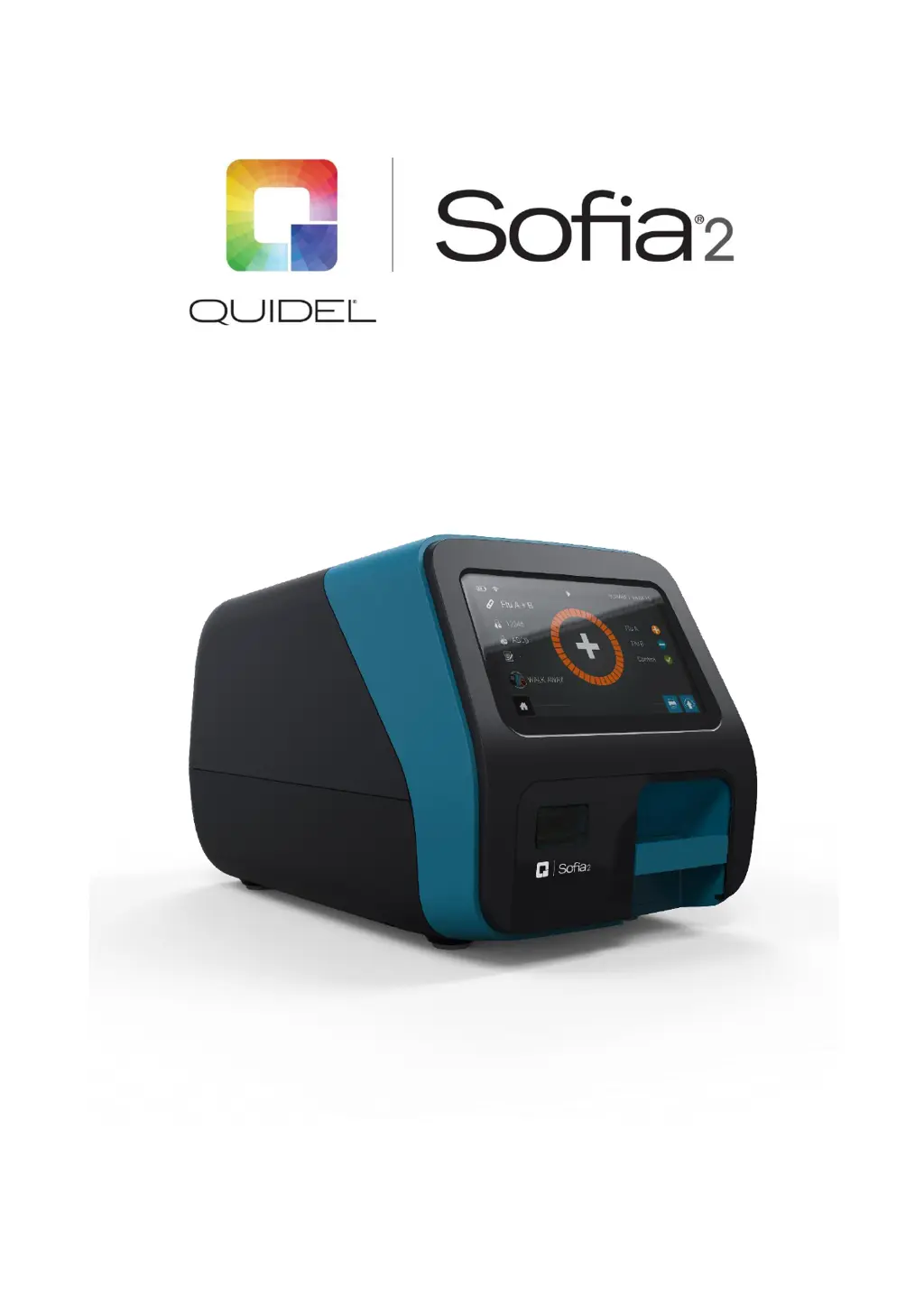
Quidel Sofia 2 - User Manual

Quidel Sofia 2
49 pages
Print Icon
To Next Page IconTo Next Page
Loading...
User Manual

Table of Contents

Other manuals for Quidel Sofia 2

Questions and Answers

  • J
    jennifer61Sep 23, 2025
    What to do if Quidel Laboratory Equipment displays 'User rights are insufficient for this function'?
    • V
      Victoria NelsonSep 23, 2025
      If the Quidel Laboratory Equipment displays 'User rights are insufficient for this function', log in as a Supervisor to access this function.
  • P
    Patricia Wright DVMSep 3, 2025
    What to do if Quidel Sofia 2 Measuring Instruments displays 'MATCHING_PIN_AND_OPERATOR_NUMBER'?
    • J
      Jeffrey LewisSep 3, 2025
      If the Quidel Measuring Instruments displays 'MATCHING_PIN_AND_OPERATOR_NUMBER', enter a PIN that is different from the operator number.
  • R
    Ronald PatrickAug 27, 2025
    What to do if Quidel Sofia 2 Measuring Instruments shows 'INVALID_OPERATOR_NUMBER'?
    • R
      Ricky RobertsAug 27, 2025
      If the Quidel Measuring Instruments displays 'INVALID_OPERATOR_NUMBER', enter a valid Operator number.
  • A
    Anthony MatthewsSep 15, 2025
    What to do if Quidel Laboratory Equipment displays 'Data could not be successfully imported'?
    • A
      aliamandaSep 15, 2025
      If the Quidel Laboratory Equipment displays 'Data could not be successfully imported', confirm the correct USB flash drive was used and inserted correctly.
  • A
    Ashley FrancisSep 19, 2025
    What to do if Quidel Laboratory Equipment displays 'Invalid Operator Number'?
    • M
      Marc CollinsSep 22, 2025
      If the Quidel Laboratory Equipment displays 'Invalid Operator Number', enter a valid Operator number (i.e., is not a duplicate or longer than 20 digits).
  • J
    Justin RyanSep 6, 2025
    What to do if Quidel Laboratory Equipment shows 'Patient ID must be entered'?
    • W
      williamsaaronSep 6, 2025
      If the Quidel Laboratory Equipment displays 'Patient ID must be entered', you should enter a Patient ID to continue.
  • T
    Tanya HobbsSep 9, 2025
    What to do if Quidel Laboratory Equipment displays 'Cassette cannot be reused'?
    • Y
      yorkelizabethSep 9, 2025
      If the Quidel Laboratory Equipment displays 'Cassette cannot be reused', use a Test Cassette that has not been previously run.
  • J
    James SchmittSep 15, 2025
    What to do if Quidel Laboratory Equipment displays 'Data could not be successfully exported'?
    • M
      Melissa HuntSep 15, 2025
      If the Quidel Laboratory Equipment displays 'Data could not be successfully exported', confirm the correct USB flash drive was used and inserted correctly.
  • O
    obryantSep 23, 2025
    What to do if Quidel Laboratory Equipment displays 'Assay Method File unavailable for supplied Cassette'?
    • S
      Sergio AndersonSep 23, 2025
      If the Quidel Laboratory Equipment displays 'Assay Method File unavailable for supplied Cassette', only test with approved Sofia 2 assays.
  • D
    davidhendrixAug 25, 2025
    How to resolve 'INVALID_USER_ID' error on Quidel Measuring Instruments?
    • K
      Kristen GutierrezAug 26, 2025
      If the Quidel Measuring Instruments shows 'INVALID_USER_ID', you should enter a valid User ID to proceed.

Summary

Warnings and Precautions

Safety Precautions

Outlines essential safety measures and guidelines to ensure safe operation and prevent hazards.

Introduction

Calibration and Quality Control

Explains the necessity and frequency of Calibration Checks and External Quality Control tests.

Development Modes

Installation, Setup, and Operation

Sofia 2 Setup

Guides users through the physical placement and initial setup of the Sofia 2 unit.

Calibration Check

Supervisor Menu

Entry Requirements and Timeout

Calibration and QC

Data Security

Other Settings

Set Time and Date

Network Settings

Network Interface

Guides configuration of wired Ethernet or Wi-Fi connections for instrument connectivity.

LIS Settings

Virena Settings

Test Virena Connection

Connect to Quidel

Software Updates

Explains how to download and install software updates for the Sofia 2 system.

Managing Users

Edit User

Delete User

Export, Import, Delete

Export Settings to USB Flash Drive

Guides on exporting Sofia 2 system settings to a USB drive for backup or transfer.

Export Patient Data to USB Flash Drive

Sofia 2 Firmware and Assay Methods

Import Assay Methods from USB Flash Drive

Run Test (Patient Specimens)

Enter the User ID

Explains how to input or scan the User ID before running a test.

Enter the Patient ID

Details the process of entering or scanning the patient's unique identification.

Test Procedure

Patient Test Results

Review Data

Review QC Results

Review Calibration Results

Run QC

QC Results

Run Calibration

Calibration Results

Send Data

Shutdown

Maintenance and Cleaning

Cleaning

Appendix B Optimizing Analyzer Placement

Appendix C System Troubleshooting

Quidel Sofia 2 Specifications

General IconGeneral
Product NameQuidel Sofia 2
CategoryMeasuring Instruments
TypeFluorescent Immunoassay Analyzer
TechnologyFluorescent Immunoassay
ConnectivityUSB, Ethernet
DisplayTouchscreen LCD
Operating Temperature15°C to 30°C
Sample TypesNasopharyngeal swabs, nasal swabs
ResultsQualitative
Read Time15 minutes
Power Requirements100-240V AC, 50/60 Hz
Humidity Range10% to 90% non-condensing

Related product manuals