Page41of86
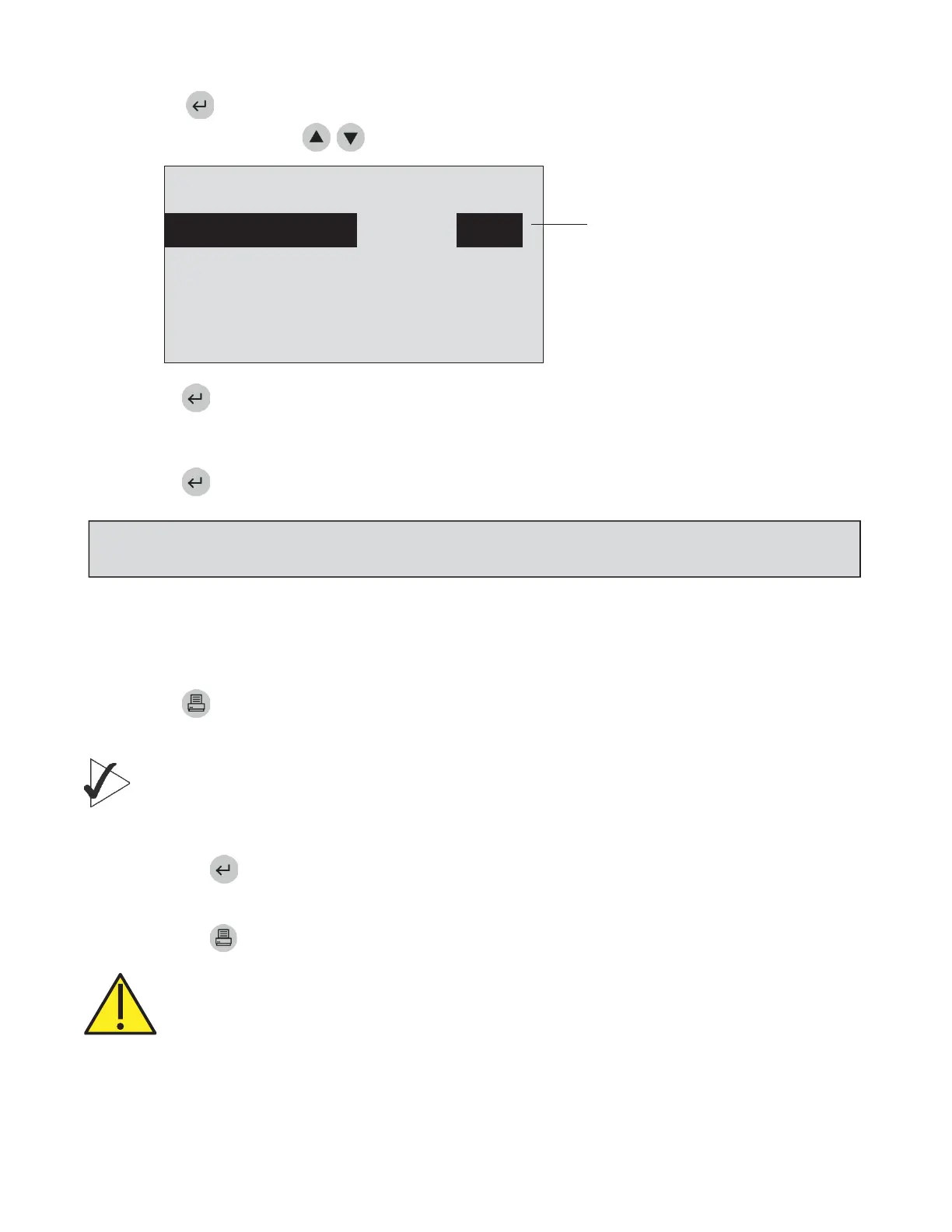
5. Pressthekey.
6. SelectQCDeviceusingthekeys.
“EXP”indicatesthatthe
QCDevicereͲtest
frequencyhasexpired.
PATIENTSAMPLE
QCDEVICE EXP
QCSAMPLE EXP
MISC.TEST
SELECTWITHvOR^ANDPRESSENTER
PRESSEXITTOEJECTDEVICE
MenuscreenasitlookswhenoperatorselectsQCDevice.
Pressthekey.
8. GentlyinserttheQCDeviceintotheQuidelTriageMeterPrountilyoufeeltheQCDevicecatchonthe
pinandhearanaudible‘click.’
Pressthekey.
10.TheQuidelTriageMeterPropullsintheQCDeviceandscansit.Thetest
devicemaypartiallymoveinandoutofthemeterseveraltimes.
11.Whenthetestiscomplete,themeterwillbeep,ejectthedeviceanddisplaytheresultsonthe
meter’sscreen.
12.Press
thekeytomakeaprintedcopyoftheresults.
13.RemovetheQCDevicefromtheMeterandplaceintheQCDeviceBox.DONOTDISCARDTHE
QCDEVICE.
IMPORTANT:Importantinstructionsforalltests:
a. GentlyinsertthetestdeviceintotheQuidelTriageMeterPrountilyoufeelthedevicecatchonthe
pin.Youwillhearanaudible‘click’thattellsyouthetestdevicehasbeeninsertedproperly.
b. Pressthekeytostartthetest.
c.
TheQuidelTriageMeterPropullsinthetestdeviceandscansit.
d. Whenthetestiscomplete,themeterwillbeepanddisplaytheresultsonthemeter’sscreen.
e. Pressthekeytomakeaprintedcopyoftheresults.
CAUTION:Afterthetestdevicehasbeeninserted,donotpushthedeviceinfurtherorattempt
topullitout.ThedevicemaybeejectedbyreturningtotheMainMenuandpressingtheEXIT
key.
NOTE:ThemeterwillprompttheusertoinstalltheQCDeviceCODECHIPmoduleiftheQCDevicehasnot
beenrunbefore.



 To Next Page