25
IQ Network Communication Cartridge
b
NOTE: If the Y-cable is installed
for connection to a radio modem
for wireless communication
with the server, choose Radio
Installed.
E
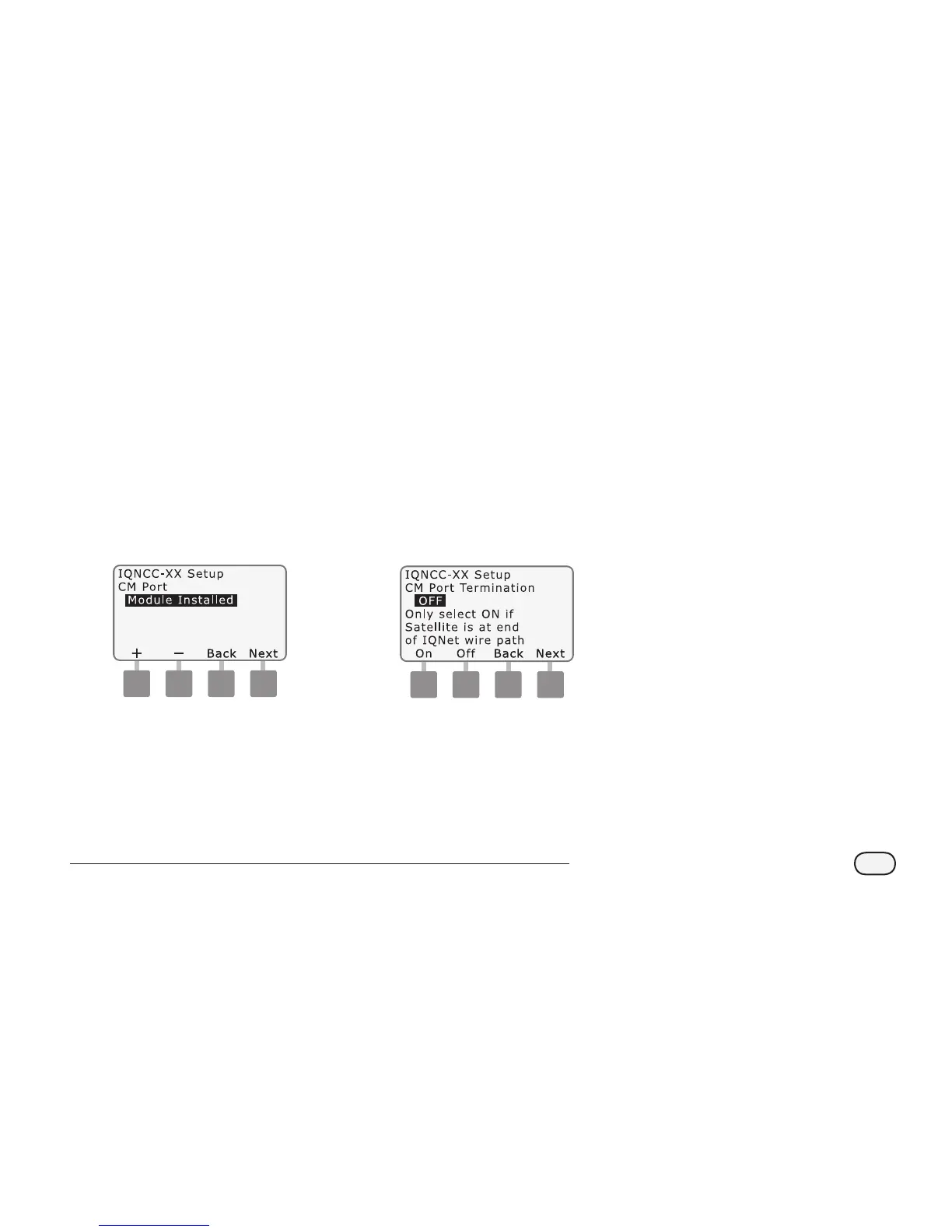
The Setup – Satellite CM Port
screen is displayed. Use + or -
to select a CM Port option (No
Module, Module Installed); press
Next.
b
NOTE: If an IQ-FSCM-LXME
or an IQ-CM-LXD connection
module is installed for wired
communications with other
satellites, choose Module
Installed.
F
The Setup – CM Port Termination
screen is displayed. Use + or - to
select a CM Port Termination
option (On or O).
b
NOTE: CM Port termination
is only required if this satellite
is at the end of an IQNet PE
Communication Cable path. If
you are not sure, consult with
the system designer.
NCC Configurator
Software
Software conguration is performed
after installation and conguration
of the IQ-NCC cartridge is complete.
Software conguration is only required
for Direct and Server Satellites. Consult
the NCC Congurator Software for
instructions.


 To Next Page