31
IQ Network Communication Cartridge
Server Satellite Controllers
RS-232, Phone or Ethernet
To display the status of Server
Satellites with IQ-NCC-RS, IQ-
NCC-PH, or IQ-NCC-EN cartridges
installed:
g
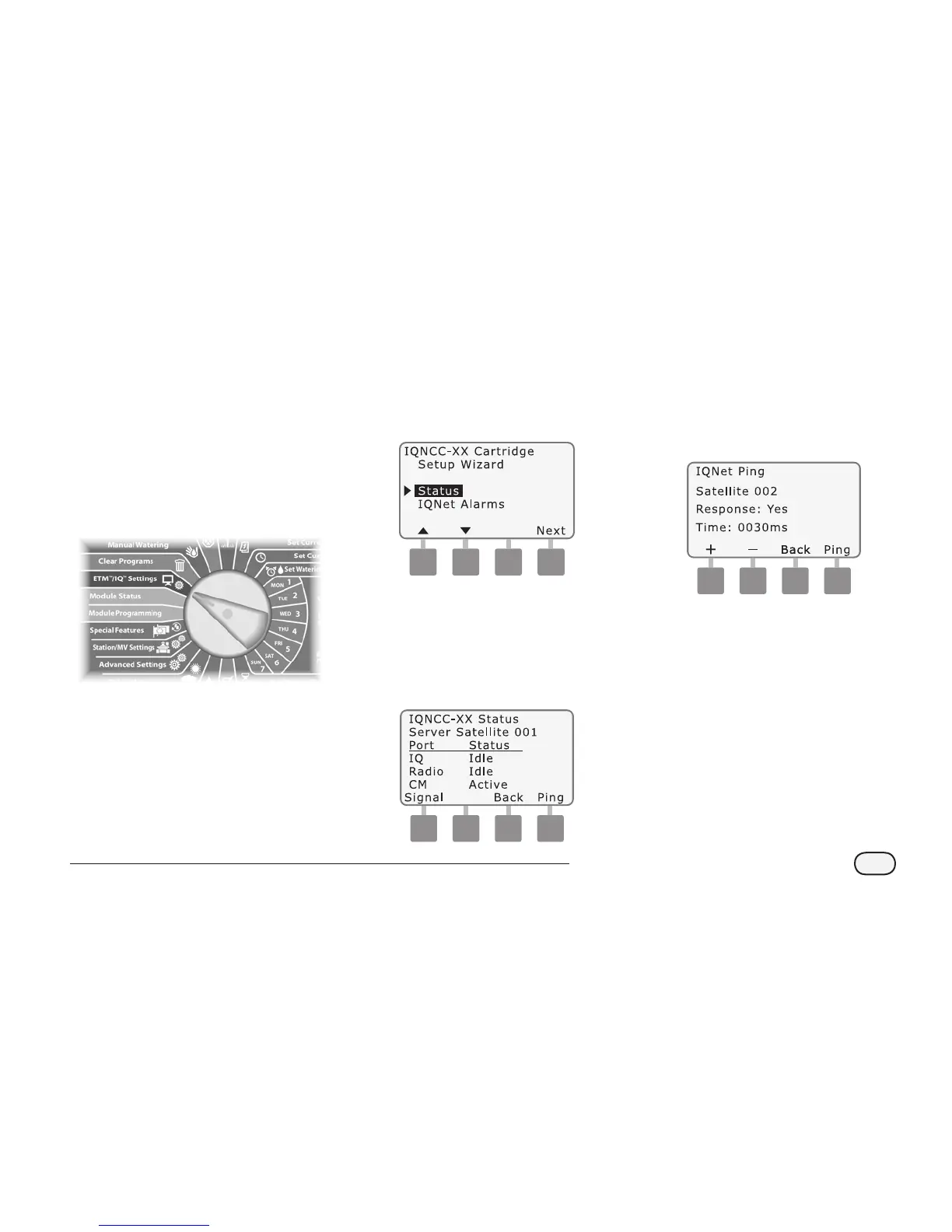
Turn the controller dial to
ETM/IQ SETTINGS
A
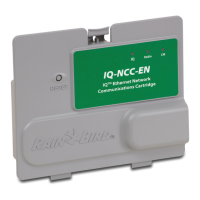
The IQ Settings main menu is
displayed. Use the UP or DOWN
arrows to select Status; press
Next
NCC Configurator
B
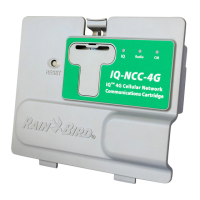
The Satellite Status screen is
displayed. Current status of
IQ, Radio, and CM ports are
shown. Press Ping to check the
communication status with
selected Clients.
C
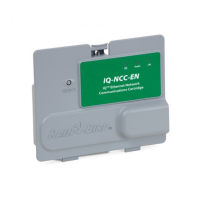
The IQNet Ping screen is
displayed. Use the + and -
buttons to select any Client
address. Press Ping to check the
communication status.
The LCD will display Response-
Yes if the ping is successful, or
No for an unsuccessful ping.
The amount of time until the
response was received from
the server satellite is listed in
milliseconds.


 To Next Page