22
IQ Network Communication Cartridge
Server Satellite Setup Wizard
Follow these steps to congure a
Server Satellite:
g
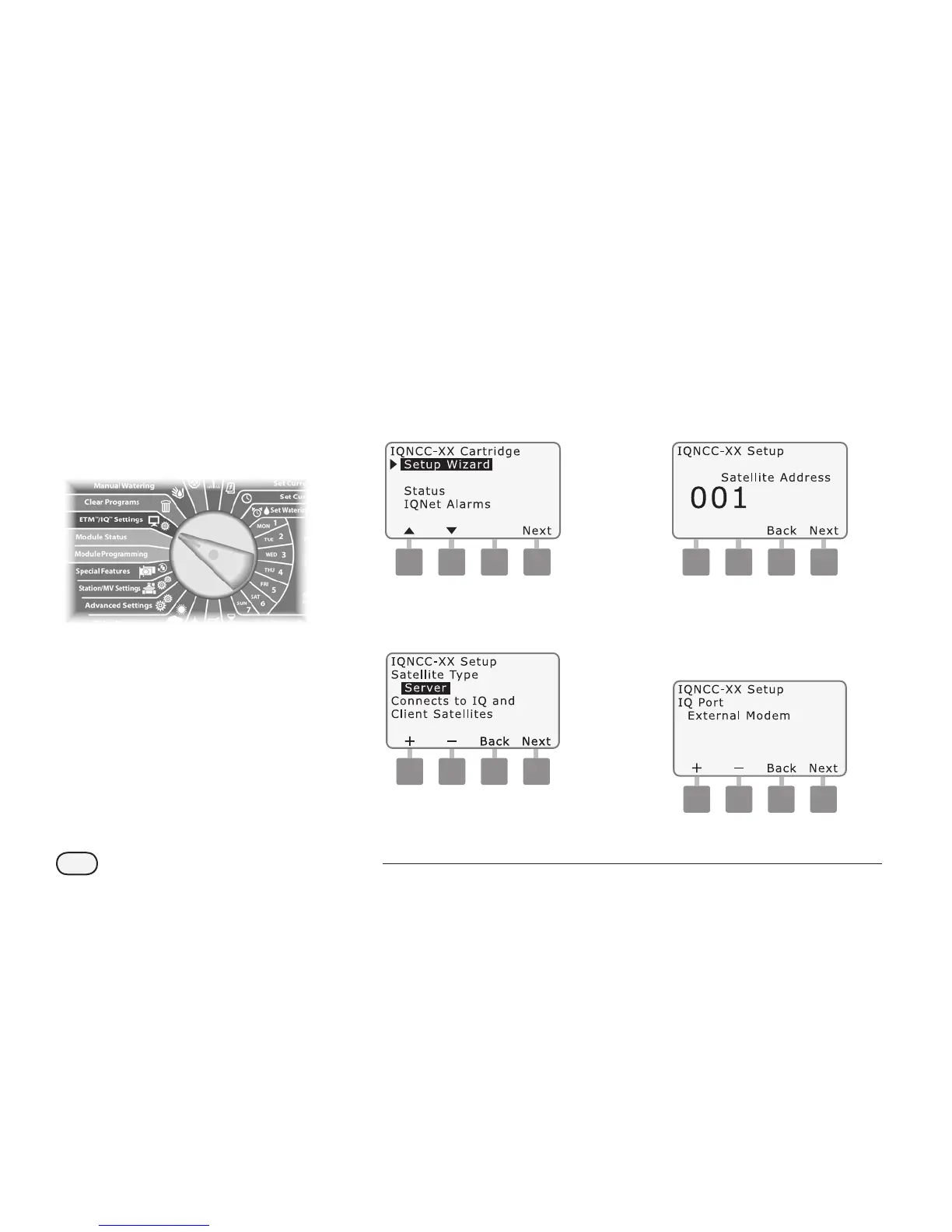
Turn the controller dial to
ETM/IQ SETTINGS.
A
The IQ Settings main menu is
displayed. Use the UP or DOWN
arrows to select Setup Wizard;
press Next.
NCC Configurator
B
The Setup - Satellite Type screen
is displayed. Use + or - to select
Server; press Next.
C
The Setup – Satellite Address
screen is displayed. Server
Satellites always have an address
of 001; press Next.
Server
D
The Setup – Satellite IQ Port
screen is displayed; press Next.
l
For RS Only: use + or - to choose
an IQ Port option, then press Next.


 To Next Page