2
IQ Network Communication Cartridge
Types of IQ
™
Satellite Controllers
IQ Satellite Controllers are congured as either a Direct,
Server, or Client Satellite. The dierences and capabilities
of each are listed below:
Direct Satellite
Direct Satellites communicate with the IQ Central Computer
through a wired or wireless connection to an IQ-NCC. Direct
Satellites do not communicate with other Satellites.
Server Satellite
Server Satellites communicate with the IQ Central Computer
through a wired or wireless connection with an IQ-NCC.
Communication with up to 149 Client Satellites over the
IQNet is accomplished using a radio modem or a high-speed
communication cable connection. (An optional IQ-FSCM-
LXME or IQ-CM-LXD Connection Module must be installed
to establish a cable connection.)
Client Satellite
Client Satellites communicate with the Server or other
Client Satellites over the IQNet using a radio modem or a
high-speed communication cable connection. (An optional
IQ-FSCM-LXME or IQ-CM-LXD Connection Module must be
installed to establish a cable connection.)
Products Covered in this Manual
This manual describes the installation of the following
Rain Bird IQ™ products:
l
RS-232 Network Communication Cartridge (IQ-NCC-RS)
l
Phone Network Communication Cartridge (IQ-NCC-PH)
l
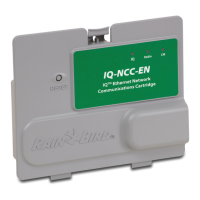
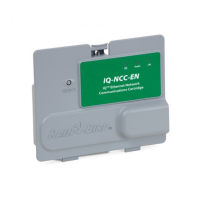
Ethernet Network Communication Cartridge (IQ-NCC-EN)
l
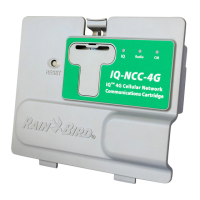
GPRS/Cellular Network Communication Cartridge
(IQ-NCC-GP)
l
WiFi Network Communication Cartridge (IQ-NCC-WF)
l
GPRS/Cellular External Antenna (IQ-EXTANT-GP)
l
WiFi External Antenna (IQ-EXTANT-WF)
l
IQ-FSCM-LXME Flow Smart Connection Module
l
IQ-CM-LXD Connection Module
b
NOTE: The IQ-NCC-GP cartridge requires a SIM card
and GPRS/cellular telemetry service account that is
not provided and must be purchased separately. See
the SIM Card Installation section in the Appendix for
details.


 To Next Page