Rapid Shape Operating Instructions
Preparing the machine
(1) Remove, if necessary, [if still in the machine] the material reservoir and slide in the calibration plate
(2) Navigate to the menu „Setting parallelism“
Main menu
→
More Functions
→
Setting parallelism
Start the "Find Zero" process
(3) Press the key "Find Zero"
(4) The platform lowers until the zero point
Wait until the platform has reached its zero point
(5) Take a piece of paper card and try to slide it under each corner of the platform. If the card slides
under none of the corners, the platform is sufficiently well adjusted.
Setting parallelism
(6) If the card can be easily slid under a corner, parallelism must be set.
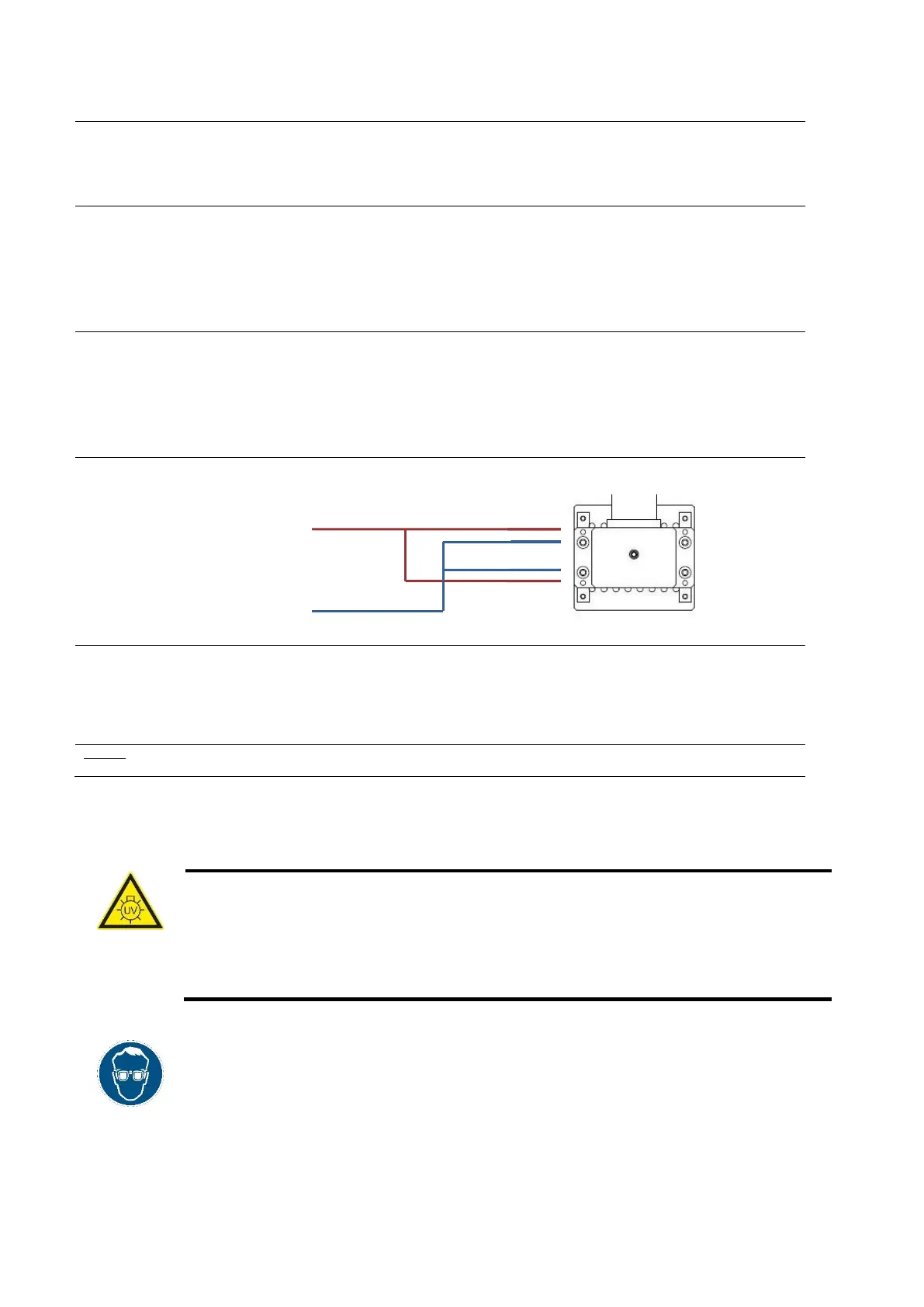
To do this loosen the retention screws (blue arrow in the next picture)
To adjust the parallelism, turn the adjusting threaded bolts at the corner you wish to change in
the desired direction.
(7) To re-verify parallelism, repeat stages 3 through 5
Threaded bolts for adjustment
purposes
Retention screws
Running the platform in the starting position
(8) Press the right key in the menu „Setting parallelism“
(9) The platform rises up to the reference point in the basic setting position
It is important to wait until the platform has reached its reference point
Caution: Once the end switch has been reached the platform travels slightly back down again. This is intentional in order to be able to
precisely determine the starting position.
7.9.2 Cleaning the reservoir off particles
Caution
Danger of injury from UV radiation!
Cleaning process takes place under the influence of UV radiation. UV radiation can cause
permanent damage to eyes and skin if exposed for a long time without suitable protective
equipment. Therefore, during cleaning, work at the machine may only be performed when
wearing UV protection goggles.
• Cleaning process should be carried out when the protective hood is mainly closed.
• During cleaning process, the UV protection goggles, supplied in the scope of delivery,
must be worn.



 To Next Page