FPC902
Service STG
Service STG Slave >
Flash-Programmer >
Setup >
FLASH PROGRAMMER
Automatic update >
Manual update >
Indicate files >
Check files >
CAN nodes are
searched ...
Updates are
searched ...
DFA127 VX.XX
replace by
DFA127 VX.XX
Yes No
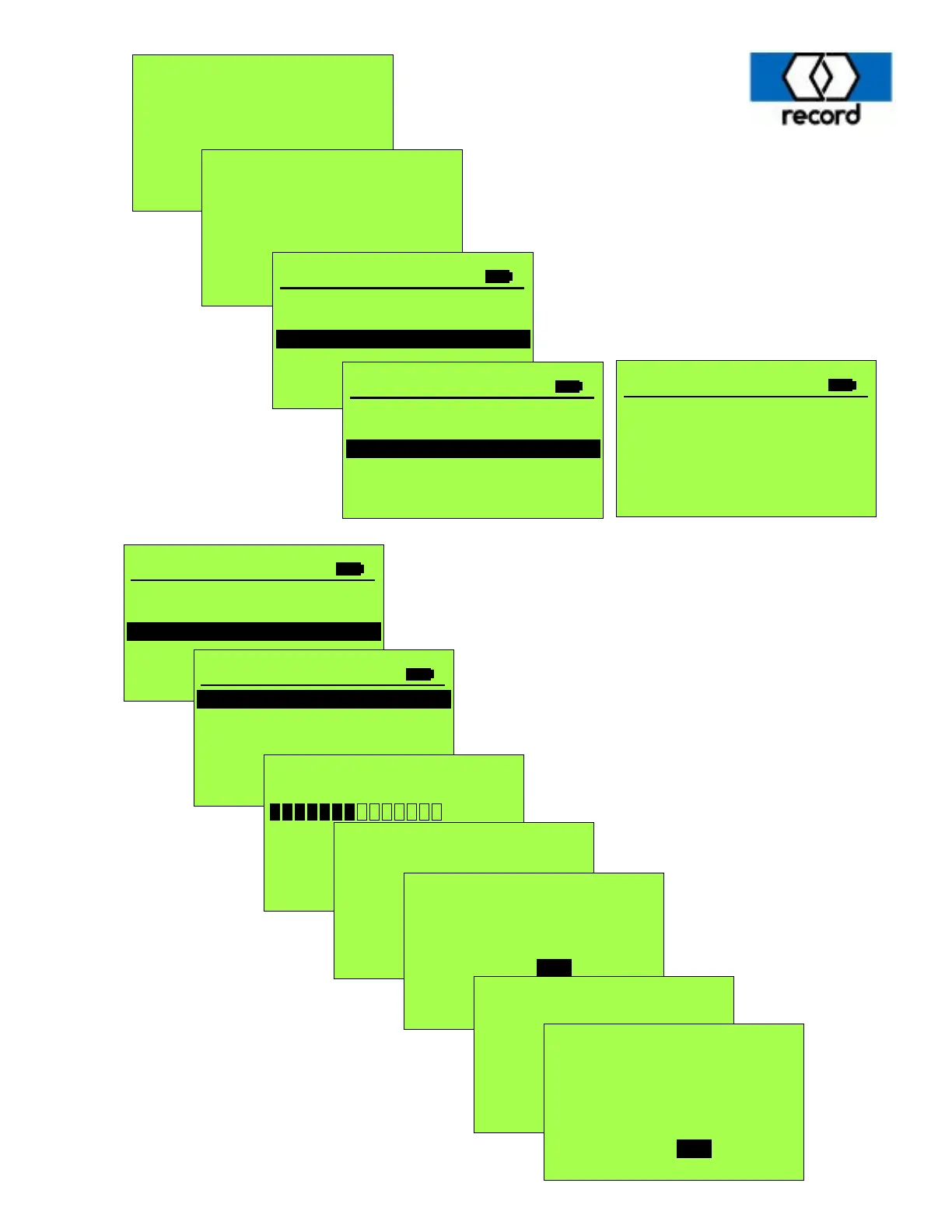
The following sequence of screens are to be followed when updating door and display software.
AKKU
PASS
FLASH
PASS
EEPROM PASS
RTC
PASS
CAN
PASS
FPC902
Version 2.80
Jan 1, 2015
10:04:54
FPC902
Service STG
Service STG Slave >
Flash-Programmer >
Setup >
FLASH PROGRAMMER
Automatic update >
Manual update >
Indicate files >
Check files >
INDICATE FILES
BDE-D V3.00
DFA127 V2.40
FPC902 V2.80.hex
STA20UL V1.02
RED19CP1 V1.60
RED19CP2 V1.60
20
This sequence of screens will access and display
the files currently stored on the removable MMC
card located in the top of the FPC-902 Terminal.
The next page will document the transfer of the
appropriate files into the operator control.
Updates are
searched ...
BDE-D VX.XX
replace by
BDE-D VX.XX
Yes No
Select “Yes” to initiate a software
update. Each update will require
a few minutes, and a confirmation screen
will display indicating the software has been
replaced. When finished, press the
ESC key multiple times to exit the
programming mode.



 To Next Page