COPYRIGHT © 2012 RED Digital Cinema 955-0003_v3.2, Rev-A1
114
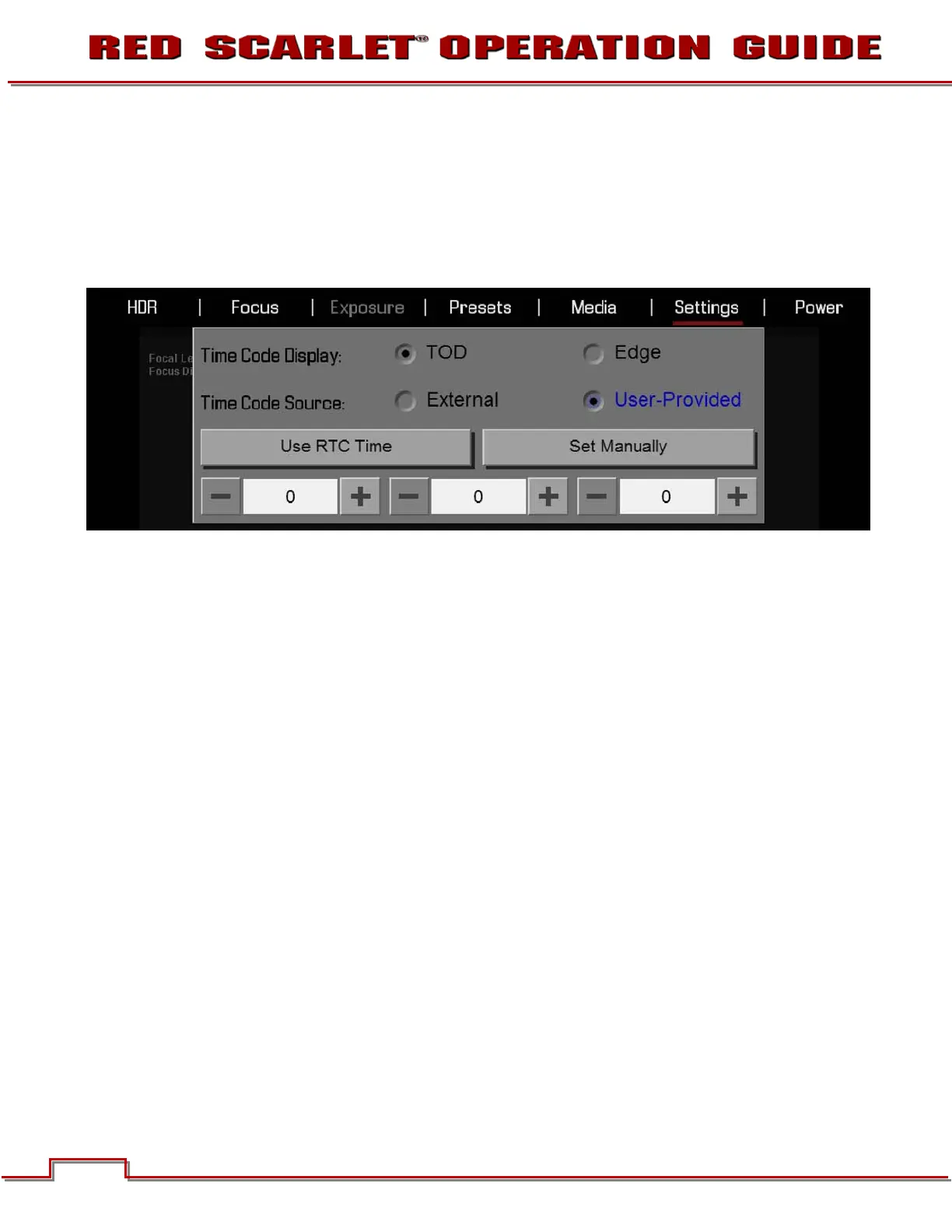
TIME CODE DISPLAY
Allows you to choose between TOD and Edge display.
TIME CODE SOURCE
Available options are EXTERNAL and USER-PROVIDED.
User-Provided
The three numerical boxes below allow you to set hours, minutes and seconds (in that order).
Use RTC Time
When selected the camera uses the cameras Real Time Clock as the timecode counter source
(snapshot of the RTC.)
Set Manually
When selected allows the user to define a custom value as the timecode counter seed.


 To Next Page