955-0003_v3.2, Rev- A1 COPYRIGHT © 2012 RED Digital Cinema
57
FIRST TIME USE – SETTING UP YOUR RED EPIC
ATTACH POWER SOURCE
If a REDVOLT battery is installed in the Side Handle and DC power is connect through the DC IN
connector, the DC IN power supply has priority and will power the camera instead of the battery.
BATTERY
Connect a RED battery to the camera in one of the following ways:
SIDE HANDLE
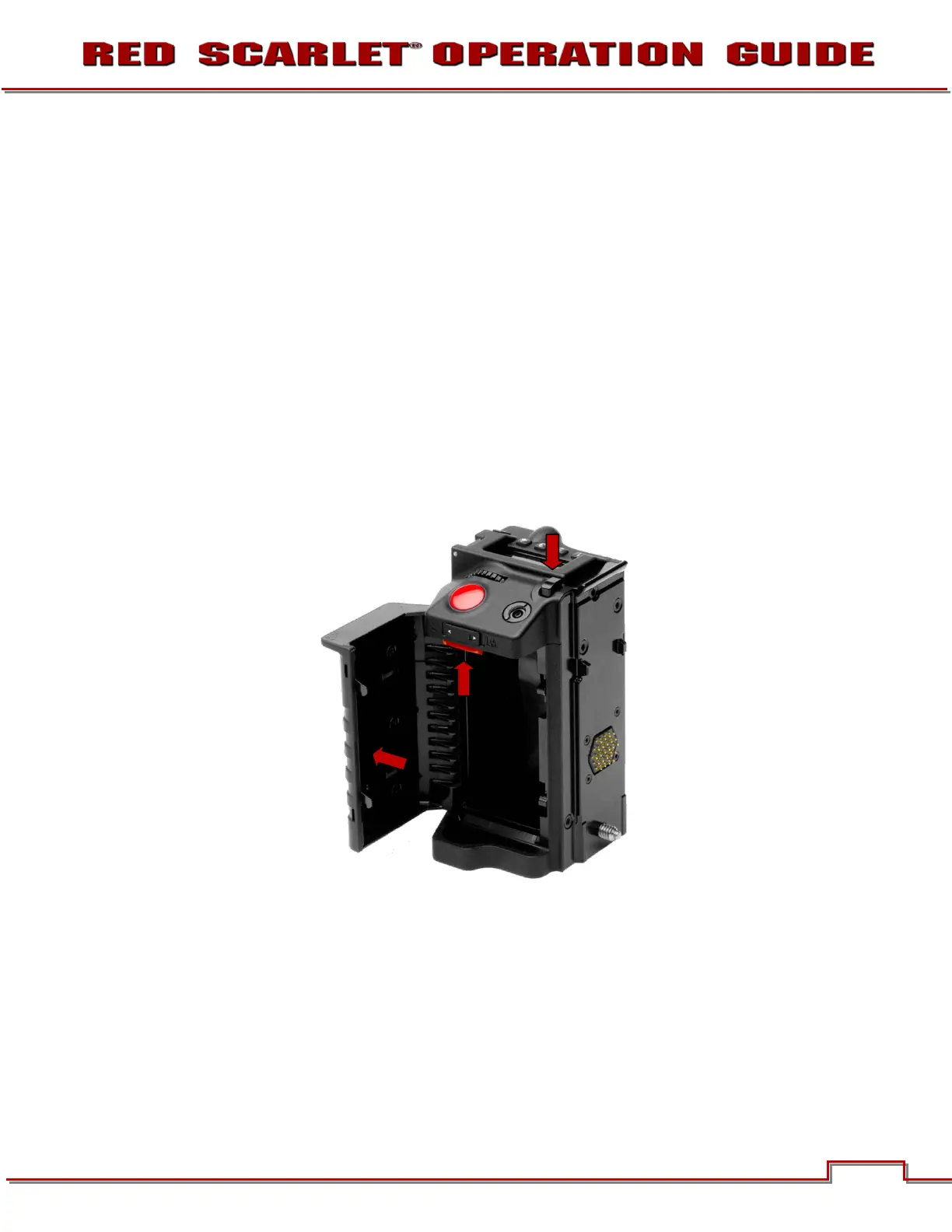
Attach a Side Handle and insert a REDVOLT battery.
INSTALL
1. Press the battery door release button (A).
2. Open battery door (B).
3. Press upwards on retainer (C).
4. Insert a REDVOLT battery until it is fully seated and retainer (C) clicks into place.
5. Close battery door.
A
B



 To Next Page