955-0003_v3.2, Rev- A1 COPYRIGHT © 2012 RED Digital Cinema
87
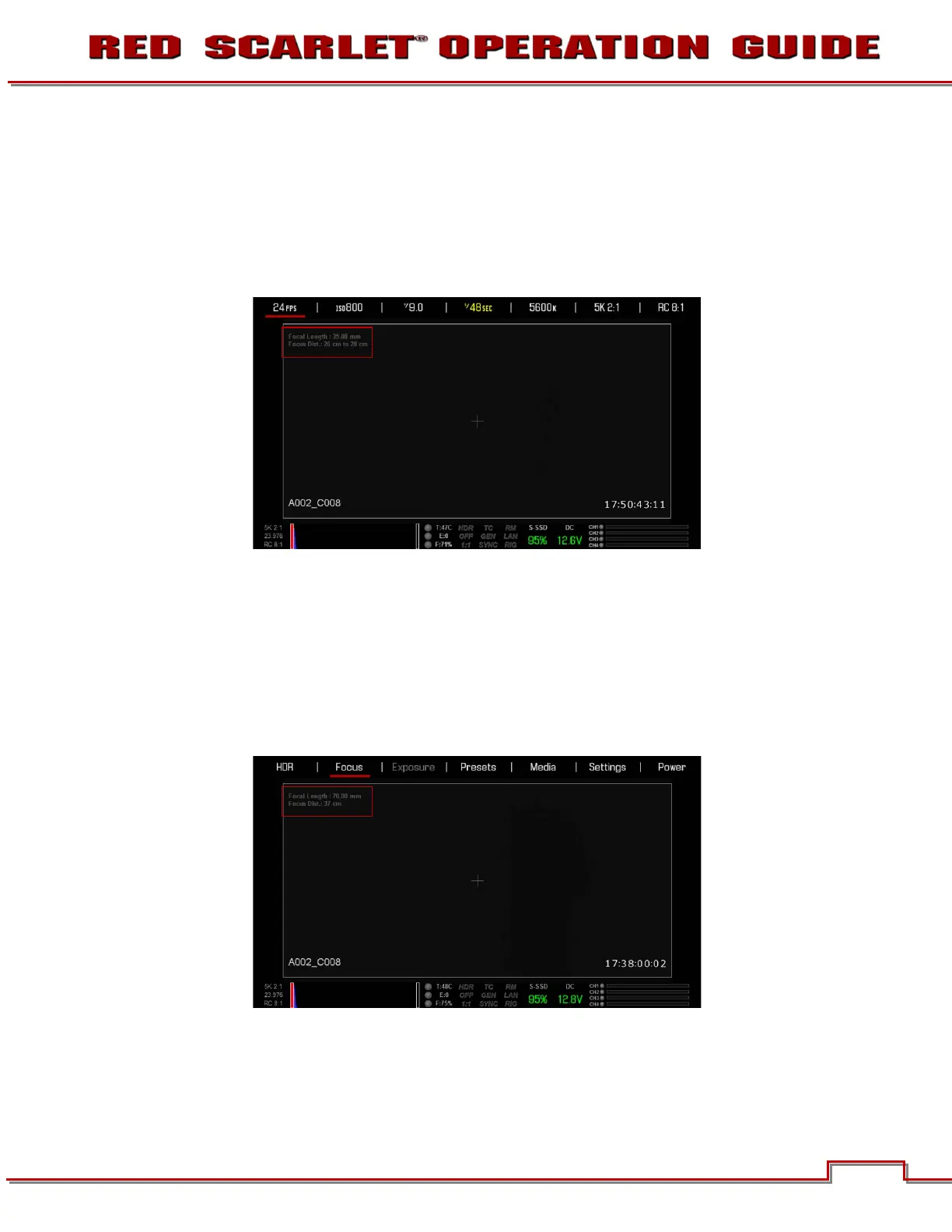
LENS INFORMATION DISPLAY
RED DSMC TI PL MOUNT + LENS
When a RED DSMC Ti PL Mount is installed and a Lens equipped with Cooke’s S4/i system (or
equivalent is attached, the Focal Length and Focal Distance is displayed on the LCD, EVF and external
monitors.
The focal length and focal distance values and range will vary depending on the attached lens. When the
focal length or focal distance of the lens is manipulated, the current values are displayed.
DSMC CANON MOUNT + LENS
When a DSMC Canon Mount is installed, and a Canon EF or EF-S Lens or equivalent is attached, the
Focal Length and Focal Distance is displayed on the LCD, EVF and external monitors. When AF is set to
Manual or Confirm mode, the focus distance displays as a pair of Near - Far distances. When it is in AF
mode, a single estimated Focus distance is displayed.
The focal length and focal distance values and range will vary depending on the attached lens. When the
focal length of the lens is manipulated, the current value is displayed under Focal Length. The Focal
Distance can be changed under MAIN MENU > -.- (F-STOP) > ADVANCED SETTINGS.



 To Next Page