955-0003_v3.2, Rev- A1 COPYRIGHT © 2012 RED Digital Cinema
115
SLATE
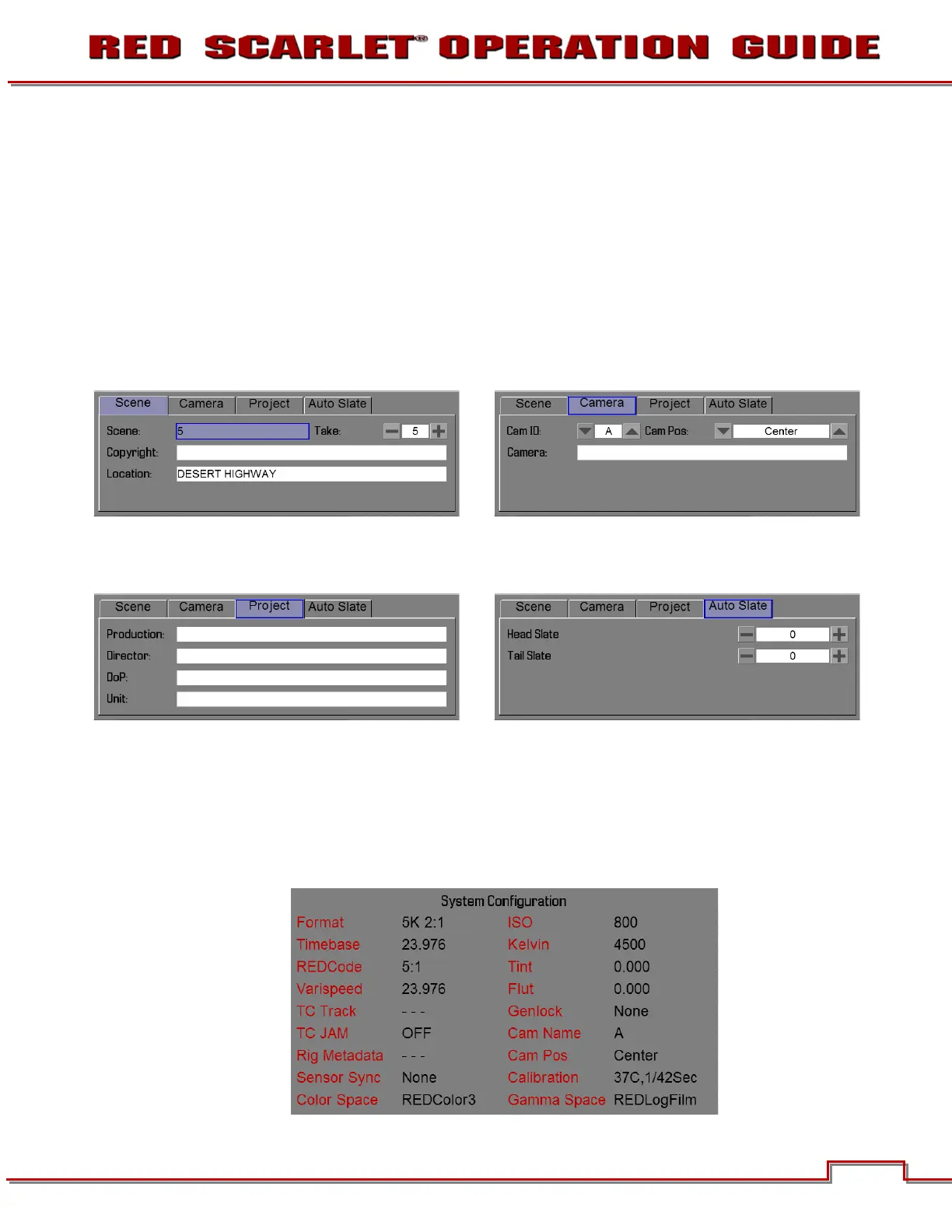
When selected, a new dialog box will appear allowing you to add properties to the media highlighted in
the Current Media box when formatting. Available options are CAM ID, CAM POS and SET to set the
values entered.
Auto-Incrementing Take
If there is a value entered in the Scene box, the camera will automatically increment the take number
every time the camera starts and stops recording.
Note: The scene name is limited to eight characters.
SYSTEM STATUS
Selecting System Status from the Project menu displays key project information.


 To Next Page