955-0003_v3.2, Rev- A1 COPYRIGHT © 2012 RED Digital Cinema
159
3. When media is ejected, Viewfinder output(s) will display “MEDIA EJECTED SUCCESSFULLY“.
4. Media can now be removed from the camera.
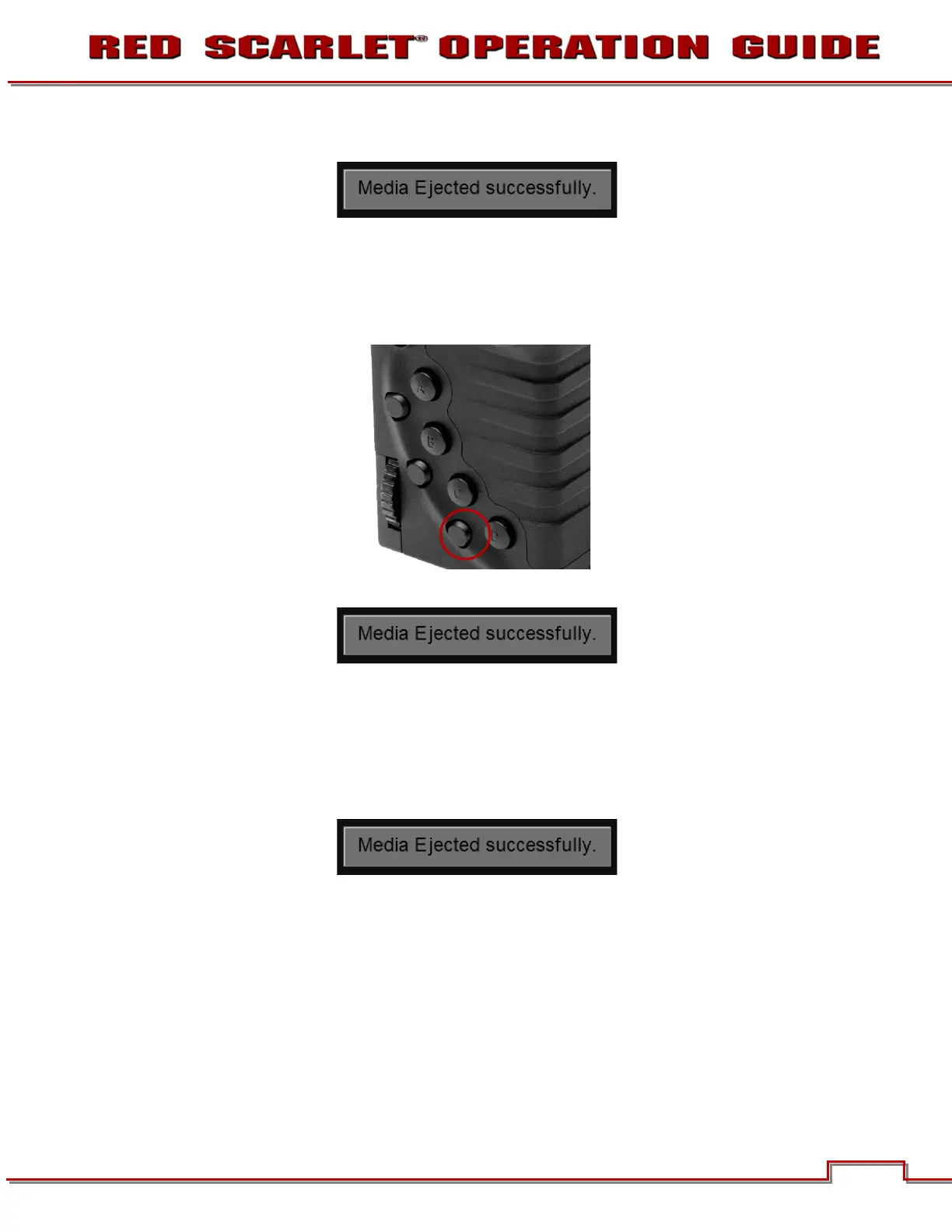
USING SIDE HANDLE
1. By default, the lower of the three (3) SYSTEM KEYS is set to Eject Media when pressed.
2. When media is ejected, Viewfinder output(s) will display “MEDIA EJECTED SUCCESSFULLY“.
3. Media can now be removed from the camera.
USING SIDE SSD
1. Press both User Keys 1 and 2 at the same time to eject REDMAG 1.8” SSD Media.
2. When media is ejected, Viewfinder output(s) will display “MEDIA EJECTED SUCCESSFULLY“.
3. Media can now be removed from the camera.
COPYING MEDIA
For use when media is connected directly to your computer. When copying media, it is recommended
that you drag the complete .RDM folder on the digital magazine to the archive storage media. This
copies all the media and metadata files. You will not need to copy the log, magazine profile, or presets
files, but if you do so, it will do no harm.



 To Next Page