COPYRIGHT © 2012 RED Digital Cinema 955-0003_v3.2, Rev-A1
190
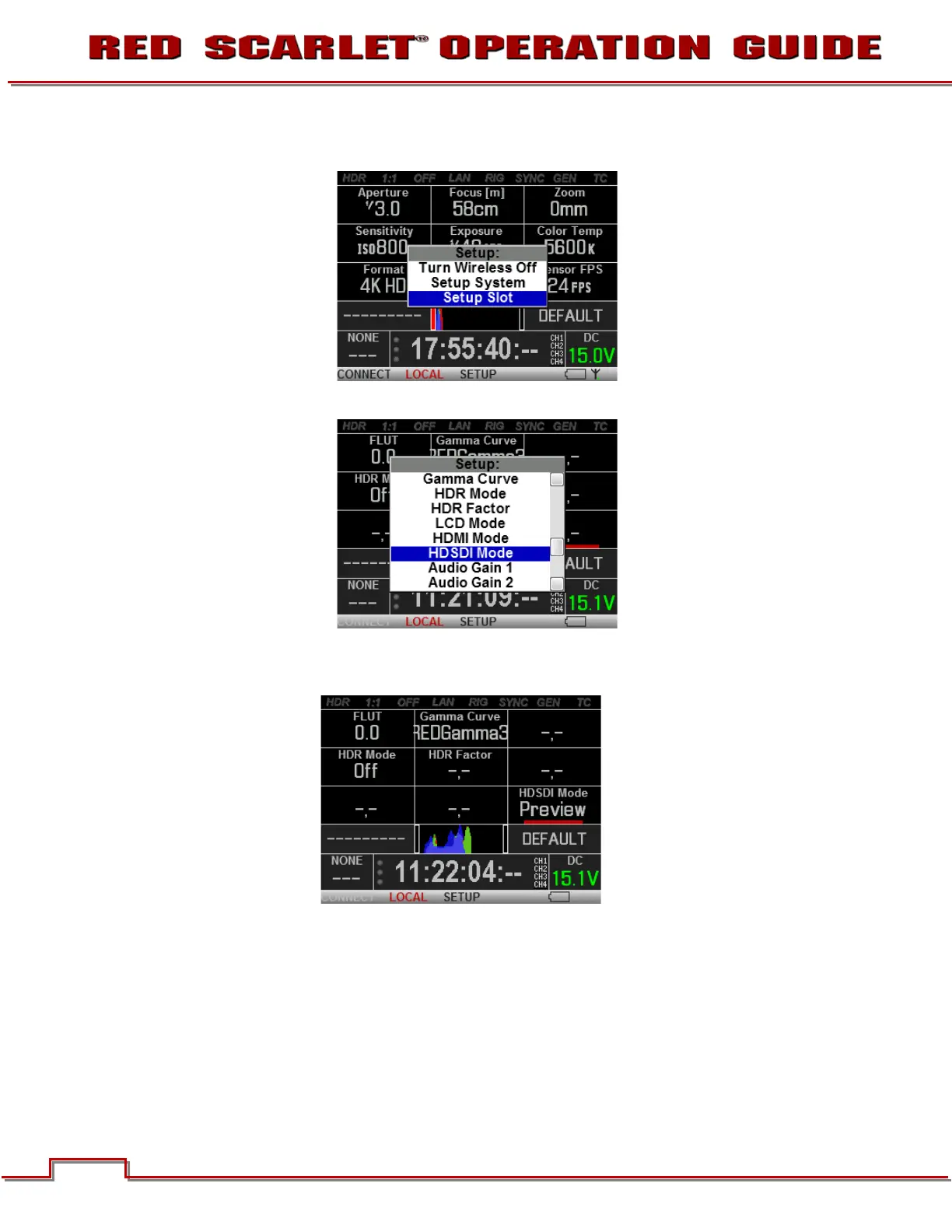
6. Select “Setup Slot” and press the ENTER button.
7. A new Setup window will appear displaying available parameters to display.
8. Select the desired parameter and press the ENTER button.
9. You may now control this parameter directly from the REDMOTE.
REDMOTE SETUP: SOFT MENU BUTTON 3
When pressed, SETUP provides the option of forcing the REDLINK wireless link ON or OFF and
selecting the following REDMOTE Setup menu.


 To Next Page