955-0003_v3.2, Rev- A1 COPYRIGHT © 2012 RED Digital Cinema
27
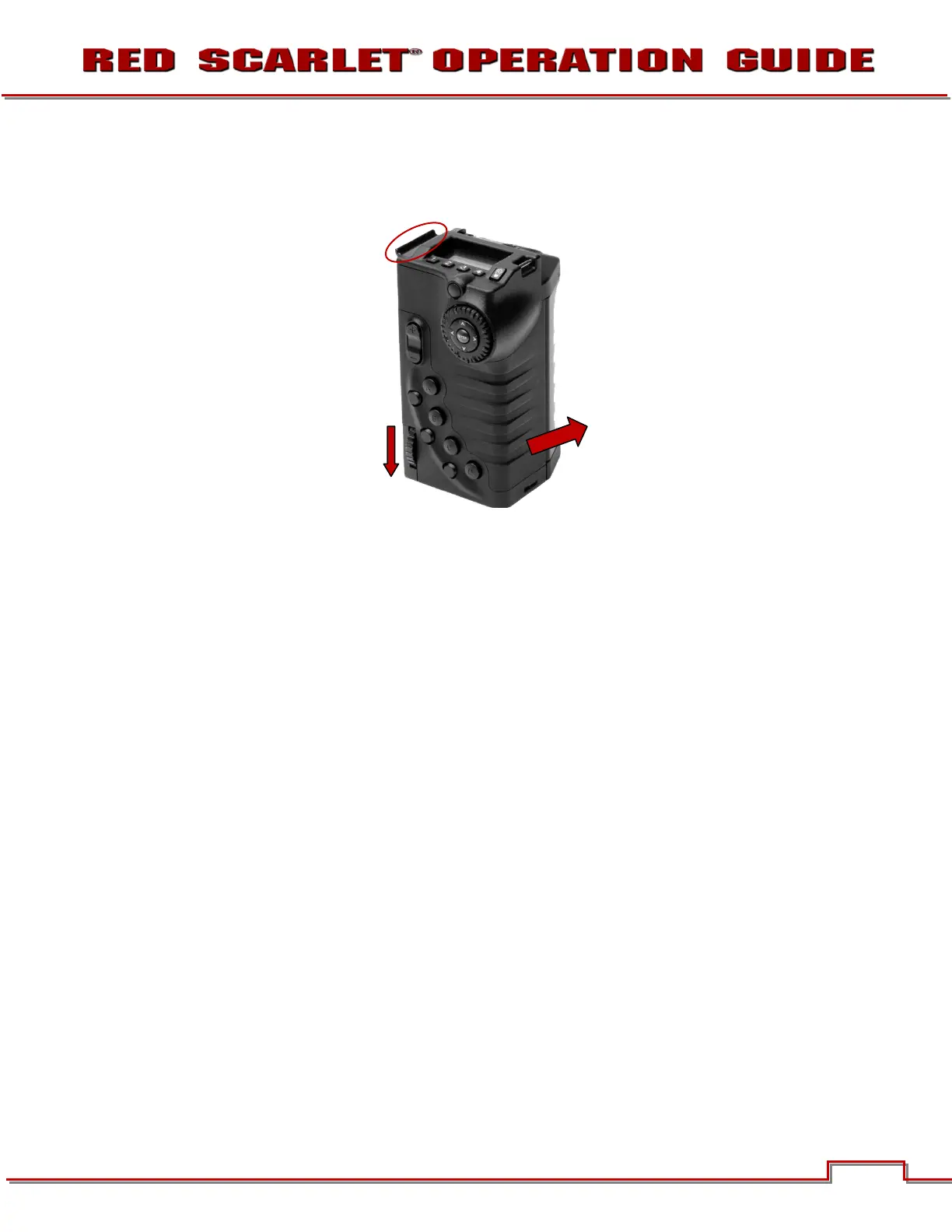
To remove the side handle:
1. Power down the camera if necessary.
2. Rotate the thumbscrew downwards until detached from camera body.
3. Rotate upwards and pull down to disengage lip at top of side handle from camera brain.
4. Remove side handle from camera.
Rotate thumbscrew
downwards until loose.
Rotate side handle
upwards to remove.
Disengage lip from top
of camera brain.



 To Next Page