58
Example:
Adjusting the spherical-head screws (A and B) Tightening/loosening the set screw (C)
Setting a negative camber:
Usingasmall4mmhexkey,turntheupperspherical-headscrew(A)totheright(clockwise)andthelowerspherical-
head screw (B) to the left (counter-clockwise).
Setting a positive camber:
Usingasmall4mmhexkey,turntheupperspherical-headscrew(A)totheleft(counter-clockwise)andthelower
spherical-head screw (B) to the right (clockwise).
Usingasmall4mmhexkey,alwaysturnthetwospherical-headscrews(A)and(B)(seepreviouspage)in
oppositedirections(!)andalwaysatthesameangle(forexample,aquarterturntotheleftorright).
We recommend that you always change the setting by a quarter turn at a time and then check the driving
behaviour.
Thesmallhexholeofthespherical-headscrews(A)and(B)isonlyvisiblewhenyoulookdirectlythrough
thelargehexholeofthesetscrews(C).
Do not loosen the spherical-head screws too much, otherwise the steering knuckle will no longer support
the suspension arm.
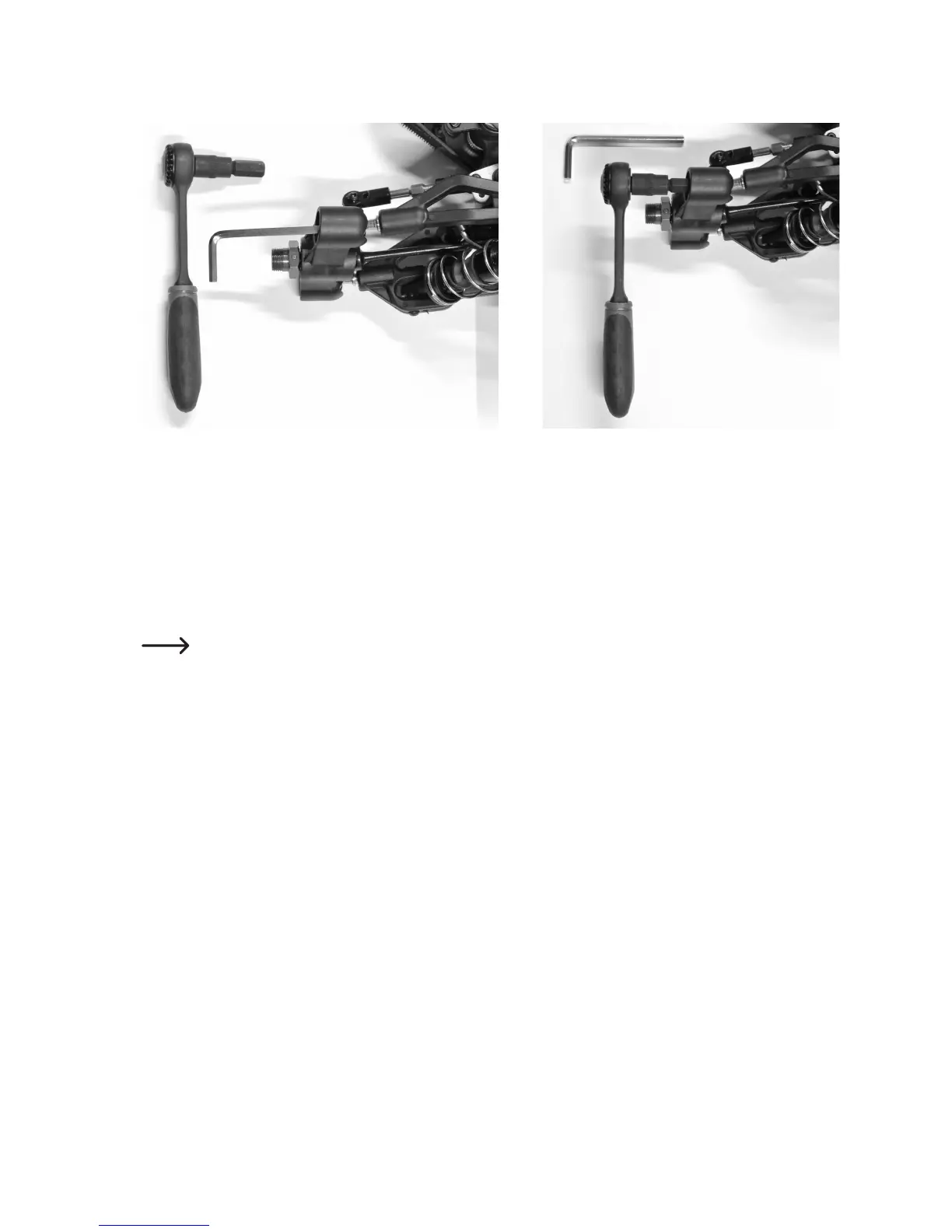
Thencheckwhetherthewheelsuspensioncanmovefreely(thewheelcandeectorrebound).Ifthisisnotthecase,
usean8mmhexkeyoraratchetwithan8mminsert,forexample,(seegureabove)toloosenthesetscrews(C)
by turning them a little bit to the left (counter-clockwise).
Ifthesteeringknucklewobblesonthesuspensionarms,usealarge8mmhexkey(oraratchetwithan8mminsert)
to tighten the set screws (C) by turning them to the right (clockwise). However, do not use force as described above,
asotherwisethewheelsuspensionwillnotbeabletomoveandthewheelwillthusbeunabletodeectorrebound.
Do not overtighten the set screws.










 To Next Page