IN-790016
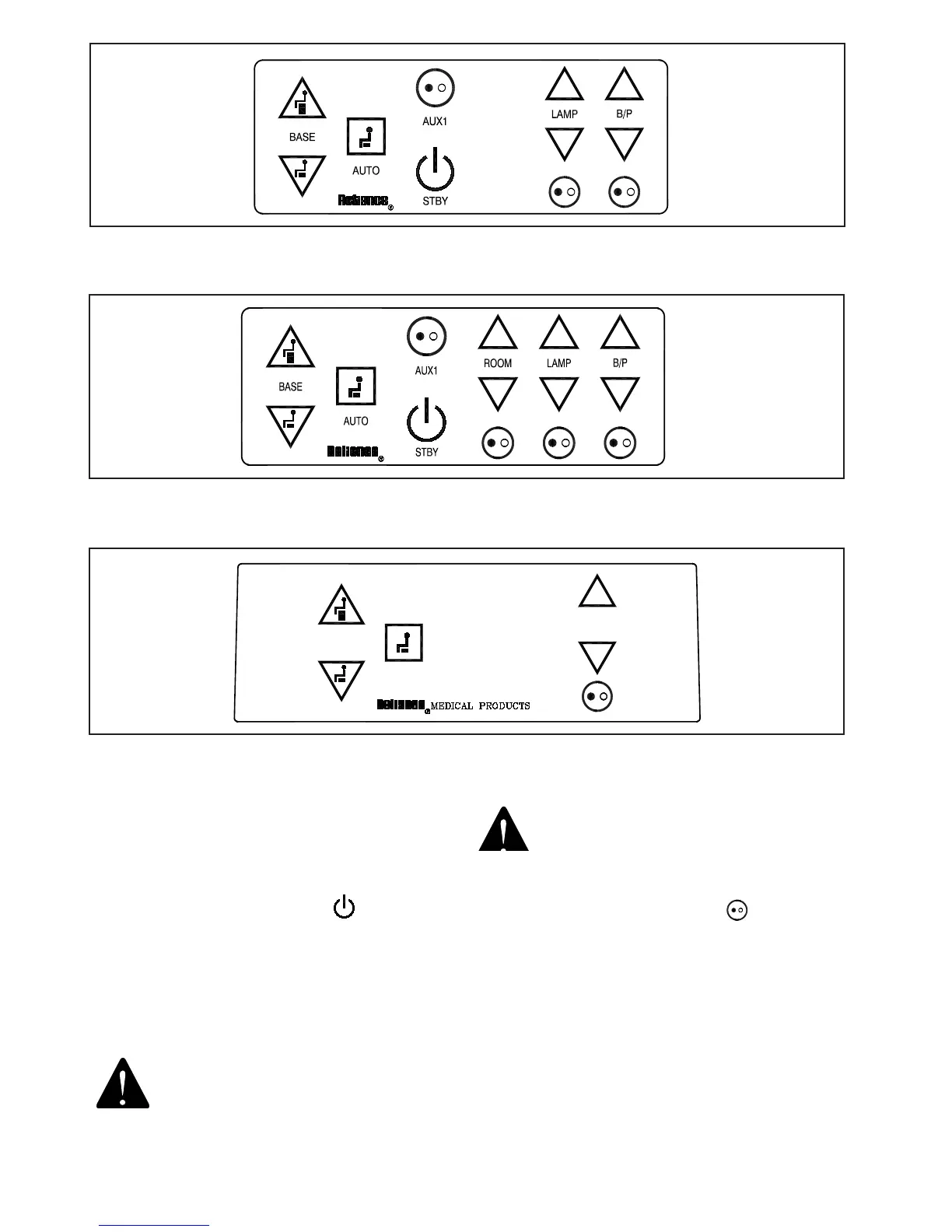
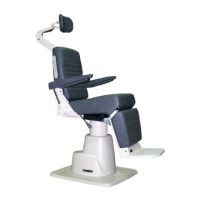
FIGURE 8
CONSOLE FRONT PANEL WITHOUT INFRARED
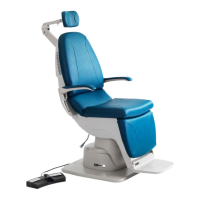
FIGURE 10
BASE CAP FRONT PANEL
FIGURE 9
CONSOLE FRONT PANEL WITH INFRARED
3.6. Front Panel Controls
3.6.1. The controls for the Stand are located on the panel
above the Instrument Wells. Refer to Figures 6, 7 and 8 for
identication of the various controls.
3.6.1.1. Standby Switch (STBY)
• Turns secondary power ON and OFF to the system.
• Turns the STBY, BASE, and AUTO LED’s ON.
• Applies MAIN power to the S/L ARM and AUX power
connectors if on.
• Disables all system functions, except charging of the
Instrument Wells when in the OFF position.
WARNING- MAIN POWER (120VAC OR
230VAC) IS ALWAYS PRESENT INSIDE
THE SYSTEM WHEN THE POWER CORD IS
PLUGGED INTO THE WALL.
AVERTISSEMENT : L’ALIMENTATION ÉLEC-
TRIQUE PRINCIPALE (120 VCA OU 230 VCA)
EST TOUJOURS PRÉSENTE À L’INTÉRIEUR
DU SYSTÈME LORSQUE LE CORDON
D’ALIMENTATION EST BRANCHÉ AU MUR.
3.6.1.2. Auxiliary Switch (AUX1)
• Turns MAIN power ON and OFF to the PROJ power
connector.
• Turns the AUX LED ON when MAIN power is applied to
the PROJ power connector.
• The primary purpose of the switch is to turn the projector
ON and OFF.


 To Next Page