the Eclipse® Room Light Control System.
Contact Technical Service for further as-
sistance.
PRÉCAUTION : Les manettes de batterie
lithium ion causeront un fonctionnement
non désiré de l’éclairage de la pièce lorsque
celui-ci est commandé par le système de
commande d’éclairage de pièce Eclipse®.
Contactez le service technique pour une
assistance supplémentaire.
3.8.3. Configuring the Instrument Stand to
Automatically Control Room Lights
When the user wants to turn on some function of the
Instrument Stand, for example, turn the Slit Lamp or AUX1
Switch On, remove the Indirect Ophthalmoscope from the
Hanger, or remove a battery-operated Instrument from a
Charging Well, they typically intend to perform a specic
examination upon the patient. The Eclipse® System allows
the user to program the room lights to an intensity level
that is suitable for that examination. When the Eclipse®
System is used with a Console, the user can individually
select which of the nine functions will control room lights by
setting switches located on the circuit board. On the Base
Cap, only two switches control room lights. These switches
always send IR signals to the IR Receiver and this functionality
cannot be disabled by switches on the circuit board.
3.8.3.1. Console: Configuring Dip Switches on the
Circuit Board (SW1)
• To avoid any chance of an electrical shock, disconnect
the Instrument Stand’s power cord from the wall outlet.
• Review Table 3. If you want one of the listed switches to
automatically control room lights during an exam, turn
the corresponding switch On. Otherwise, turn the switch
Off. The Factory Default setting is Off.
• Reconnect the Instrument Stand to power.
SWITCHPACK #1 (SW1)
Switch 1
• Turn Switch 1 OFF if your system contains a Single-Zone
Infrared Receiver.
• Turn Switch 1 ON if your system contains a Three-zone
infrared receiver (Factory default setting).
Switch 2
• Turn Switch 2 ON to enable Well #1 to affect room lights.
• Turn Switch 2 OFF to disable Well #1 from affecting room
lights.
Switch 3
• Turn Switch 3 ON to enable Well #2 to affect room lights.
• Turn Switch 3 OFF to disable Well #2 from affecting room
lights.
IN-7900
19
3.8. Eclipse ® Infra-red (IR) 3 Zone Room Light
Control System
The Eclipse® IR Room Light Control System (Eclipse®
System) is an option on the Instrument Stand and is available
with a Console or Base Cap. The Eclipse® System allows you
to control the exam room’s incandescent and/or orescent
lights, and some LED lighting, directly from the Instrument
Stand. In most cases, the Instrument Stand changes room
lights “automatically” and to the intensity you have chosen
for the exam you are about to perform.
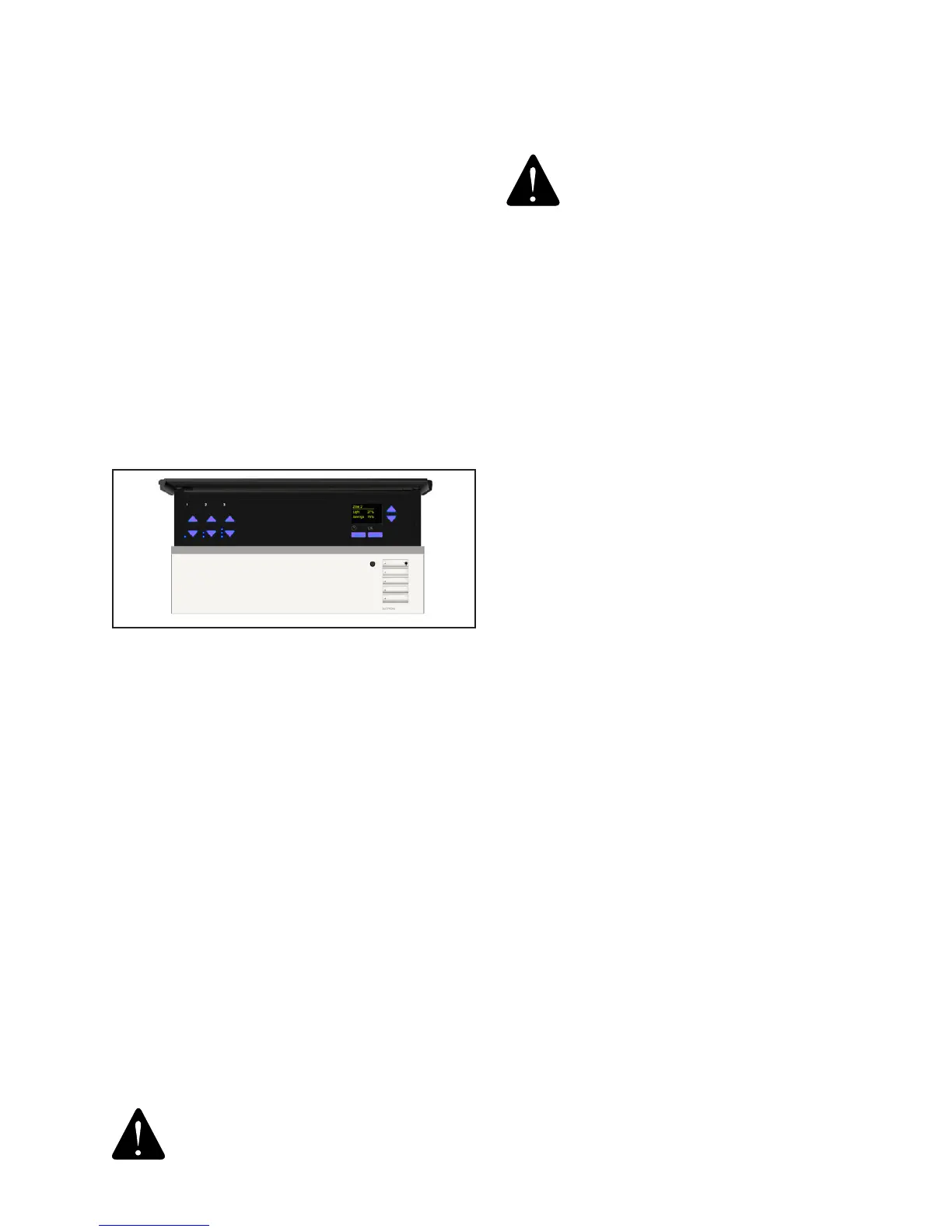
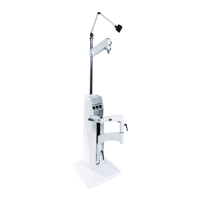
The Eclipse® System adds two major components to your
Instrument Stand: an IR Transmitter and an IR Receiver. The
IR Transmitter snaps onto the top of the Instrument Stand’s
Support Pole. It sends IR signals to the IR Receiver, just
like your TV’s Remote Control Unit sends IR signals to your
TV. The IR Transmitter should be pointed at the IR Receiver.
The IR Receiver mounts inside the exam room on the wall.
Refer to the IR Receiver in Figure 15.
3.8.1. Three Zone System
3.8.1.1 A Zone refers to a bank of lights controlled by
one room light switch. For example a room with a group
of canned lights controlled by one switch and uorescent
controlled by another switch has two lighting zones.
• Each zone has a dedicated raise and lower button to
adjust the zone.
• Each zone has a dedicated 7-LED bar graph for level
status. Percentage of light level and energy saved is
displayed on the info screen.
• All zone information has blue backlit LEDs. Backlight turns
off when idle for 30 seconds.
3.8.2. Scenes
3.8.2.1 A Scene simply refers to the intensity of the room
lights that has been pre-programmed into the Single or Dual-
Zone IR Receiver. When the IR Transmitter sends a signal to
the IR Receiver, that signal tells the IR Receiver which Scene
to adjust the room lights to. Goto http://www.lutron.com/
TechnicalDocumentLibrary/QSGRJ-xP_QSGR-xP_English_
Install.pdf for Installation and Operation Instructions.
CAUTION- Li-Ion Battery Handles will
cause unintended operation of the room
lights when room lights are controlled by
FIGURE 12


 To Next Page