settings ......................................................
(up to the end of the DU)
settings
sound volume adjustments ..................
(current page)
4.17
ENG_UD63796_4
Réglages téléphone (XNX - Renault)
Phone Settings
TELEPHONE SETTINGS (1/2)
“Settings”
menu
With the telephone connected to the
system, from the main menu press
“Phone” or press on shortcut A from
any menu.
From the pop-up menu, select
“Settings” to access the following set-
tings:
– “Voice mail settings”;
– “Automatic phonebook download”
(“ON”/“OFF”);
– “Sort by name”/“First name”;
– “Automatic hold”
(“ON”/“OFF”);
– “Phone ringtone”
(“ON”/“OFF”);
– “SMS” (“ON”/“OFF”);
– “Private mode” (“ON”/“OFF”);
– “Smartphone help”.
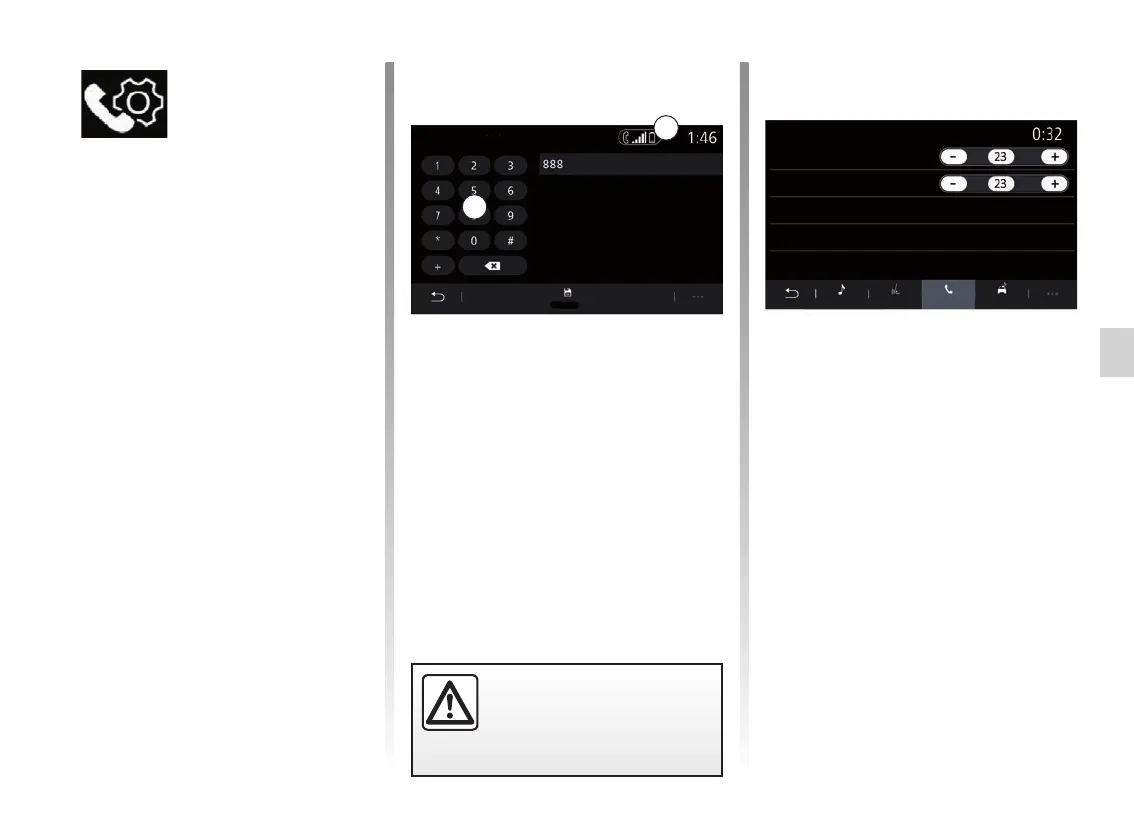
“Voice mail settings”
Use this option to configure the settings
of your telephone answering system.
If voice messaging is not set up, use the
set-up screen to select your voice mes-
saging number using the keypad B,
then “Save”.
A
B
For safety reasons, carry
out these operations when
the vehicle is stationary.
“Phone ringtone”
From the main menu, press “Settingsˮ,
then the “Soundˮpop-upmenu.From
the “Phoneˮ tab, you can adjust the
audio level of:
– “Phone ringtone”;
– “Hands-free phone”.
For further information, please refer to
the section on “System settings”.
Phone ringtone
Sound
Voice mail settings
Please enter the number in
order to call your voice mail.
Hands-free phone
Audio
PhoneVoice Other
Save



 To Next Page