buttons .......................................................
(up to the end of the DU)
controls ......................................................
(up to the end of the DU)
fascias and steering wheel controls...........
(up to the end of the DU)
1.4
ENG_UD68530_6
Présentation des commandes (XNX - Renault)
Introduction to the controls
INTRODUCTION TO THE CONTROLS (1/4)
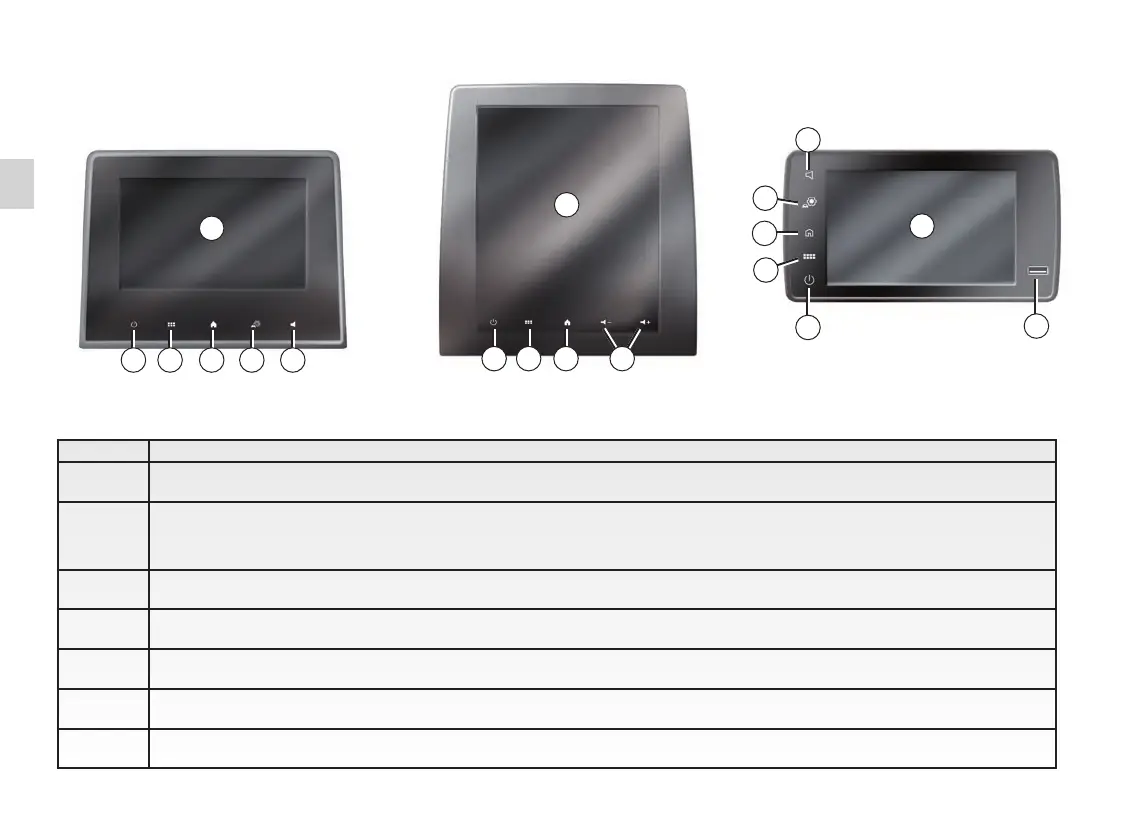
Screen controls
65432
432
1
1
Function
1 Multimedia screen.
2
Press and hold (around 5 seconds): restart the system.
Short Press: Radio/Music OFF, minimum display, standby.
3 Access to main menu.
4 Access the home page.
5 Access the settings menu.
6 Volume adjustment (1 or 2 buttons, depending on the screen).
7 Socket USB.
1
4
5
3
2
7
6
6



 To Next Page