1.3
ENG_UD63561_4
Description générale (XNX - Renault)
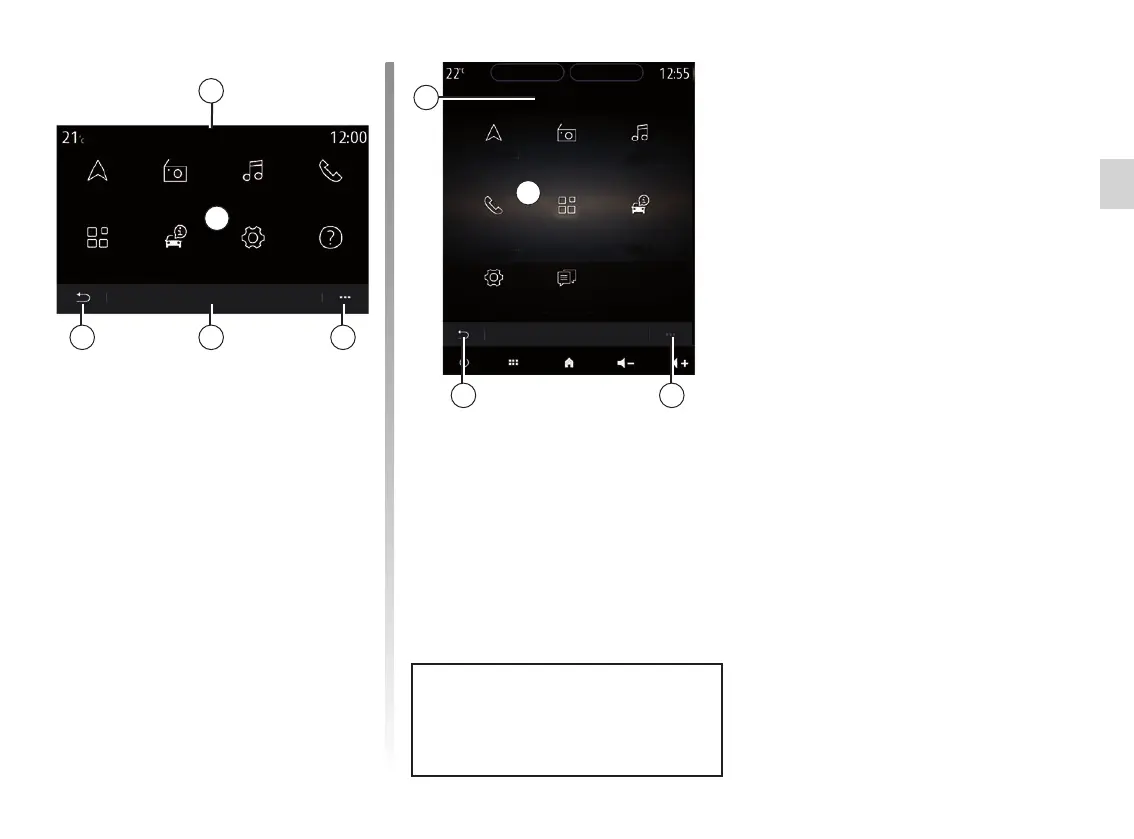
Menu screen
L Depending on the menu, this area
displays the shortcuts to the func-
tions in progress.
M Pop-up menu.
N Depending on the menu, this area
displays from two to five buttons.
P Back to previous page.
Q Main menu.
Note: depending on the equipment
level, only available functions that
can be selected appear on the home
screen.
For more information, open the user
manual from the pop-up menu.
MP N
L
Q
Menu
Navigation
Applications
Radio
Car info
Music
Settings
Phone
Help
GENERAL DESCRIPTION (2/2)
MP
Q
Menu
Navigation
Applications
Radio
Car info
Music
Settings
Phone
Suggestions &
notifications
L



 To Next Page