dialling a number .......................................
(up to the end of the DU)
ending a call ..............................................
(up to the end of the DU)
receiving a call ...........................................
(up to the end of the DU)
rejecting a call............................................
(up to the end of the DU)
answering a call .........................................
(up to the end of the DU)
call waiting .................................................
(up to the end of the DU)
4.8
ENG_UD61119_2
Appel téléphonique (XNX - Renault)
DialPhonebookHistory
Elodie
Outgoing call
Dialling…
“Phone” menu
From the main menu, press “Phone”.
Note: press area A to access the
“Phone” menu directly from most
menus.
Note: In order to make a call, your tele-
phone must be connected to your mul-
timedia system. For more information,
please refer to “Connecting/disconnect-
ing a telephone”.
Phone call
PHONE CALL (1/3)
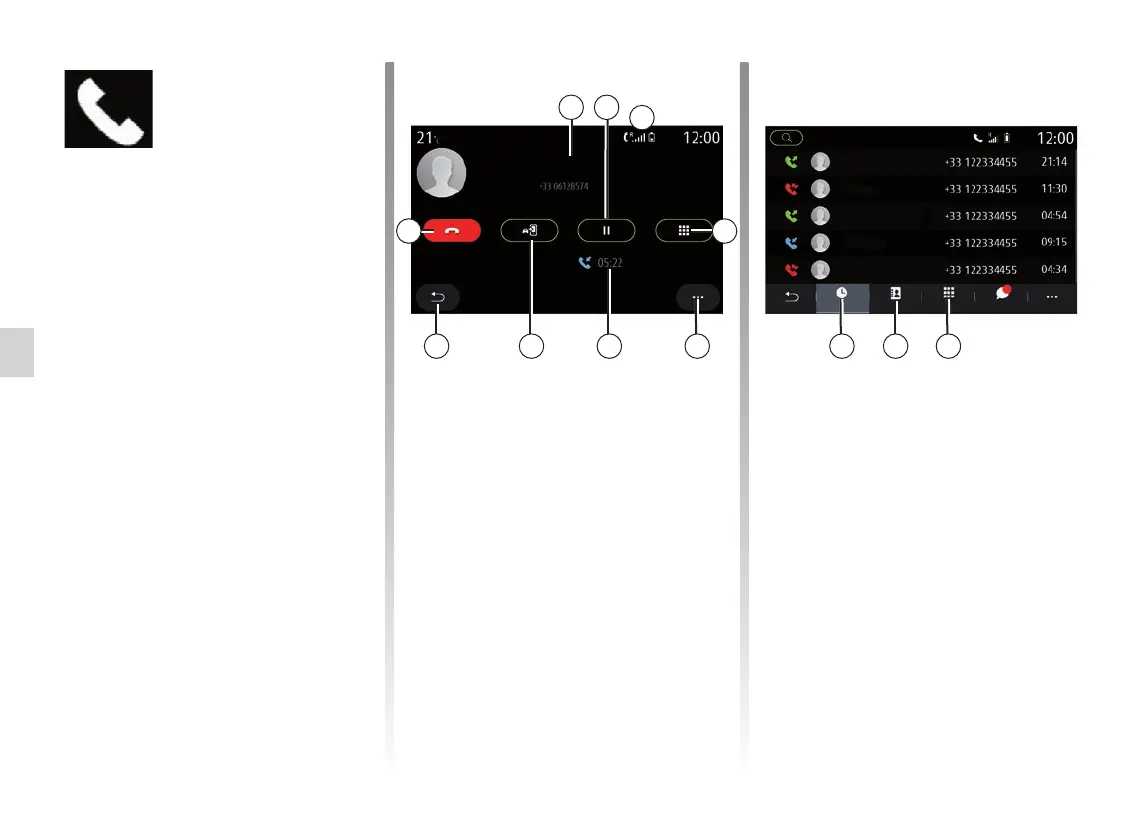
“Call in progress” screen
1 Contact name and telephone
number.
2 Put current call on hold.
3 Access the keypad to dial a
number.
4 Pop-up menu.
5 Current call duration.
6 Transfer the call to the telephone.
7 Return to the previous menu.
8 End the call.
Making a call
You can make a call by selecting:
– a number in the call log from the
“History” menu11;
– a contact in the phonebook from the
“Phonebook” menu 10;
– the keys on the keypad from the
“Dial” menu 9.
4567
1 2
38
A
91011
Nicolas
Morgane
Pascale
Manuel
Elodie
SMS



 To Next Page