Android Auto™, CarPlay™ ........................
(up to the end of the DU)
Yandex.Auto ..............................................
(up to the end of the DU)
5.2
ENG_UD68536_6
Android Auto/Carplay/Yandex.Auto (XNX - Renault)
Android Auto™, Carplay™, Yandex.Auto™
ANDROID AUTO™, CARPLAY™, YANDEX.AUTO™ (1/4)
Accept the requests on your smart-
phone in order to use the app.
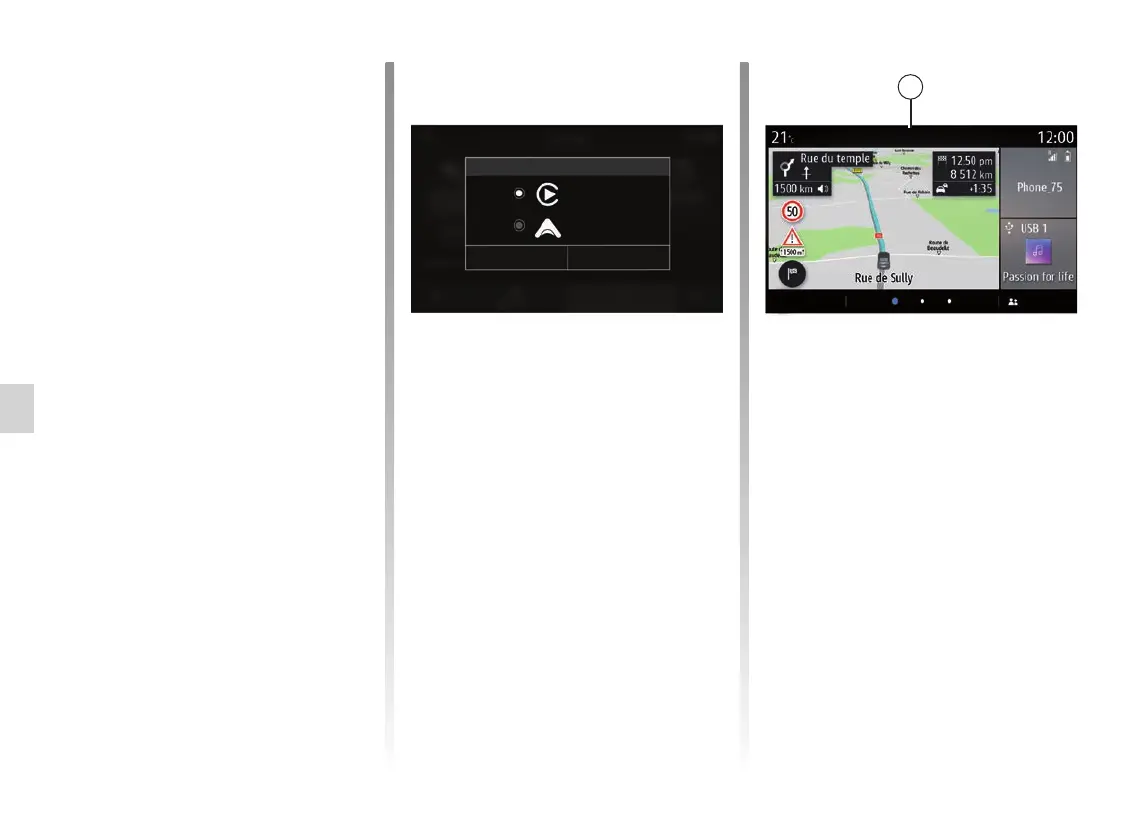
The multimedia system suggests
“AndroidAuto™ˮ or “Yandex.Auto™ˮ,
depending on the country:
– the connection as an audio source;
– a tutorial on how the function works.
The app runs on the multimedia system
and should be visible in area 1.
If the procedure described above fails,
repeat the operation.
Menu Elodie
Android Auto
1
Special feature of “Yandex.Auto™”
The “Yandex.Auto™” app will only work
if all of the following conditions are met:
– the telephone is connected to the
USB socket in your vehicle;
– the telephone is connected to your
multimedia system via Bluetooth®;
– the telephone is unlocked;
– the “Yandex.Auto™” app is on your
telephone screen.
Android Auto
Yandex.Auto
Cancel
Service type
OK
Introduction Android Auto™,
Yandex.Auto™
Android Auto™ and “Yandex.Auto™”
are apps that can be downloaded from
your smartphone to enable you to use
some apps on your phone from your
multimedia system screen.
Note: the “Android Auto™" and
"Yandex.Auto™" apps will only work if
your smartphone is connected to the
USB port in your vehicle and if voice
recognition is activated.
First use
Download and install the “Android
Auto™” or “Yandex.Auto™” app from
your smartphone's app download plat-
form.
Connect your phone to your multimedia
system’s USB port.
Note: it is advisable to use USB cables
recommended by the phone manufac-
turer to ensure that the app functions
correctly.



 To Next Page