electric vehicle
charging ...............................................
(up to the end of the DU)
electric vehicle ...........................................
(up to the end of the DU)
6.36
ENG_UD68542_4
Véhicule électrique (XNX - A-IVI - Renault)
Electric vehicle
ELECTRIC VEHICLE (1/5)
Charging programming
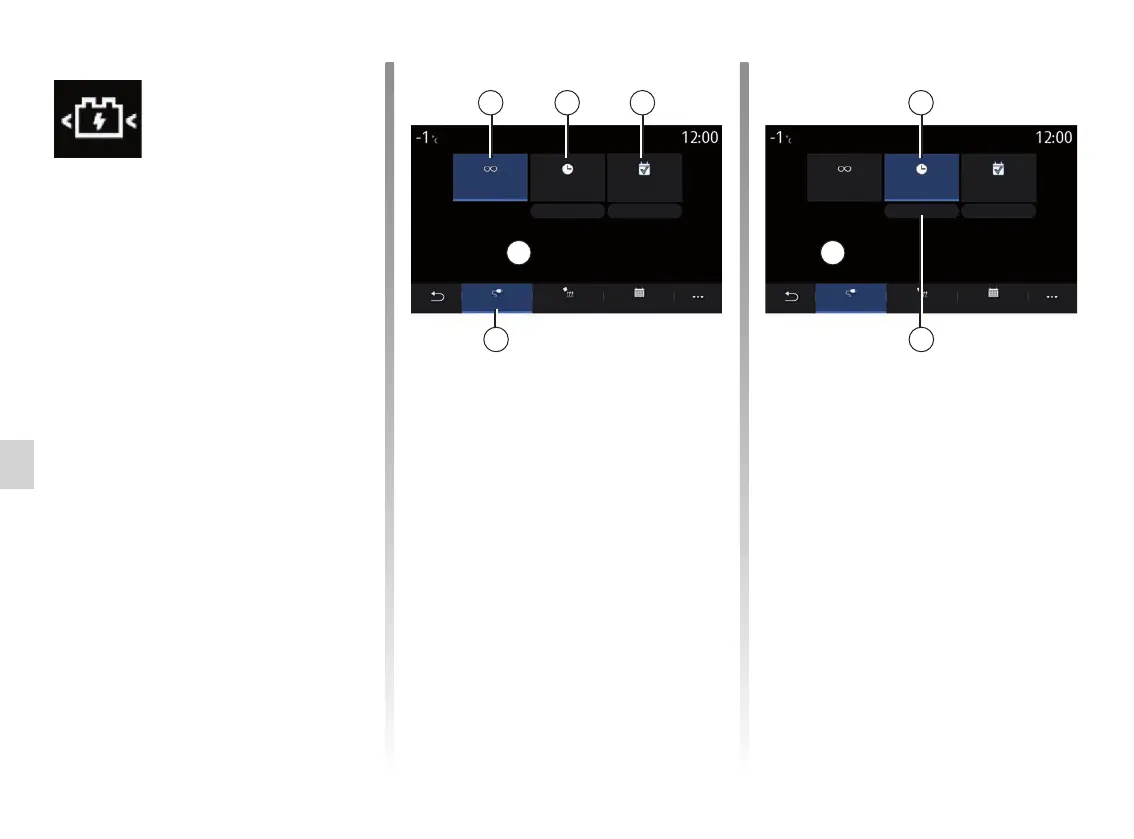
Immediate charging 1
Once your vehicle is connected to a
power source, charging starts.
Area A informs you that “Immediate
charging” is activated.
Programming
Immediate
charge
Charging will begin when the vehicle is plugged in
Charging will start at 12:34
Postponed
charging
Edit Edit
ClimateCharge Calendar
Program
1 32
4
Programming
Immediate
charge
Postponed
charging
Edit Edit
ClimateCharge Calendar
Program
2
A
5
B
“Programming”
menu
From the “Settings” menu, then the
“Vehicle” tab, open the “Programming”
menu to configure vehicle charging,
from the “Charge” 4, to programme
comfort temperatures, from the
“Climate” 9 tab, and see all of your set-
tings from the “Calendar” 12 tab.
Fields A, B and C display dates, times
and activated programmes.
Note: charging will start if the engine
is shut down and the vehicle is con-
nected to a power supply and access
is authorised.
“Postponed charging” 2
Even though your vehicle is connected
to a power source, you can programme
the start time for charging.
Press “Edit” 5 to open a screen to set
the start time for charging.
Set the start time for charging then
press “Close” to confirm.
Field B shows the programmed time for
charging to start.



 To Next Page