operation....................................................
(up to the end of the DU)
screen
monitor .................................................
(up to the end of the DU)
switching off ...............................................
(up to the end of the DU)
1.16
ENG_UD63563_2
Marche/arrêt (XNX - Renault)
Switch on/off
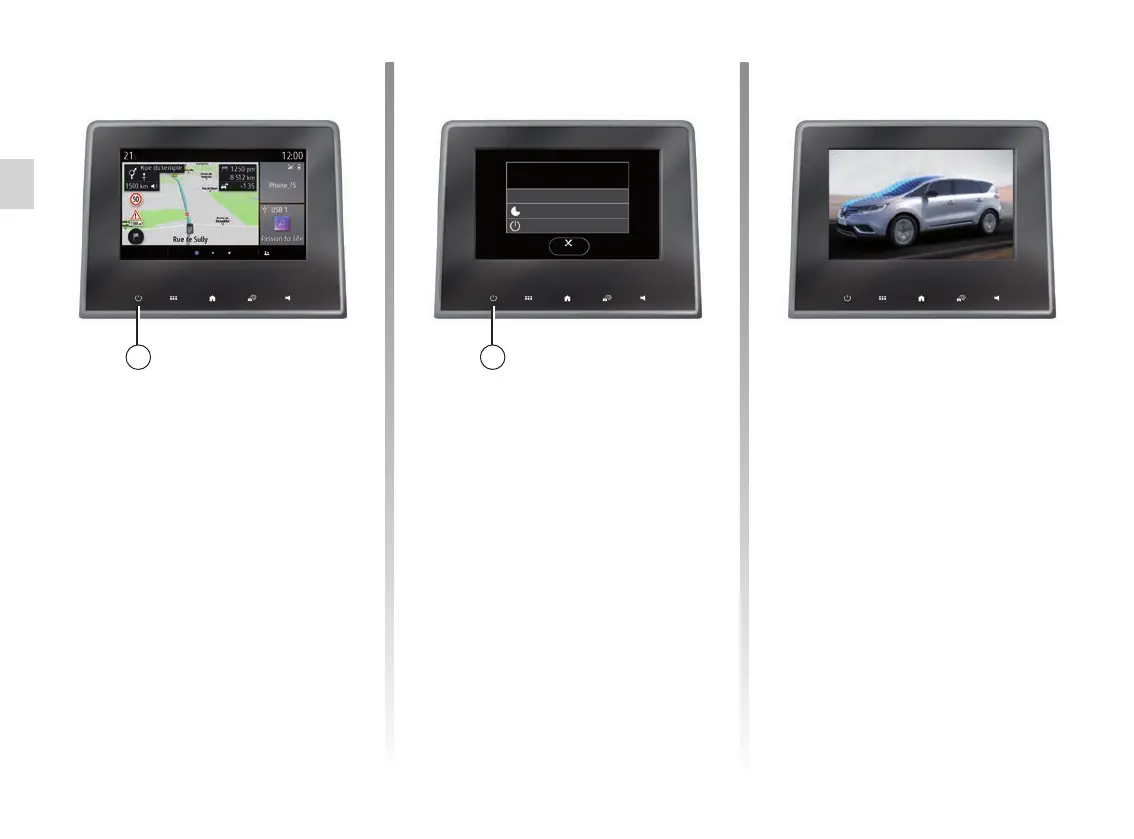
SWITCHING ON, OFF
Switching on
The multimedia system starts:
– when the vehicle is started;
– by tapping the 1 control on the multi-
media screen or the central control.
Switching off
The multimedia system switches off:
– by tapping the 1 control on the mul-
timedia screen or the central control,
you can:
– switch off the radio/music;
– switch off the screen;
– Standby.
– when the opening elements of your
vehicle are locked.
26-06-2018
Radio / music OFF
System ON/OFF
Dark screen
Standby
Close
13:35
23°
Clock/temperature/date
screen
This screen is displayed when you
select the “Standbyˮ function.
11



 To Next Page