5.6
ENG_UD60843_2
Gestion des applications (XNX - Renault)
App management
APP MANAGEMENT (1/2)
“Applications”
menu
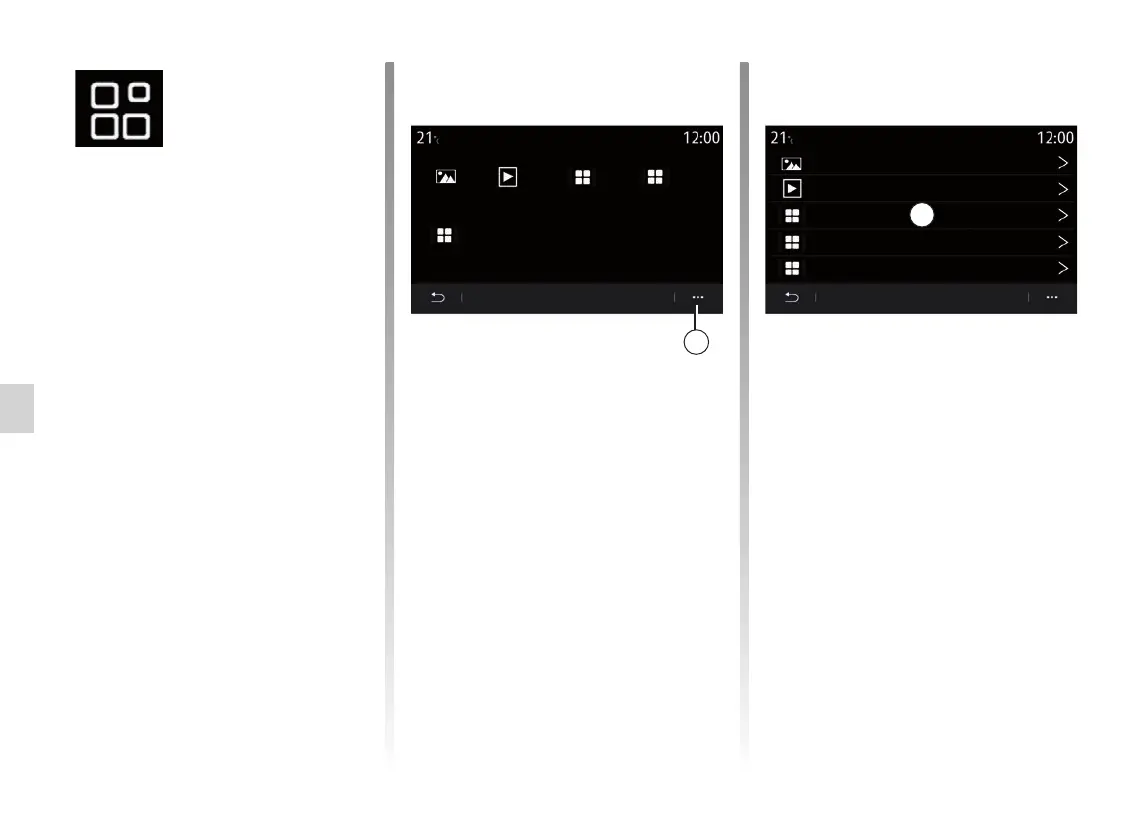
From the main menu, press Applications
or Apps to access the following:
– the apps installed on your navigation
system;
– “Photo”;
– “Video”.
Note: some services will be available
free of charge for a trial period. You can
extend your subscription from your ve-
hicle or online via the www.myrenault.
com website.
Pop-up menu
Use the 1 pop-up menu to:
– organise your applications by drag-
and-drop;
– delete the application by pressing on
the “X” delete button. If the applica-
tion cannot be deleted, the delete
button is not displayed;
– activate notifications;
– access the App Manager.
App Manager
Use the App Manager menu to view
the 2 apps that are currently running on
your multimedia system.
Note: the “Photo” and “Video” apps are
not handled by the App Manager.
Note: applications that are running will
stop as soon as the multimedia system
is switched off.
Note: the number of applications is lim-
ited according to system storage space.
Apps 1
my apps
App manager
Apps 2
Apps 3
Video
130 MB
450 MB
used
space
Video
Photo
Apps 2
Apps 3
Apps 1
In progress...
In progress...
In progress...
free space
Photo
1
2



 To Next Page