5.7
ENG_UD60843_2
Gestion des applications (XNX - Renault)
APP MANAGEMENT (2/2)
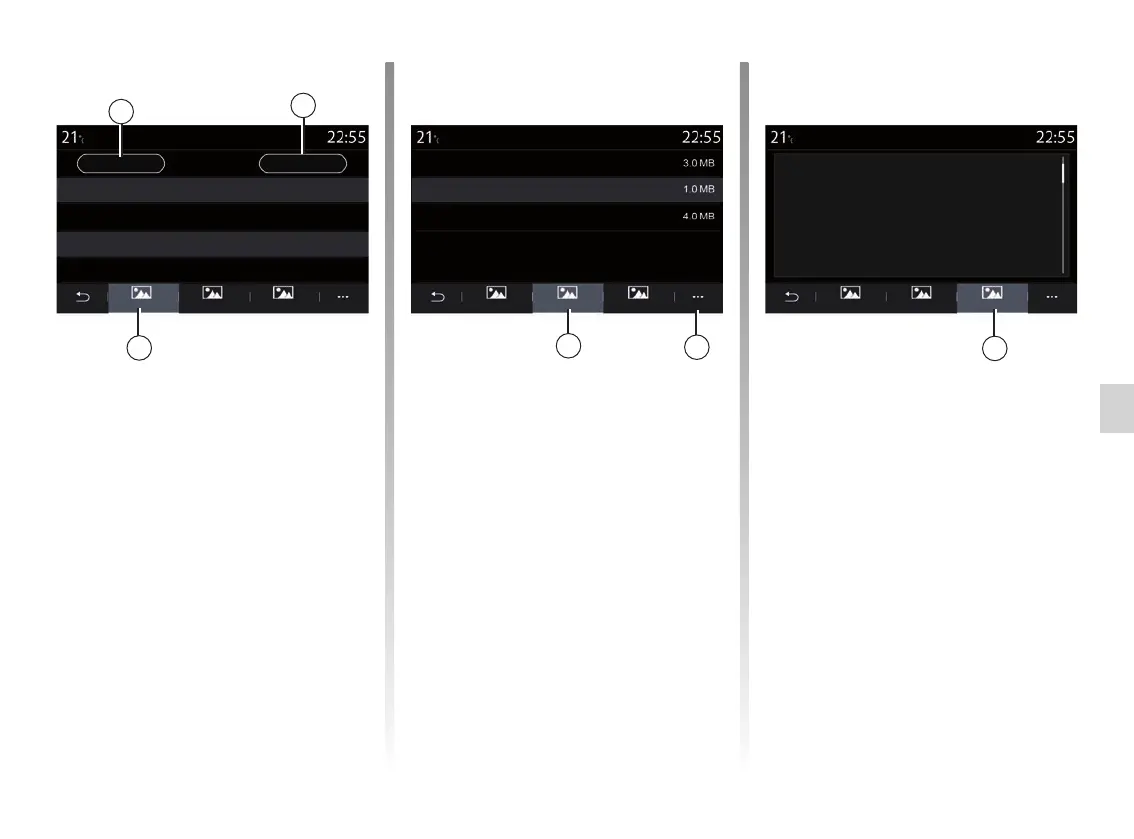
Select one of the 2 applications. From
the “About” tab 5, you can access in-
formation on the application (version,
creation date or expiry date, title, etc.).
You can also:
– “stop the application” 3;
– “uninstall application” 4.
From the “Memory” tab 7, you can
access the following information:
– app storage size;
– Application data storage size (music,
photos, etc.);
– Total app storage size.
From the 6 pop-up menu, you can
erase the application data.
From the “Legal notice” tab 8 you
can access permissions information, if
available.
5
7
8
3
4
6
Apps 1 Apps 1 Apps 1
Legal notice
Stop
About System memory Legal notice
Uninstall
Version
Application
1.23
Date
Data
01/05/2005
Author
Total
Easy
Description
XXXXXX
About System memory Legal notice About System memory Legal notice



 To Next Page