1.5
ENG_UD68530_6
Présentation des commandes (XNX - Renault)
INTRODUCTION TO THE CONTROLS (2/4)
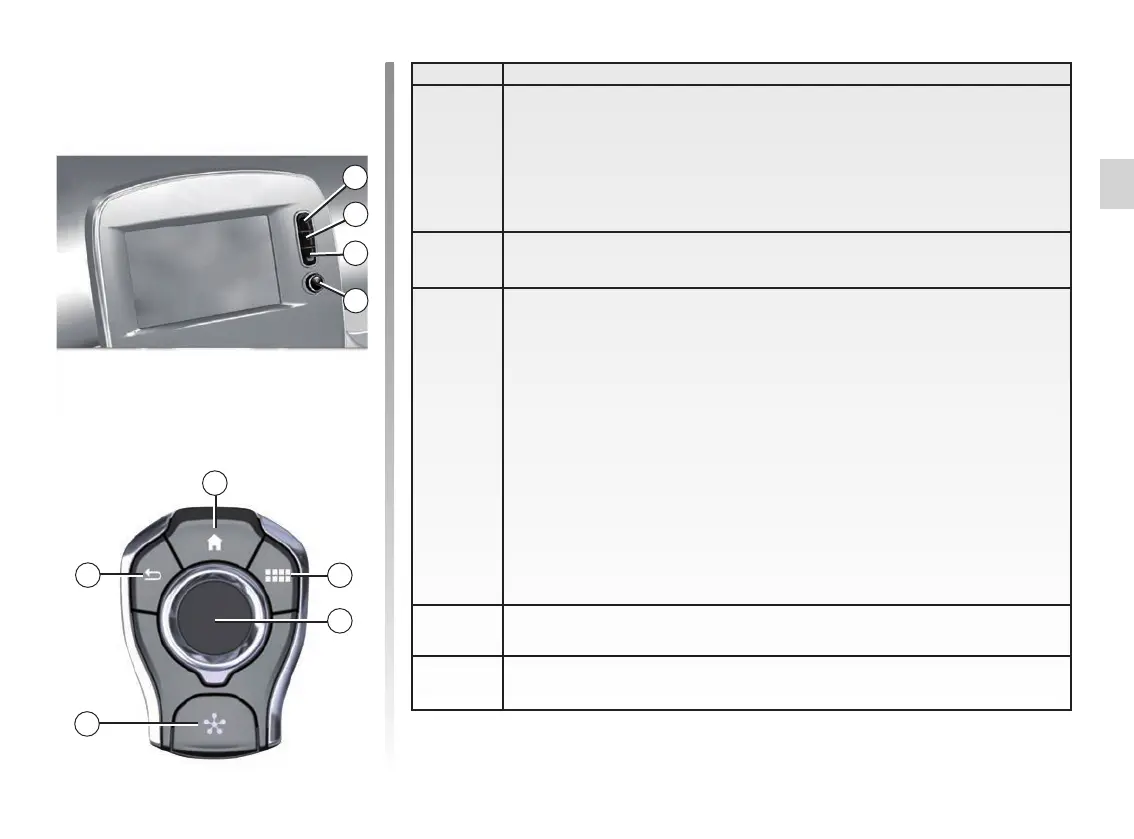
Central controls
3
4
5
8
Function
8
Press:
– on/off.
Rotate:
– volume of the audio source currently playing.
9 Access to main menu.
10
Switching:
– navigation within the selected area;
– up/down: to move to different areas of the current page (top, middle
and bottom);
– left/right: move to different tabs on a menu;
– change page.
Rotate:
– move around the various elements of a zone;
– move around a list;
– change the scale of the navigation map (ZOOM mode).
Press:
– confirm.
11 Direct access to the MULTI-SENSE menu.
12 Return to the previous screen.
12
4
9
10
11
Remote control



 To Next Page