5.4
ENG_UD68536_6
Android Auto/Carplay/Yandex.Auto (XNX - Renault)
Return to the multimedia
interface
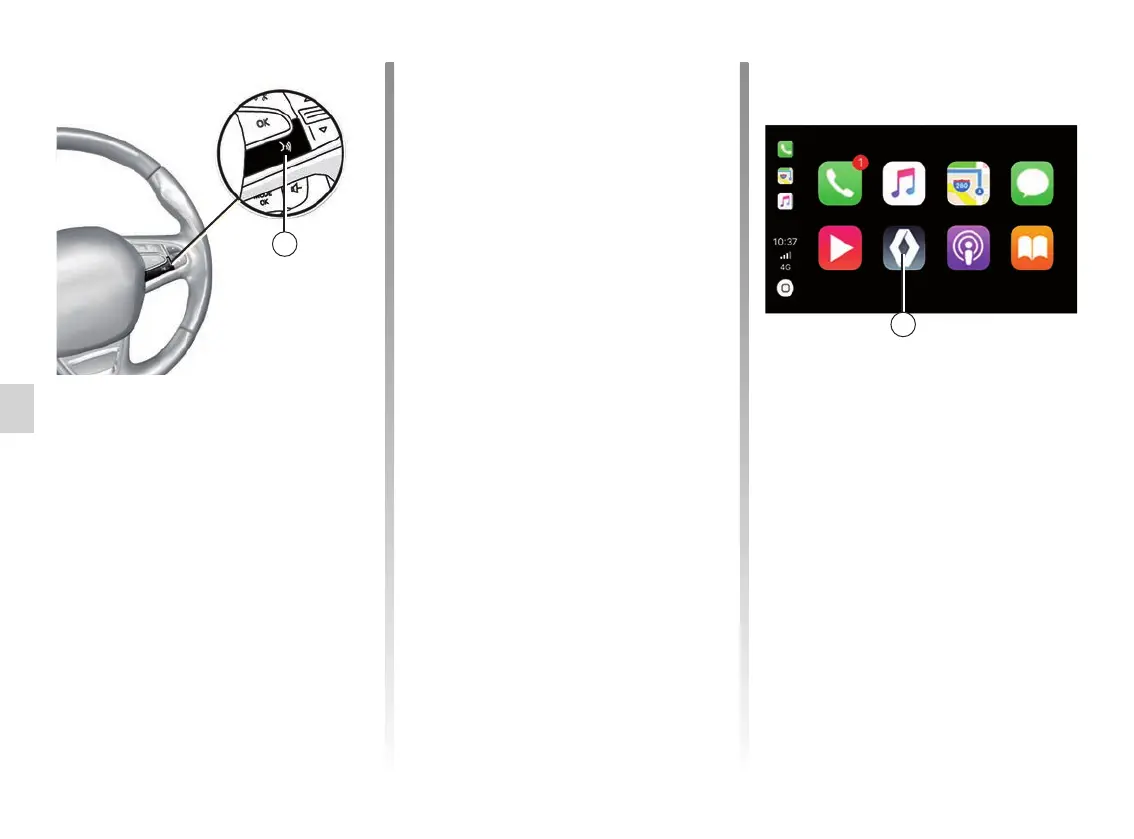
Return to your multimedia system inter-
face:
– press the “Home menu” button 4 on
the front panel of your multimedia
system or on the central control;
or
– press button 3 on the multimedia
system screen.
2
Voice recognition
Once the Android Auto™ and Yandex.
Auto™ apps or the CarPlay™ ser-
vice are working with your multimedia
system, you can use the voice recog-
nition button 2 in your vehicle to control
certain smartphone functions with your
voice with:
– Short press: activate/deactivate mul-
timedia system voice recognition;
– Long press: activate/deactivate voice
recognition for your phone if it is con-
nected to the multimedia system.
Note: when you use Android Auto™,
Yandex.Auto™ or CarPlay™, you can
access your smartphone's navigation
and music apps.
These applications will replace similar
applications integrated into your multi-
media system which are already run-
ning.
One navigation only, that of:
– “Android Auto™”;
– “Yandex.Auto™”;
– CarPlay™;
– or the one included in your multime-
dia system can be used.
Note: when you are using the Android
Auto™ or Yandex.Auto™ apps or the
CarPlay™ service, certain functions in
your multimedia system will continue
to run in the background. For exam-
ple if you start Android Auto™, Yandex.
Auto™ or CarPlay™ and use the nav-
igation on your smartphone while the
radio in the multimedia system is play-
ing, the radio will continue to be broad-
cast.
ANDROID AUTO™, CARPLAY™, YANDEX.AUTO™ (3/4)
Phone
Listening
Music
A-IVI
Maps
Podcasts
Messages
Books
3



 To Next Page