6.7
ENG_UD69084_5
Aides au parking (XNX - Renault)
PARK ASSIST (2/2)
12
“Obstacle detection”
Press “ON” or “OFF” to activate or de-
activate Park Assist:
– rear 4;
– side 8;
– front 9.
“Sound”
Press “ON” or “OFF” to activate or
deactivate audible warnings for Park
Assist.
The following settings can be modified:
– “Sound type”: select one of the audi-
ble warning types among those sug-
gested;
– “Volume”: adjust the obstacle detec-
tion warning volume by pressing “+”
or “-”.
1615
“Hands-free parking” 10
Choose one of the following options to
select a default manoeuvre:
– “Parallel” 14;
– “Perpendicular” 15;
– “Angled” 16.
For further information on the “Hands-
free parking” function, please see to the
Park Assist section in your vehicle user
manual.
For safety reasons, carry
out these operations when
the vehicle is stationary.
Default manoeuvre
Hands-free parking
14
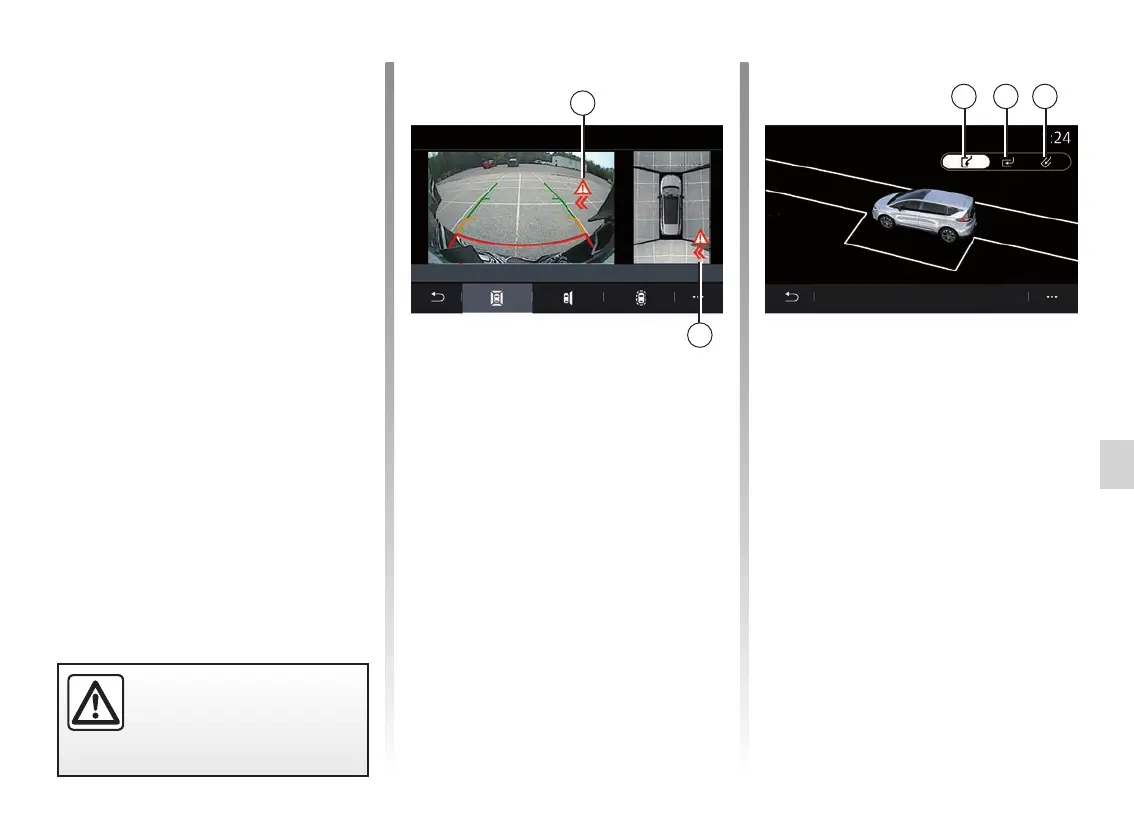
Parking exit warning 5
The Parking exit warning 5 detects ob-
stacles approaching the sides of your
vehicle from the rear.
It is activated when reverse gear is en-
gaged and the vehicle is stationary or
moving at a low speed.
You are notified of approaching obsta-
cles by a continuous audible warning,
a display 13 on the multimedia screen
and a light signal on the rear view
mirror.
Note: motionless obstacles are not de-
tected.
13
13



 To Next Page