6.12
ENG_UD68873_5
Multi-Sense (XNX - Renault)
MULTI-SENSE (2/9)
Driving settings
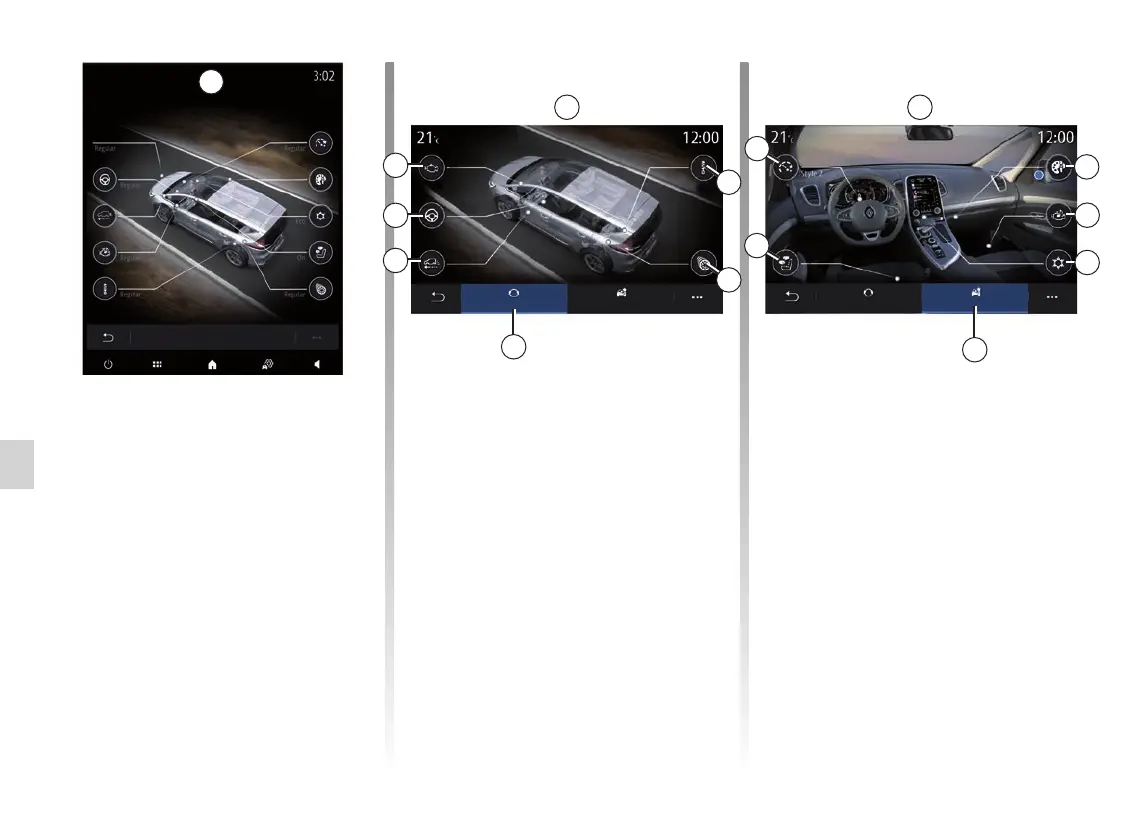
From the “Driving” 6 tab, you can con-
figure the following equipment:
– “Damping” 4;
– “4CONTROL” 5;
– “Coasting” 7;
– “Steering” 8;
– “Powertrain” 9;
– “Electronic stability program” 10;
– “Throttle pedal” 11;
– ...
Note: the availability of settings may
vary according to your vehicle model
and equipment level.
6
8
9
7
A
B
“MULTI-SENSE” screen
Depending on the multimedia screen,
the various “MULTI-SENSE” mode
configurations may be present, either
in a single tab on screen A, or in the
“Driving” 6 and “Ambiance” tabs 13 on
screen B.
Note: the availability of settings may
vary according to your vehicle model
and equipment level.
My Sense mode settings
Powertrain
Powertrain
Cluster
Lighting
Climate
Massage
Steering
Steering
Sound
Damping
Damping
Coasting
Driving Ambiance
4CONTROL
Driving settings
Coasting
4CONTROL
Ambient settings
From the “Ambiance” tab 13, you can
configure the following equipment:
– “Ambient lighting” 10;
– “Engine sound design” 11;
– “Climate” 12;
– “Massage” 14;
– “Instrument panel” 15;
– ...
Note: the availability of settings may
vary according to your vehicle model
and equipment level.
13
10
11
12
Driving Ambiance
Ambient settings
Cluster Lighting
Climate
Sound
Massage
14
15
B
4
5



 To Next Page