massage seat ............................................
(current page)
seats
front seat with massage .......................
(current page)
6.22
ENG_UD68545_2
Sièges (XNX - A-IVI - Renault)
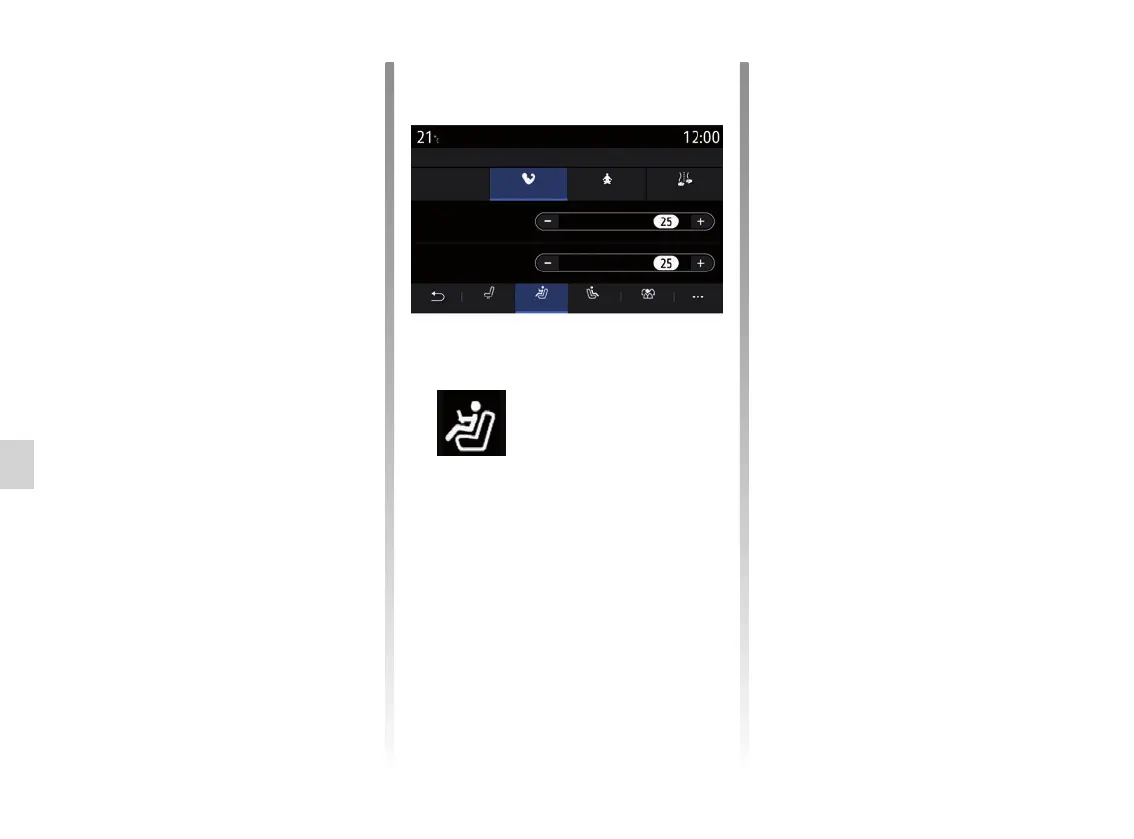
“Massage”
From the “Driver” or “Passenger” tabs,
you can select from a list of massage
programmes:
– “Tonic”;
– “Relax”;
– “Lumbar”.
Press “+” or “–” to adjust the “Intensity”
and speed of the massage.
SEATS (2/3)
Intensity
Speed
RelaxTonic Lumbar
Seats
Driver massage
OFF
“Save”
This function saves the position of the
front seats:
– adjust the seat position using the
switches on the seat;
– press the seat switch to open the
“Seats” menu on the multimedia
screen;
– save the current position.
Note: the position of the door mirrors
is memorised along with the position of
the seats (depending on the vehicle).
Please refer to the vehicle user manual
for further information.
Recalling a stored position
With the vehicle stationary, press “Call
back” to go to the saved position. A con-
firmation message is displayed on the
screen. Press “Yes” to go to the saved
position.
“Reset”
You can reset your selection in the
pop-up menu.
Position D. massage One-touchP. massage
Note: the passenger seat massage
settings cannot be saved.
“Reset”
You can reset your selection in the
pop-up menu.



 To Next Page