7.10
ENG_UD68557_6
Réglages système (XNX - Renault)
SYSTEM SETTINGS (7/10)
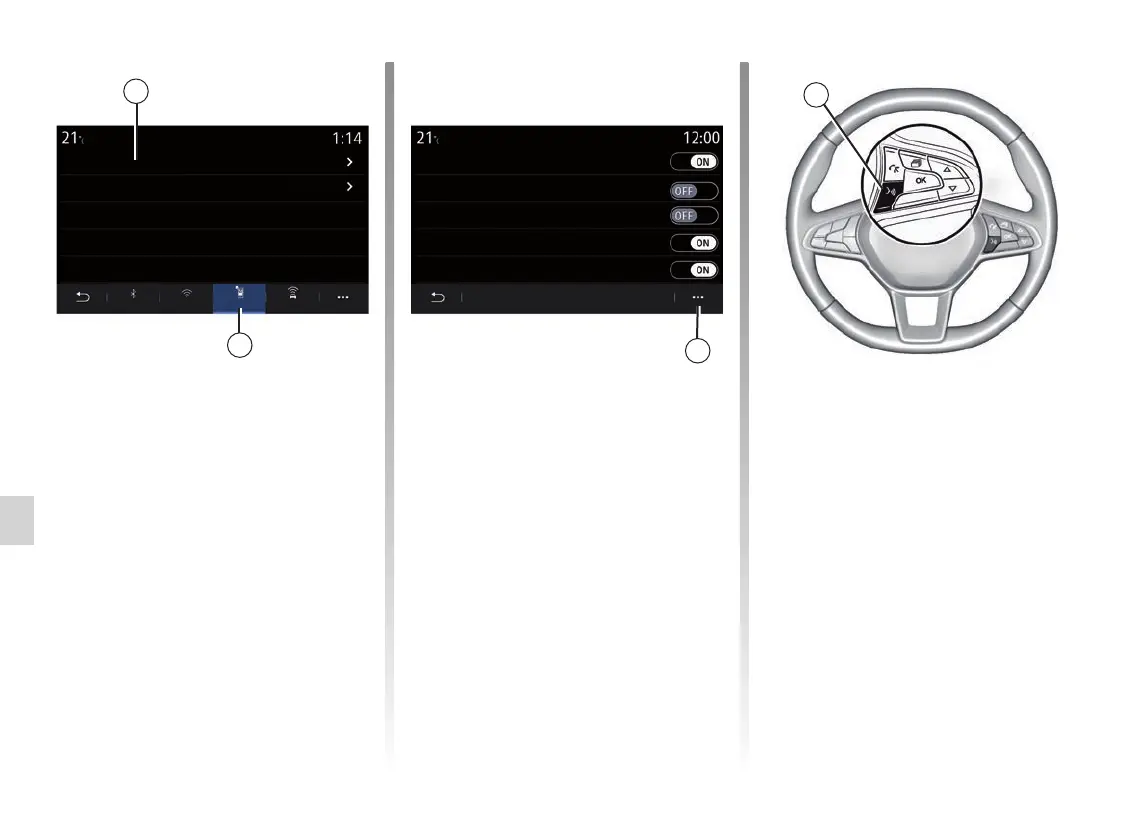
From the “Servicesˮ 18 tab, you
can configure the “Devices man-
agerˮ17 and access the “Smartphone
Integration tutorialˮ.
Connect your telephone to the multime-
dia system. Ensure that it is equipped
with the “Android Auto™”, “Yandex.
Auto™” function or “CarPlay™” service
that is compatible with your multimedia
system. For more information, please
refer to “Connecting, disconnecting a
telephone”.
Note: the list of settings may vary ac-
cording to the equipment.
Once the “Android Auto™”, “Yandex.
Auto™” application or the “CarPlay™”
service is operating with your multi-
media system, you can use the voice
recognition button 20 on your vehicle
to voice command certain smartphone
functions. For more information, see
the section on “Using voice recogni-
tion”.
18
20
Using the “Devices manager” func-
tion 17, you can select the smartphones
that you would like to connect automati-
cally to “Smartphone integration”.
From the 19 pop-up menu, you can
delete devices.
17
19
Devices Devices manager
Smartphone Integration tutorial
Devices manager
Elodie’s phone
Nicolas’s phone
Phone 6
Telephone 01
Telephone 02
Bluetooth ServicesWifi Data



 To Next Page