3.5
ENG_UD63787_3
Écouter la radio (XNX - Renault)
LISTENING TO THE RADIO (4/5)
15
Sources
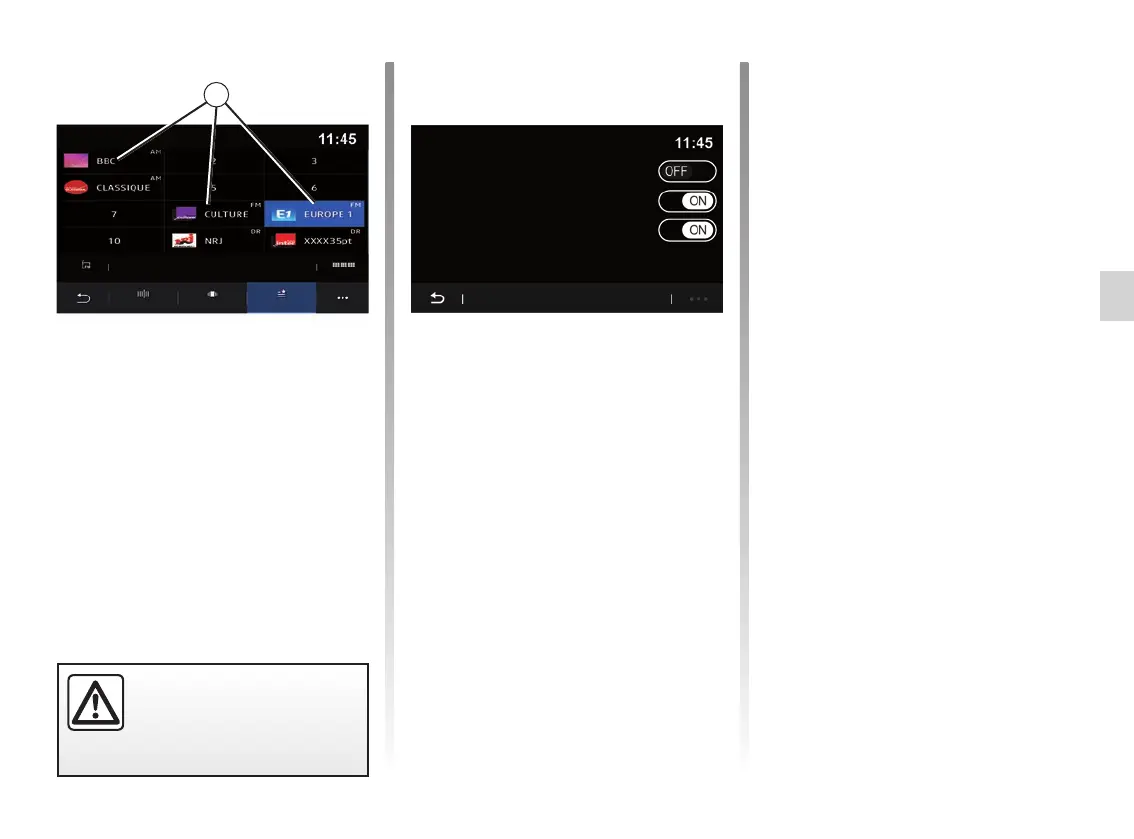
“Presets” mode
This mode allows you to access the
previously stored radio stations. For
more information, refer to “Save preset”
in this section.
Press one of the buttons 15 to select
the radio station that you wish to listen
to.
For safety reasons, carry
out these operations when
the vehicle is stationary.
Frequency
List Presets
Radio settings
Radio text
Region
TA / i-Traffic
Pop-up menu 6
Use the pop-up menu 6 in any mode to
go to the settings and configure the fol-
lowing radio functions:
– “Radio settings”;
– Sound environment settings;
– “Sound settings”.
For further information, please refer to
the section on “Settings”.
“Radio settings”
From the settings, you can activate or
deactivate the following elements:
– “AM”;
– “Radio text”;
– “Region”;
– “TA/I-Traffic”;
– “Logo”;
– “HD radio”;
– ...
AM
You can activate/disable display of the
AM waveband in the list of the audio
sources 11 by pressing “ON” or “OFF”.
“Radio text”
(text information)
Some FM radio stations broadcast
text information relating to their pro-
grammes (e.g. song titles). Activate this
function if you would like to see these
details.
Note: this information is only available
on some radio stations.



 To Next Page