GB.11
ENG_UD29813_2
ULC/Principes d’utilisation (ULC - Renault)ENG_NX_1023-3_NX_Dacia_0
Operate and use
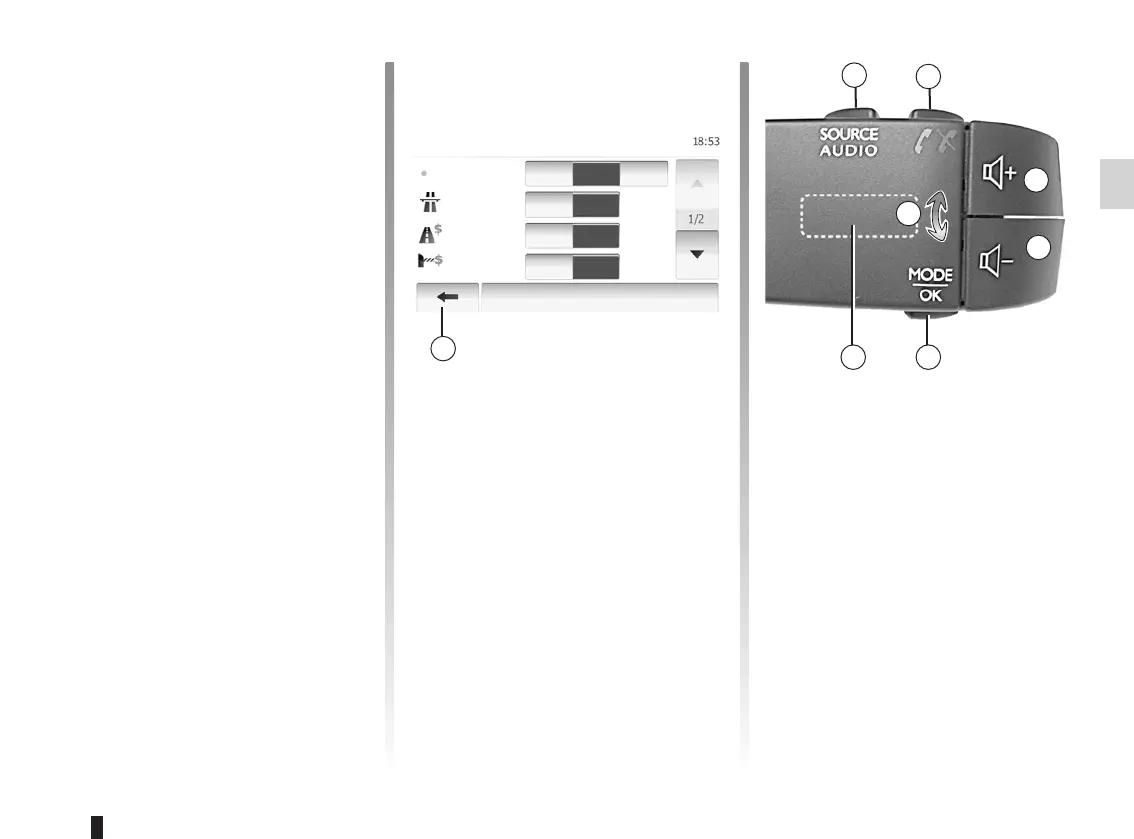
Press button P to change the radio sta-
tion search mode.
Rotate wheel Q to change the station
(movement R).
Press K to change the source (AUX,
AM, FM).
– Item selection;
– Item execution (Media playing
screen).
When touching forwards button,
moves toward the next song.
– Item store (Radio screen);
When touching with long presses the
preset number, stores the current
radio channel.
– Move to scroll with acceleration;
When touching with long presses the
list down buttons, scroll (per page)
with acceleration.
– fast-forward or rewind (Media play-
ing screen).
When touching with long presses
forwards or backwards button, fast
winding the song.
System goes back to Home menu di-
rectly once you press and hold 1 wher-
ever it is.
Options
Off
Off
Off
On
On
On
Fast Short Eco
Route planning
method
Motorway
Per-use Toll
Period
Charge
Route Settings



 To Next Page