AUX ...................................................... (up to the end of the DU)
auxiliary source.....................................(up to the end of the DU)
fast winding............................................................(current page)
WMA ...................................................................... (current page)
GB.17
ENG_UD29577_3
ULC/Sources audio auxiliaires (ULC - Renault)ENG_NX_1023-3_NX_Dacia_0
Auxiliary audio sources
Your system is fitted with two auxiliary
inputs for connecting an external audio
source (MP3 player, portable audio
player, USB key, etc.).
To find the input position, please refer
to the section on “Introduction to the
controls”.
There are two types of connections:
– a USB socket,
– a jack.
Connect your portable audio player, de-
pending on the type of device.
Once you have connected a USB
socket or jack, the system automati-
cally detects the auxiliary source.
In navigation mode or when listening
to the radio, select your auxiliary audio
source by pressing “Home” > “MEDIA”.
The system starts playing the last audio
track played.
any change to the external audio
source which is made when the system
is not active will not be automatically
taken into account.
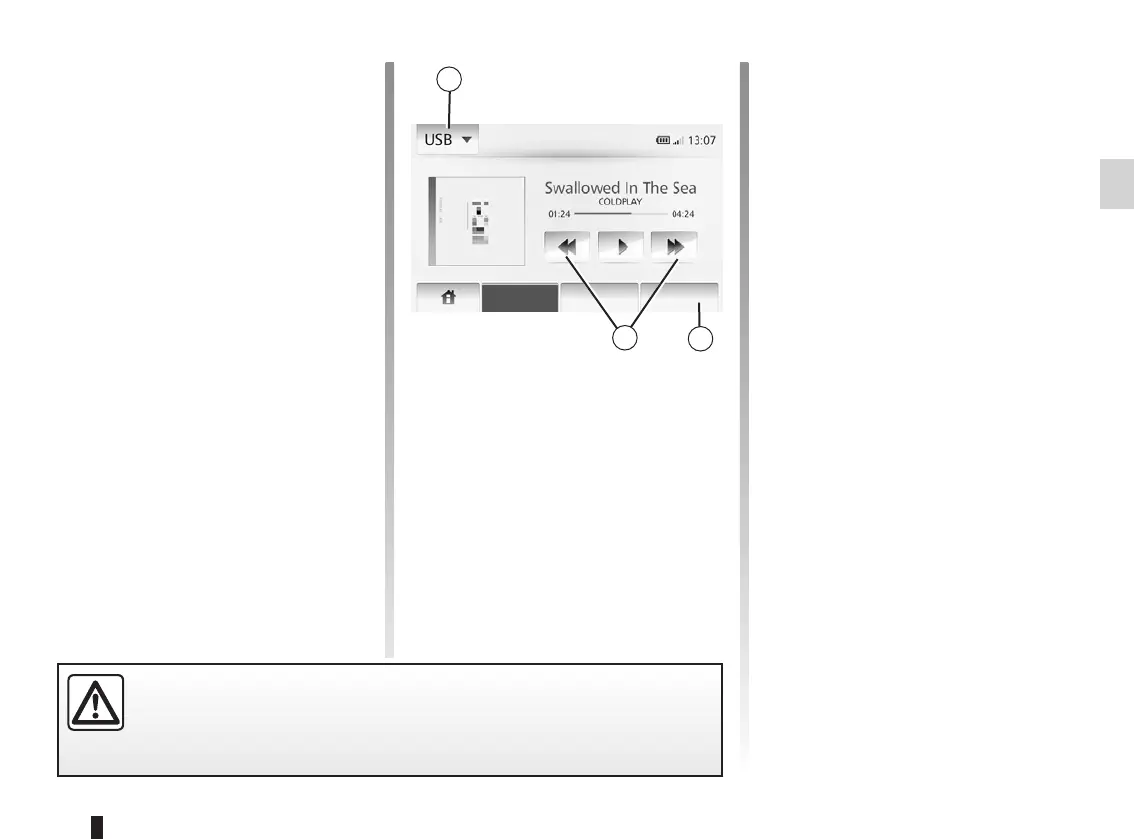
To change the auxiliary source, press 1
to show the list of auxiliary sources and
then press the desired auxiliary source
from the following possibilities:
– USB;
– iPod®;
– BT: Bluetooth® devices;
– AUX: 3.5mm jack.
The auxiliary audio source formats in-
clude MP3 and WMA.
Press and hold 2 to fast forward or
rewind.
Playback resumes when the button is
released.
This function enables you to repeat one
track or all tracks.
Tap 3 and then tap “Off”, “Track”, or
“All”.
This function allows you to play all
songs on ‘Shuffle’. Press “3” then “On”,
“Off” or “Folder”.
Only handle the portable audio player when traffic conditions permit.
Store the portable audio player safely while driving (risk of being thrown
in the event of sudden braking).
Listening List Option



 To Next Page