GB.15
Screen controls
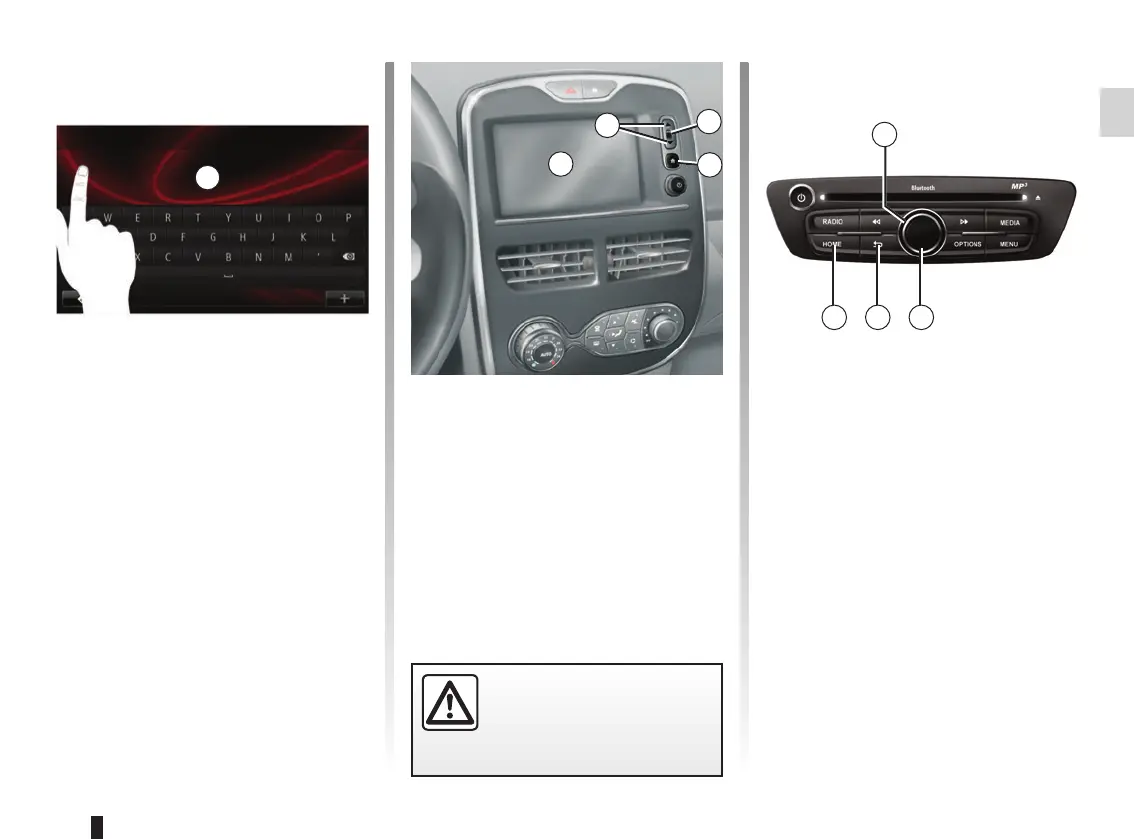
Navigating a menu
Press 3 to enter a menu. Use the 2 but-
tons to scroll through telephone con-
tacts, radio stations, etc.
Confirming/cancelling a selection
Press 4 to go back to the welcome
screen.
Touchscreen 1
Navigating a menu
The touchscreen 1 grants access to
the system functions. Touch the touch-
screen 1 to scroll through the pages
and open a menu.
Note: depending on the vehicle, usage
of the touchscreen may be restricted
while the vehicle is moving.
Confirming/cancelling a selection
Always confirm a change of settings by
pressing the “Done” button.
OPERATING PRINCIPLES (1/3)
1
For safety reasons, carry
out these operations when
the vehicle is stationary.
1
2
4
3
5
678
Multimedia screen
Navigating a menu
Use the rotating control 5 to move from
menu to menu. Confirm by pressing the
central 6 button to enter the menu.
Confirming/cancelling a selection
Press the central button 6 to confirm a
change.
Press the 7 button to cancel a choice
and return to the previous menu.
Press the 8 button to go back to the
welcome screen.



 To Next Page