GB.16
Pop-up menus
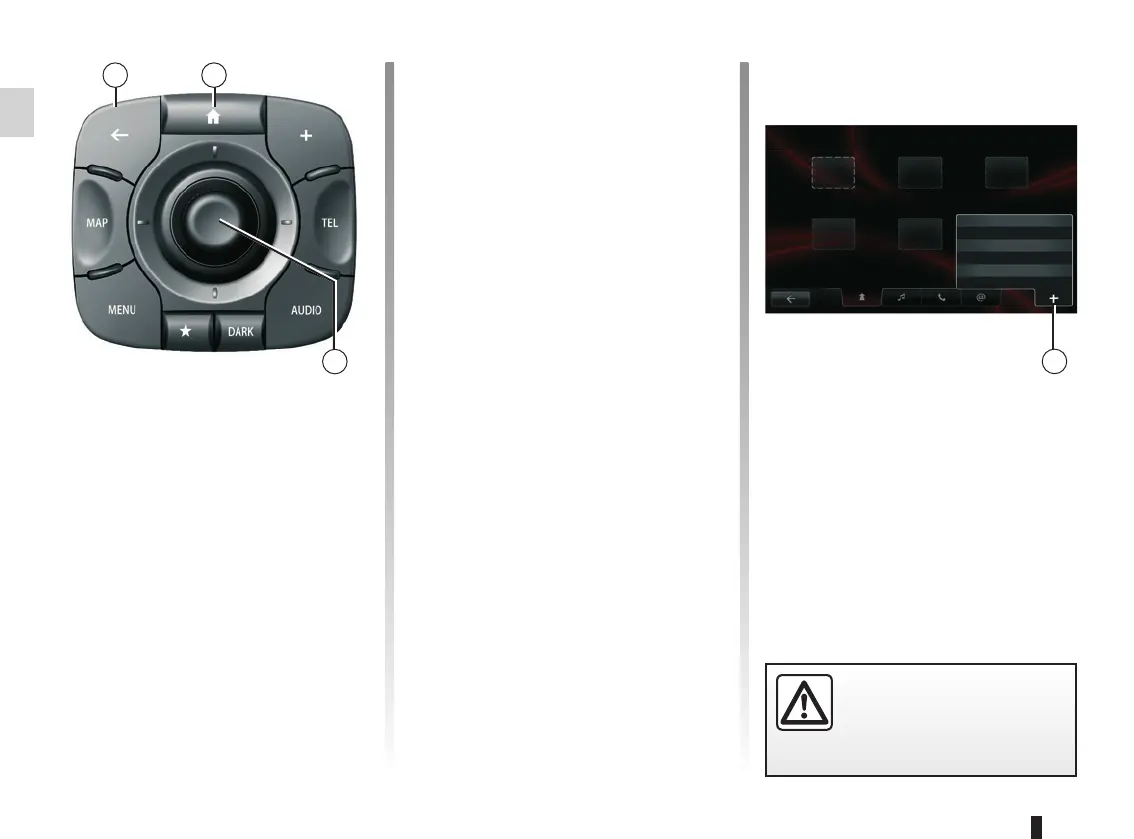
Available in most system menus, the
pop-up menu A lets you quickly access
current page functions.
A
Favourites - Navigation
Add Favourite
Remove a Favourite
Remove all Favourites
– press the joystick 11 to open the se-
lected element;
– in the tabs menus, move the joy-
stick 11 left or right to switch from
one tab to another.
Confirming/cancelling a selection
Press the joystick 11 to confirm a
change.
Press the 9 button to cancel a choice
and return to the previous menu.
Press the 10 button to go back to the
welcome screen.
OPERATING PRINCIPLES (2/3)
For safety reasons, carry
out these operations when
the vehicle is stationary.
109
11
Central control
Navigating a menu
Use the joystick 11 to move from menu
to menu:
– Move the joystick 11 up or down to
move around the different areas of
the screen (upper bar, central zone,
lower bar);
– turn the joystick 11 to move between
different elements of a zone;



 To Next Page