guidance
activation ..........................................................(current page)
guidance
map ................................................. (up to the end of the DU)
guidance
voice ...............................................(up to the end of the DU)
screen
navigation display ........................... (up to the end of the DU)
screen
navigation screen ............................(up to the end of the DU)
detailed route ........................................ (up to the end of the DU)
detour ...................................................(up to the end of the DU)
detour ...................................................(up to the end of the DU)
3D/2D mode .......................................................... (current page)
GB.31
ENG_UD29581_3
ULC/Guidage (ULC - Renault)ENG_NX_1023-3_NX_Dacia_0
Guidance
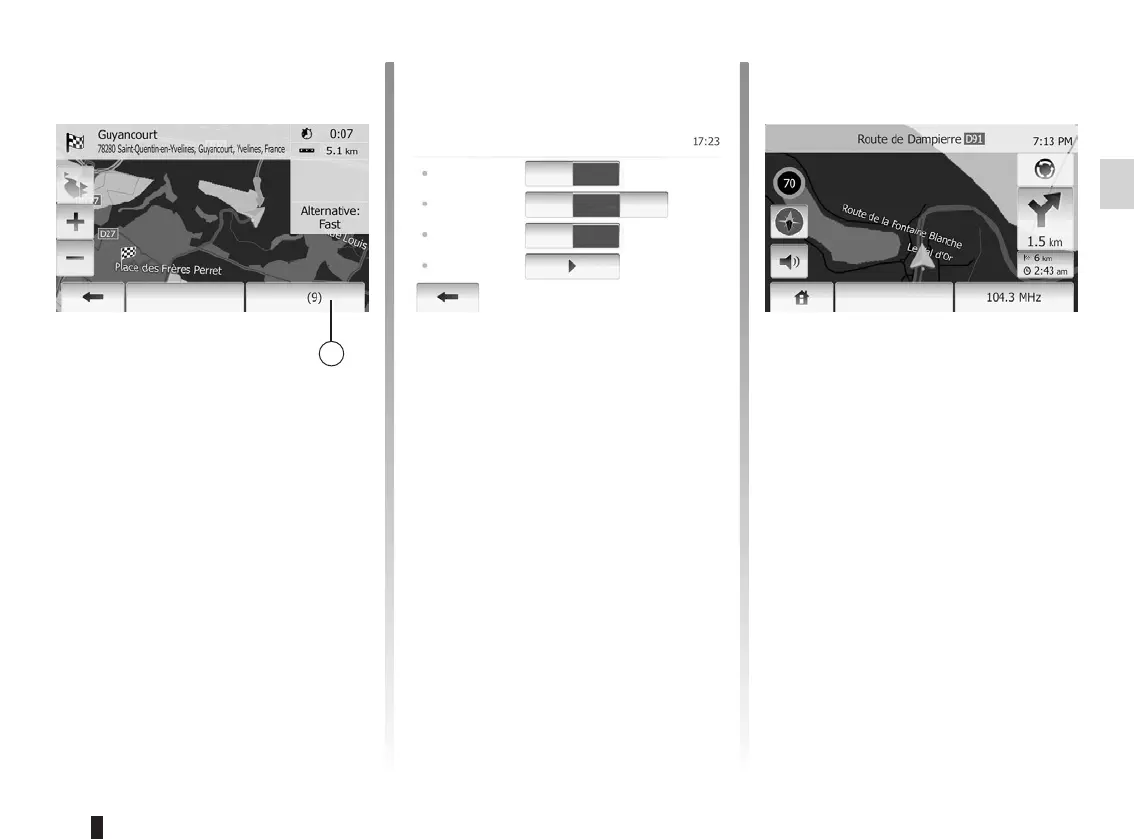
Tap 1 or wait 10 seconds after having
entered a destination. Guidance will
begin.
The system will offer several different
navigation maps.
Tap “Home” > “Options” > “Map
Settings” and then tap “2D” or “3D” to
change the map display.
You can also change the map display
by pressing compass on the map.
The different possible full screen dis-
plays are:
– 2D;
– 3D.
This mode allows you to view the navi-
gation map on the entire screen.
The information on the arrival time and
the distance remaining to the destina-
tion are located in the bottom right of
the map.
The indication for the next change of di-
rection is located in the right side of the
map.
Options
Map Settings
View Mode
Viewpoint
Motorway
View
POI Markers
3D 2D
Low
Off
Normal
High
On
Options
OK



 To Next Page