GB.30
GUIDANCE (1/4)
Guidance screens
Intersection map
During guidance, before each change
of direction, the system will gradually
zoom into the junction.
To deactivate automatic zoom, please
refer to “Advanced” in the “Navigation
settings” section.
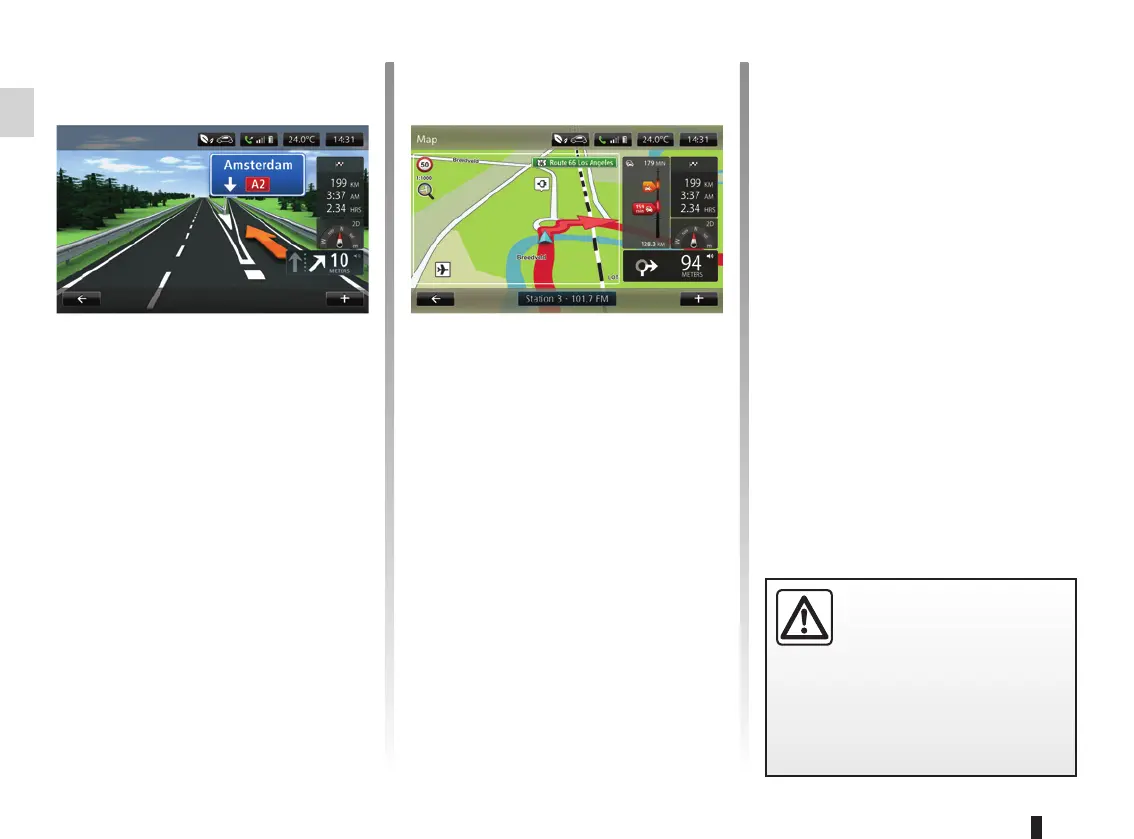
Lane images
When approaching a road change (on
major roads), the system may switch
to “Show lane images” mode: an 3D
image provides a close-up view of the
junction with a turn arrow and road
signs.
To deactivate lane images, please
refer to the information on “Advanced
Settings” in the section on “Navigation
settings”.
Precautions regarding
navigation
Use of the navigation
system does not in any way
replace the responsibility or vigi-
lance of the driver when driving the
vehicle.
Guidance Voice
During guidance, before each turning,
the system will give voice instructions.
To deactivate or reactivate voice guid-
ance, please refer to the “Navigation
settings” section.



 To Next Page