USB ...................................................... (up to the end of the DU)
USB socket ........................................... (up to the end of the DU)
USB key................................................(up to the end of the DU)
system
update ............................................. (up to the end of the DU)
update.................................................... (until the end of the DU)
GB.51
ENG_UD29589_2
ULC/Mise à jour système (ULC - Renault)ENG_NX_1023-3_NX_Dacia_0
Updating the system
By inserting your USB key into a com-
puter that is connected to the internet,
you can:
– update your map content;
– update the system;
– purchase new maps;
– upgrade to premium POI content.
Install the Naviextras Toolbox in a few
clicks on your computer. The Toolbox
can be downloaded from:
– http s://renault.n aviextras.com /
toolbox
– https://dacia.naviextras.com/toolbox
After downloading the install file from
website, simply double-click the file to
start the instrallation.
Follow the instructions shown on the
screen.
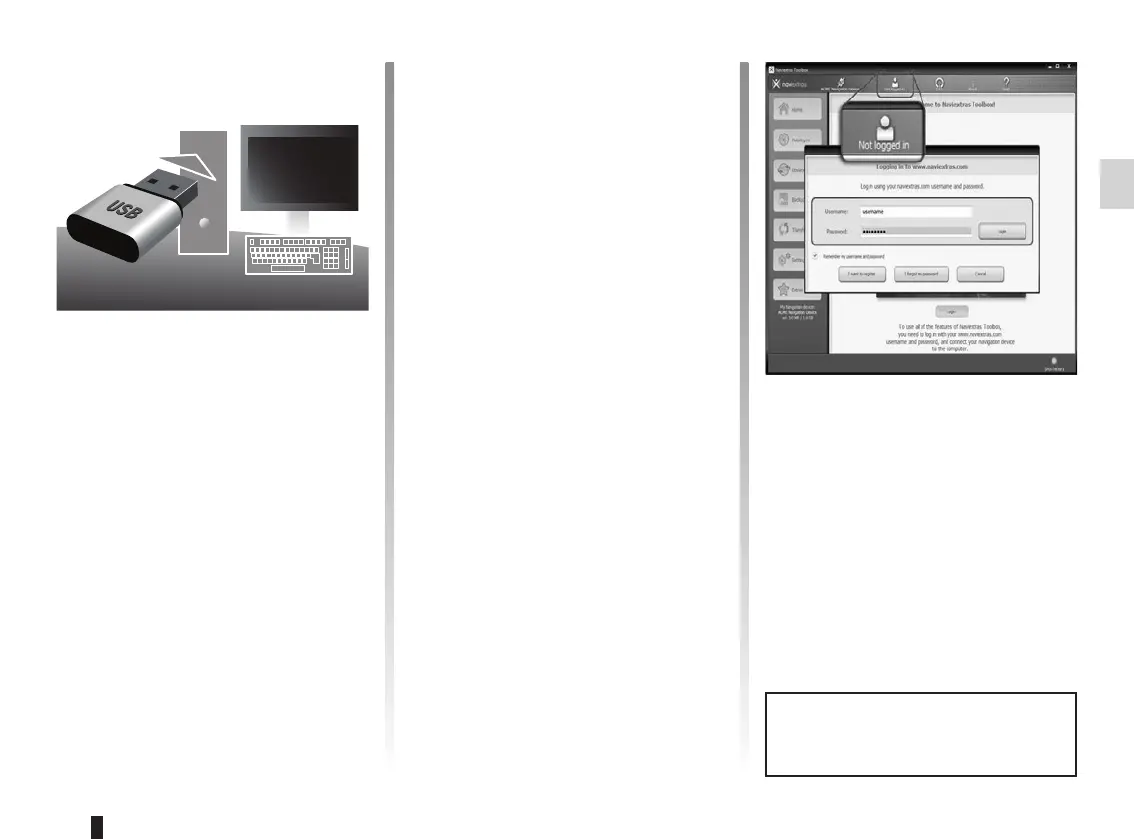
To log in, click the “Not logged in” icon
in the toolbar at the top of the page or
click the Login button in the Toolbox
main screen. In case you are not reg-
istered on Naviextras.com website, you
can easily do that from Toolbox by click-
ing on the “Register” button on the login
page.
Once your new vehicle has been de-
livered, you will have a maximum of
90 days in which to update the map free
of charge. Once this time has elapsed,
you will need to pay for updates.
The screens shown in the user
manual are not contractual.



 To Next Page