GB.69
flow
This menu shows you a diagram of the
vehicle, and indicates the points where
the vehicle is consuming energy or is
generating energy to recharge the trac-
tion battery.
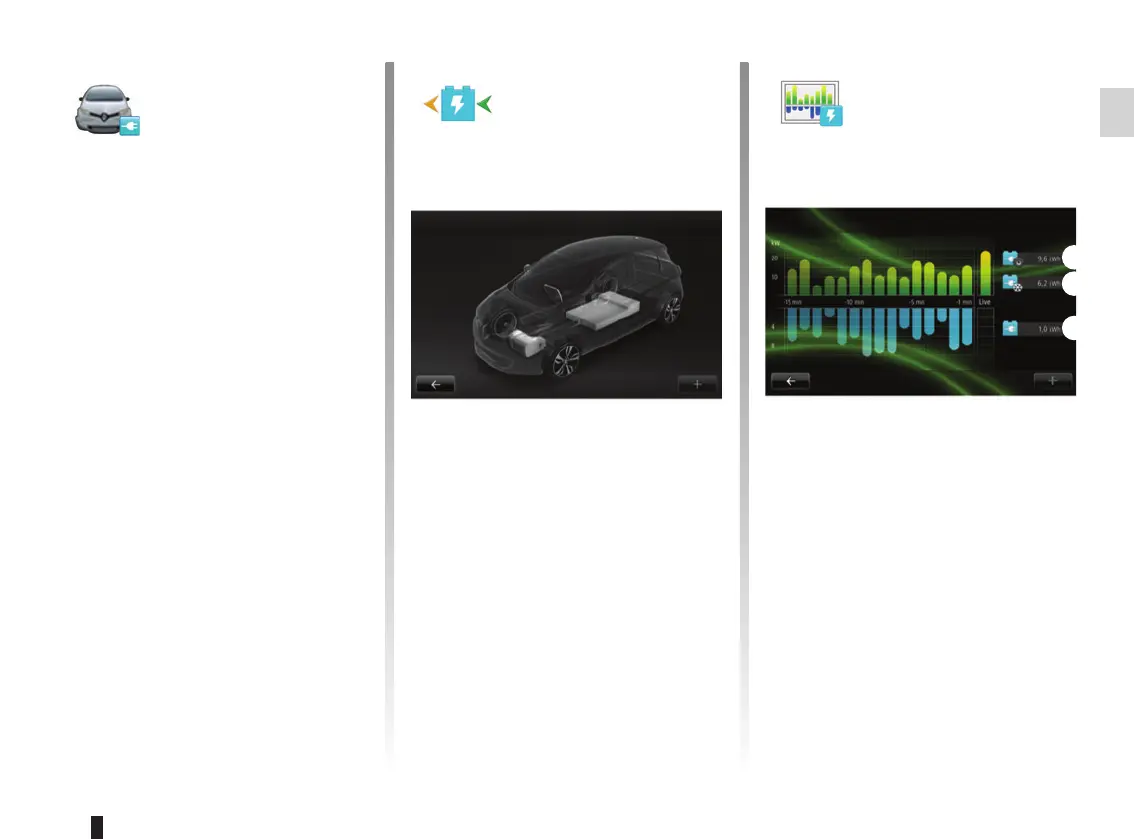
Consumption details
This menu shows you a diagram of the
vehicle, and indicates the points where
the vehicle is consuming energy (when
the vehicle is consuming energy or
generating energy to recharge the trac-
tion battery) and compares it to the last
15 minutes of driving.
The following appear on the right-hand
side of the screen:
1 energy consumed;
2 energy consumption of accessories
(air-conditioning, radio, etc);
3 recovered energy.
ELECTRIC VEHICLE (1/2)
1
2
3
flow
Consumption details
Used energy :
Energy recovered :
Access the
Electrical vehicle
menu
(depending on vehicle)
From the main menu, press “Vehicle”,
then “Electrical vehicle”.
This menu shows the following informa-
tion for electric vehicles only:
– flow;
– Consumption details;
– Charge scheduler;
– Comfort timer.



 To Next Page