GB.24
ENTERING A DESTINATION (2/5)
For safety reasons, carry
out these operations when
the vehicle is stationary.
Enter an “Address”
This section enables you to enter a
full or partial address: country, town,
street and number.
On first use, the system asks you to
choose the destination country.
Depending on the various version,
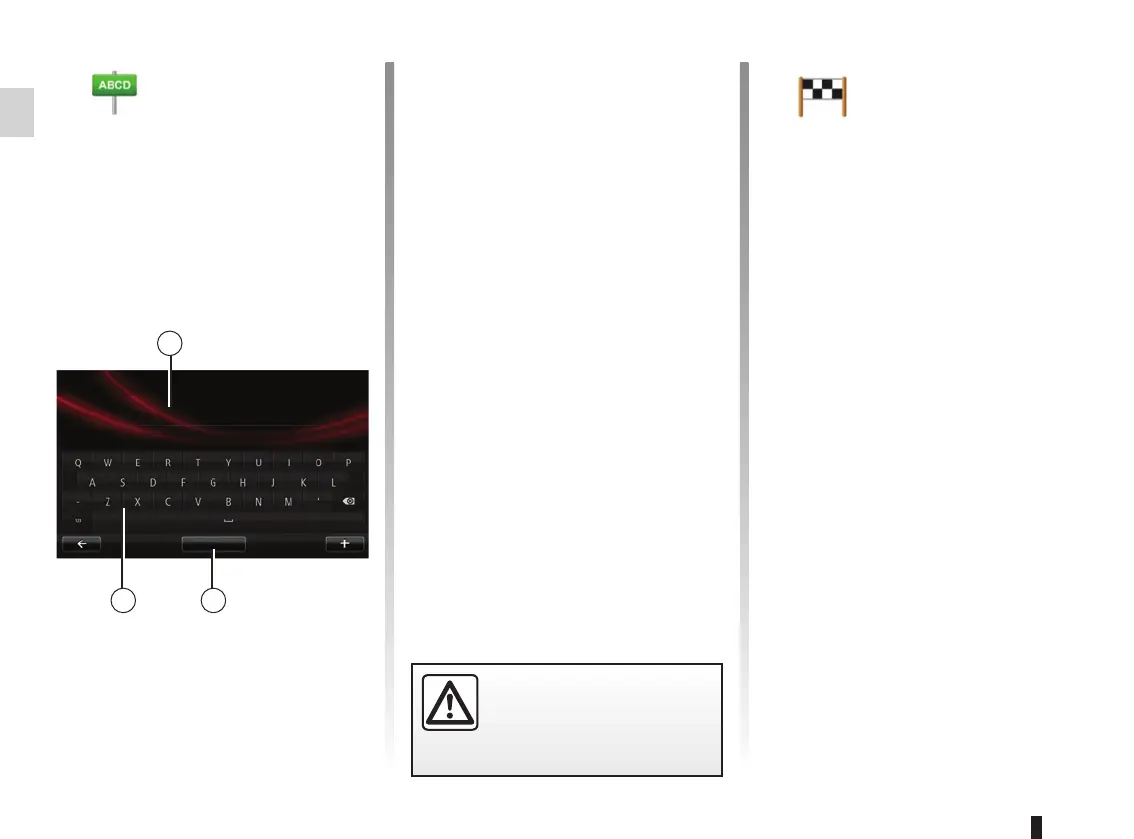
you can enter the name of the de-
sired town or its postcode using the
keypad 3. The system may suggest
several town names in the area 1.
2
1
3
Street :
Paris
Avenue de la grande armée
List view
– Press on the name of the town/
city displayed to confirm.
– Access the full list correspond-
ing to your search by selecting
“List” 2.
– Select the town or city.
– Do the same actions for the
“Street” and “House number”
fields.
Note: The system will store the last
towns/cities entered in its memory.
You may directly select one of these
towns by pressing the 1 zone.
Note: only addresses known to the
system through the digital map are
authorised.
“Recent desti-
nations”
This item enables you to select
a destination from the list of ad-
dresses last used.
These are automatically stored.
– Select the “Navigation” section
from the “Drive to...” menu, then
choose “Recent destinations”.
– From the list of stored destina-
tions, select an address to begin
guidance.



 To Next Page