54
Downloading Equator license and Software Suite
NOTE: Depending on the installation provider, the Equator gauging system will either arrive already
licensed, or unlicensed and will either arrive with the latest software release or a previous release.
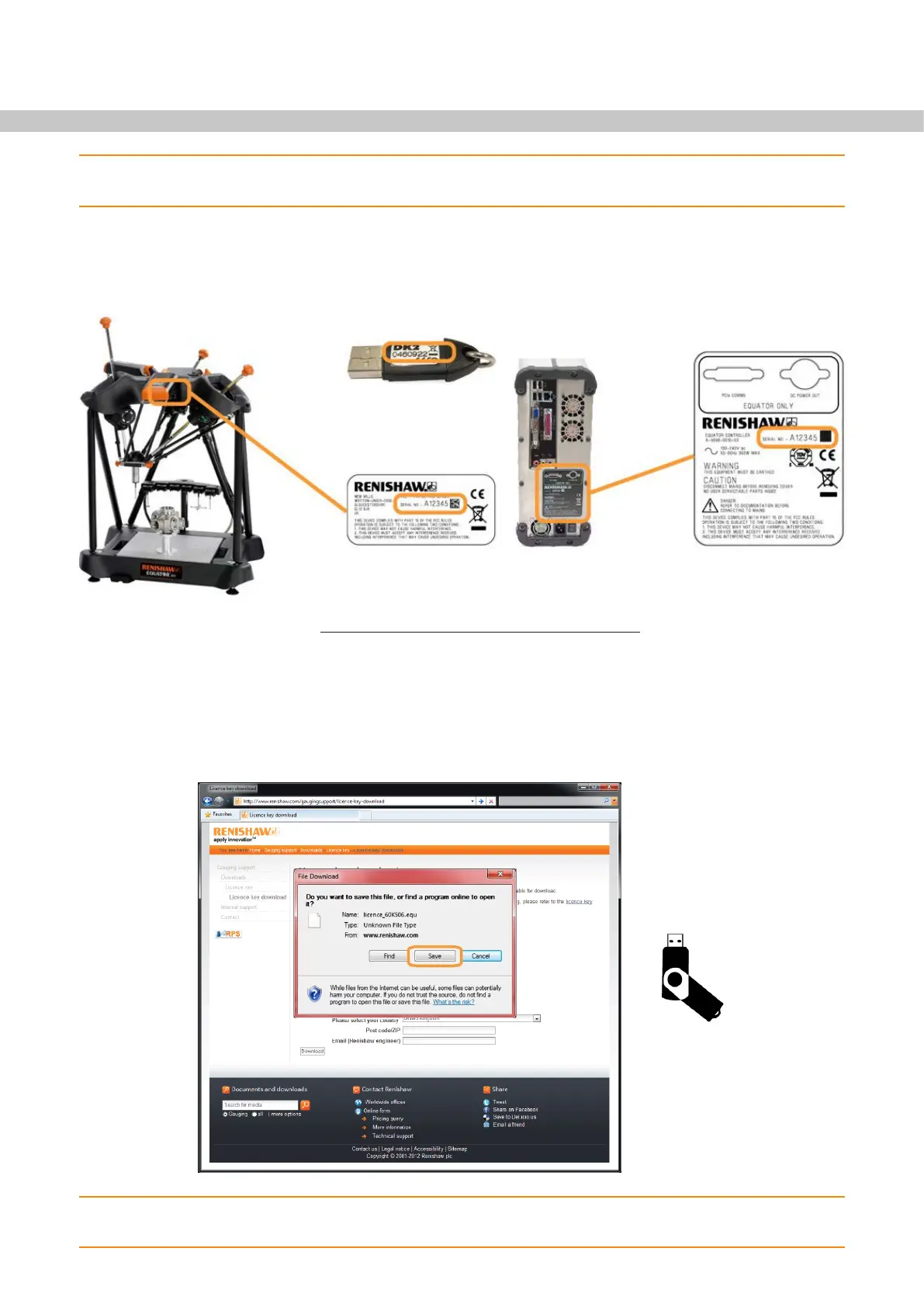
1. Note the serial number of your Equator machine, your Equator Controller and, for a programmer's system,
your MODUS dongle. The serial numbers can be found underneath the front support arm, on the back of
the controller and on the side of the dongle, as shown below.
2. To obtain a licence, navigate to www.renishaw.com/gaugingsupport/licencekey on an internet enabled
computer.
• In the serial number fields, enter the relevant serial numbers.
• Insert the end user's email address and details. Further detailed instructions and software update
notifications will be sent to this email address.
3. Download the licence key file and save it onto a USB flash drive.
NOTE: Please click the “Save” button when prompted to download the licence file. The .equ format is
Equator specific and can only be opened by the Equator Licensing/Updater tool.


 To Next Page