46
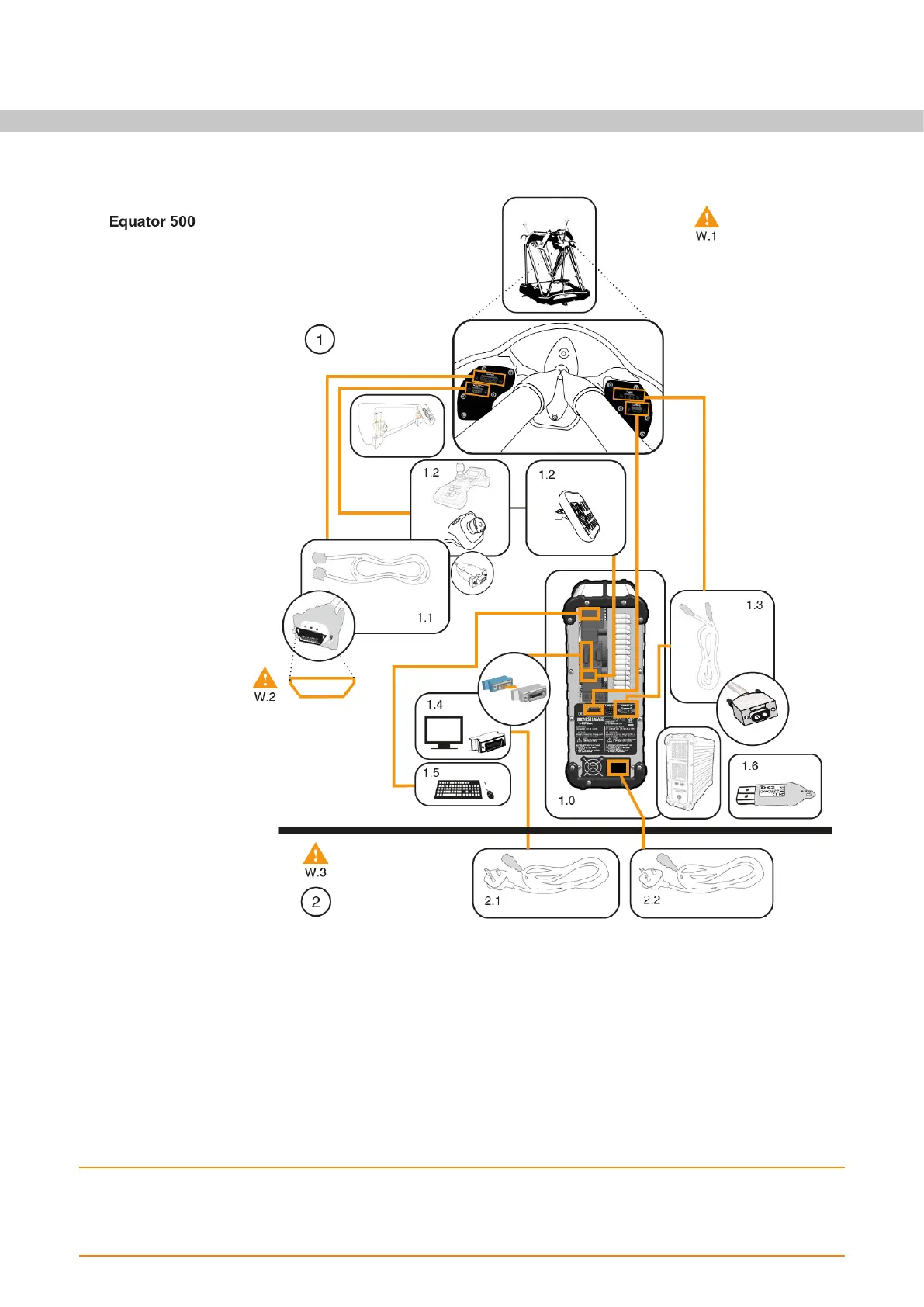
Connecting cables - Equator 500
W.1: For further safety information, refer to the Equator Controller quick-start guide.
W.2: Be careful to connect the PCIexpress cable in the correct orientation, as failing to do so can
cause serious damage to the electronics. Refer to step 8.1.
W.3: Ensure all cables are connected prior to connecting to mains.
1. Connect cables
1.0. Controller
1.1. PCIexpress cable
1.2. MCUlite-2 / Stop button / Button Interface
1.3. Equator power cable
1.4. Monitor
1.5. Mouse, keyboard
1.6. MODUS™ dongle (Programmer system only)
2. Connect monitor and Controller to mains power supply
2.1. Monitor power cable
2.2. Controller power cable


 To Next Page