EasyManua.ls Logo

Renishaw ADTi-100 - User Manual

Renishaw ADTi-100
41 pages
Print Icon
To Next Page IconTo Next Page
Loading...
User guide
M-6195-9413-04-A
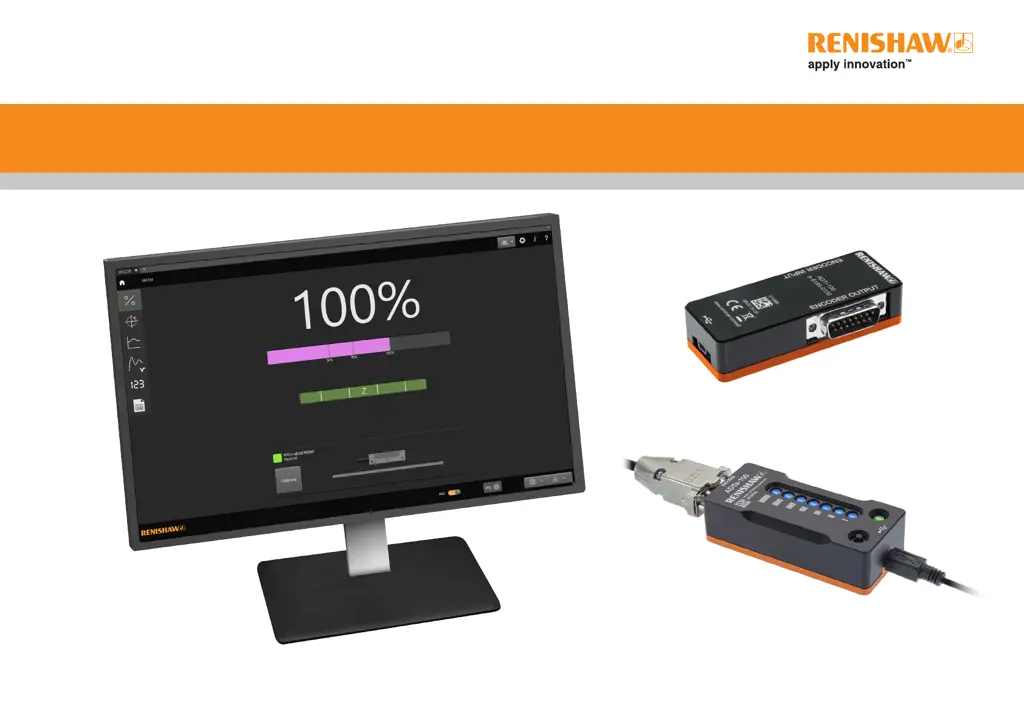
Advanced Diagnostic Tools and ADT View software

Questions and Answers

  • L
    lukefrostAug 20, 2025
    How to fix ‘Unspecified error’ during Renishaw Diagnostic Equipment installation?
    • A
      Andrew LeonardAug 20, 2025
      If you encounter an ‘Unspecified error’ during the installation of Renishaw Diagnostic Equipment, it may be because the .NET framework is not up to date. To resolve this, install the latest .NET framework.
  • M
    matthew84Aug 22, 2025
    Why is the readhead jumping from ‘installation’ mode to ‘normal’ mode without calibration on Renishaw ADTi-100 Diagnostic Equipment?
    • R
      riveralisaAug 22, 2025
      The readhead might appear to jump from ‘installation’ mode to ‘normal’ mode without calibration because the readhead is actually in an overspeed or low/high signal alarm condition in ‘Normal’ mode (indicated by 4 red flashes). Check the readhead is in Installation mode and not in alarm. If the signal is low/high, clean the scale and/or re-align the readhead and recalibrate the system. If there is overspeed, reduce the operating speed to be within the specified specification.
  • B
    Brenda McguireAug 25, 2025
    What to do if I cannot exit Calibration mode on Renishaw Diagnostic Equipment?
    • B
      Brenda GreerAug 25, 2025
      If you cannot exit Calibration mode on the Renishaw Diagnostic Equipment, it means that the incremental signal calibration is not complete. Complete the incremental signal calibration or restore the factory default and repeat the calibration routine.
  • M
    Matthew HillAug 26, 2025
    What to do if Renishaw ADTi-100 Diagnostic Equipment ADT disconnects from the software when the PC goes into power saving (sleep) mode?
    • A
      abbotttammyAug 26, 2025
      If the Renishaw Diagnostic Equipment ADT disconnects from the software when the PC enters power-save mode, it is because power-save mode disconnects all USB devices. You can resolve this by switching off power-save mode on the PC or disconnecting and reconnecting the USB cable.
  • N
    nandersonAug 27, 2025
    What to do if Renishaw ADTi-100 ADT does not connect to software?
    • Y
      ylopezAug 28, 2025
      If the Renishaw Diagnostic Equipment ADT does not connect to the software, it might be because the USB has not mounted the device. Try disconnecting and reconnecting the USB cable.
  • M
    Mark JacksonAug 29, 2025
    What to do if the signal strength vs position plot has stopped on Renishaw Diagnostic Equipment?
    • S
      stephanie14Aug 29, 2025
      If the signal strength vs position plot stops on the Renishaw Diagnostic Equipment, this is because when the readhead goes into alarm, the signal strength vs position plot will stop to prevent erroneous data from being displayed. To resolve this, press the green arrow to restart the plot, but ensure the screen is saved before restarting the plot as all plot data will be lost.
  • J
    Jason HouseAug 31, 2025
    Why does the reference mark position on the signal strength vs position screen move on Renishaw ADTi-100?
    • J
      James DuffySep 1, 2025
      The reference mark position on the signal strength vs position screen moves because the reference mark is not phased until the readhead has been calibrated. To fix this, calibrate the readhead.
  • H
    heather27Sep 2, 2025
    What to do if text is not displayed correctly on Renishaw ADTi-100 Diagnostic Equipment?
    • V
      vthompsonSep 2, 2025
      If the text is not displayed correctly on the Renishaw Diagnostic Equipment, it may be due to changes in the Windows display ‘Theme’, such as altering the font size or making the text bold, which can affect the display quality. To fix this, restore your PC to the default Windows theme.
  • W
    William KennedySep 4, 2025
    Why does the phasing of the reference mark on the signal screen keep changing on Renishaw Diagnostic Equipment?
    • B
      Brenda LevySep 4, 2025
      The phasing of the reference mark on the signal screen keeps changing because the reference mark is not phased until the readhead has been calibrated. Calibrate the readhead. Also, if readheads with all reference marks selected will display all reference marks on the software but only the calibrated reference mark is guaranteed to remain phased. Ensure the calibration sequence is carried out on the required reference mark.
  • R
    Robert OwensSep 6, 2025
    What to do if the velocity plot is still running but the plot is not changing on Renishaw ADTi-100?
    • N
      Noah SimmonsSep 6, 2025
      If the velocity plot is running but not changing on the Renishaw Diagnostic Equipment, it is because when zooming or panning during a ‘live’ plot, the data is still being captured, but only the selected area will be displayed. To fix this, reset the plot magnification or stop the plot to display the complete trace.

Renishaw ADTi-100 Specifications

General IconGeneral
BrandRenishaw
ModelADTi-100
CategoryDiagnostic Equipment
LanguageEnglish

Related product manuals