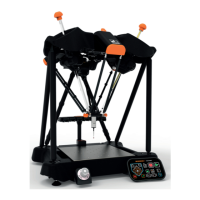
Equator Button Interface
The Equator Button Interface allows the operator to control the Equator using simple push-button controls. It
removes the need for a keyboard and mouse.
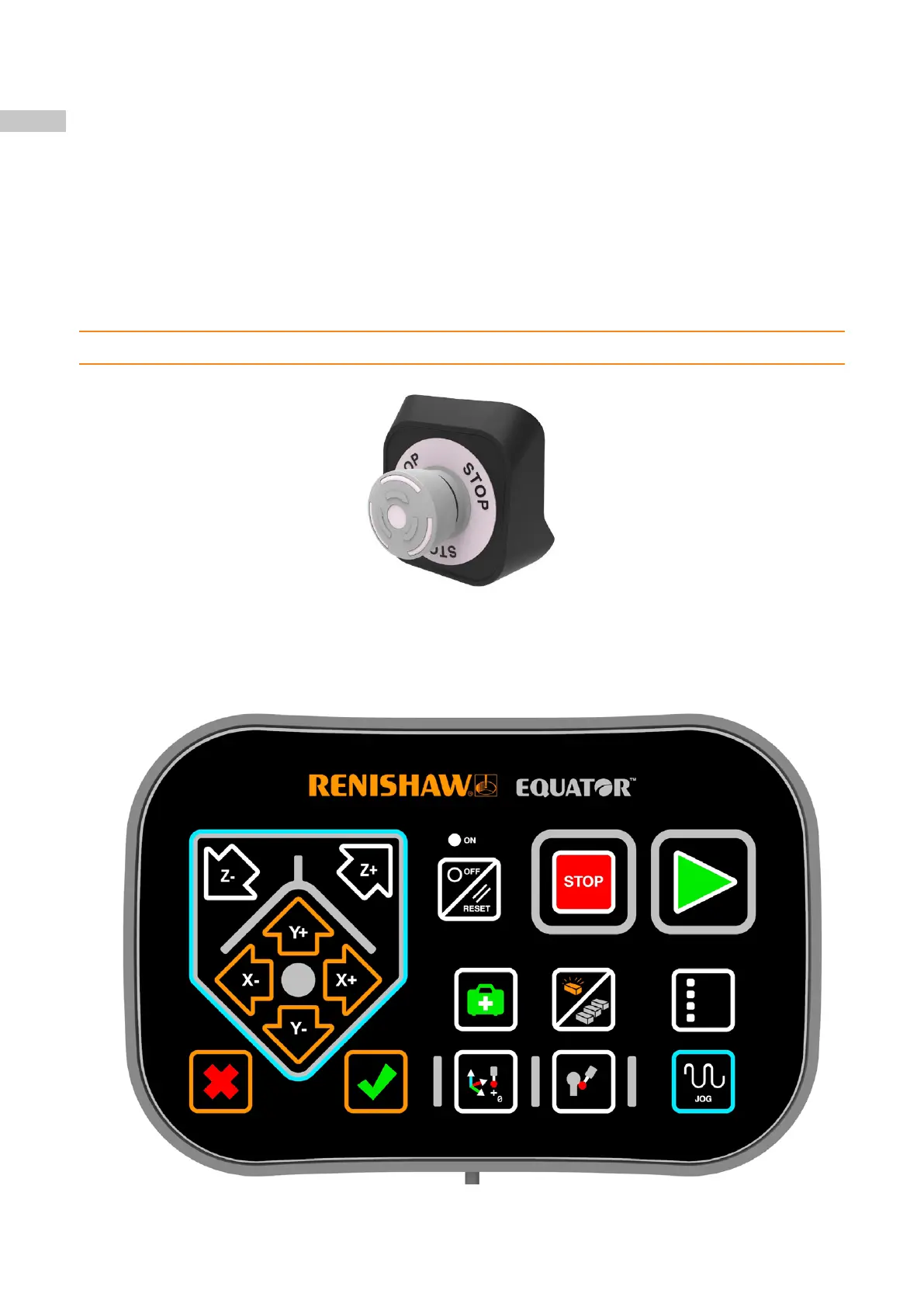
Stop button
Depending on the specification of the Equator, the stop button is either located on the left hand side of the base
or is an integral component of the joystick. The stop button is intended to be used to reduce the risk of collisions
by allowing the user to stop the motion of the machine.
The stop button is disengaged by twisting the stop button clockwise.
In Administrator (Programming) mode, following the engagement of the stop button the machine will not restart
automatically. To restart, disengage the stop button, then access the EquatorServer, clear the error and then set
the required probe.
In Operator mode, to re-enable the machine, disengage the stop button and click OK to the stop message
displayed on the screen. This last action will reset the stop errors logged in EquatorServer, and the Equator
should be enabled and ready for inspection.
NOTE: When the stop button is engaged, the struts remain powered but the motion is stopped.
58


 To Next Page