Chapter 8
8-8 BiPAP Focus Ventilator Service Manual © Respironics, Inc. REF 1029568 Rev B
Component Removal/Installation
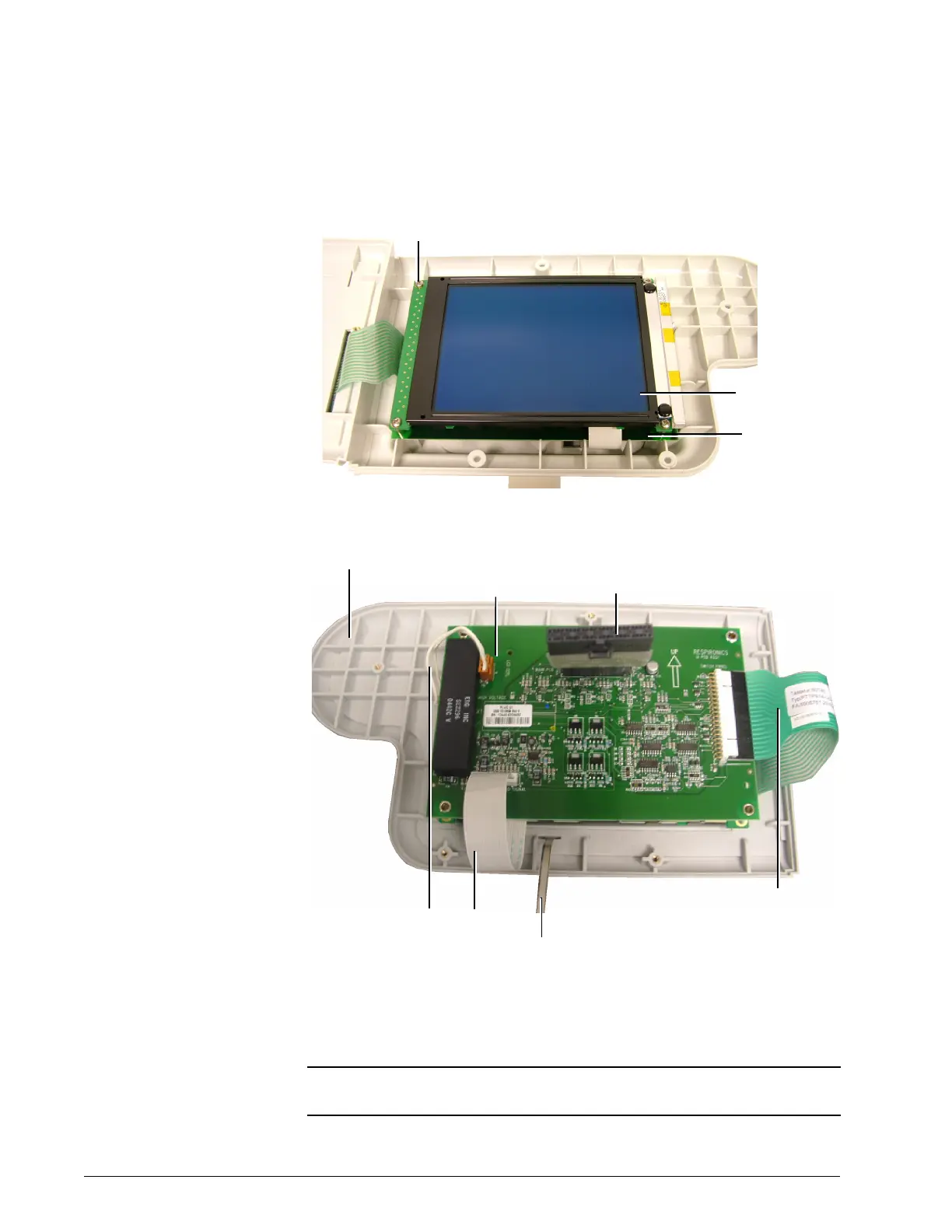
Figure 8-8: VGA LCD and VGA Interface PCB
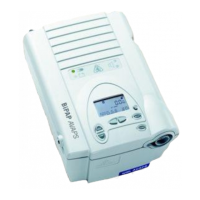
Figure 8-9: VGA Interface PCB Cable Connections
11. Replace the display assembly or its replaceable components as
necessary.
NOTE: Tuck ribbon cables under VGA interface PCB before securing screws. Do
not twist or pinch cables between covers.
Screws (x4)
(5 lbf-in., 57 N cm)
VGA interface
PCB
VGA LCD
VGA interface PCB
Display front cover
UI/VGA ribbon
cable connector
Cables from
VGA LCD
Ground cable
Ribbon cable from
keypad membrane panel


 To Next Page