Chapter 6
Ventilator Communications
REF 1029568 Rev B BiPAP Focus Ventilator Service Manual © Respironics, Inc. 6-9
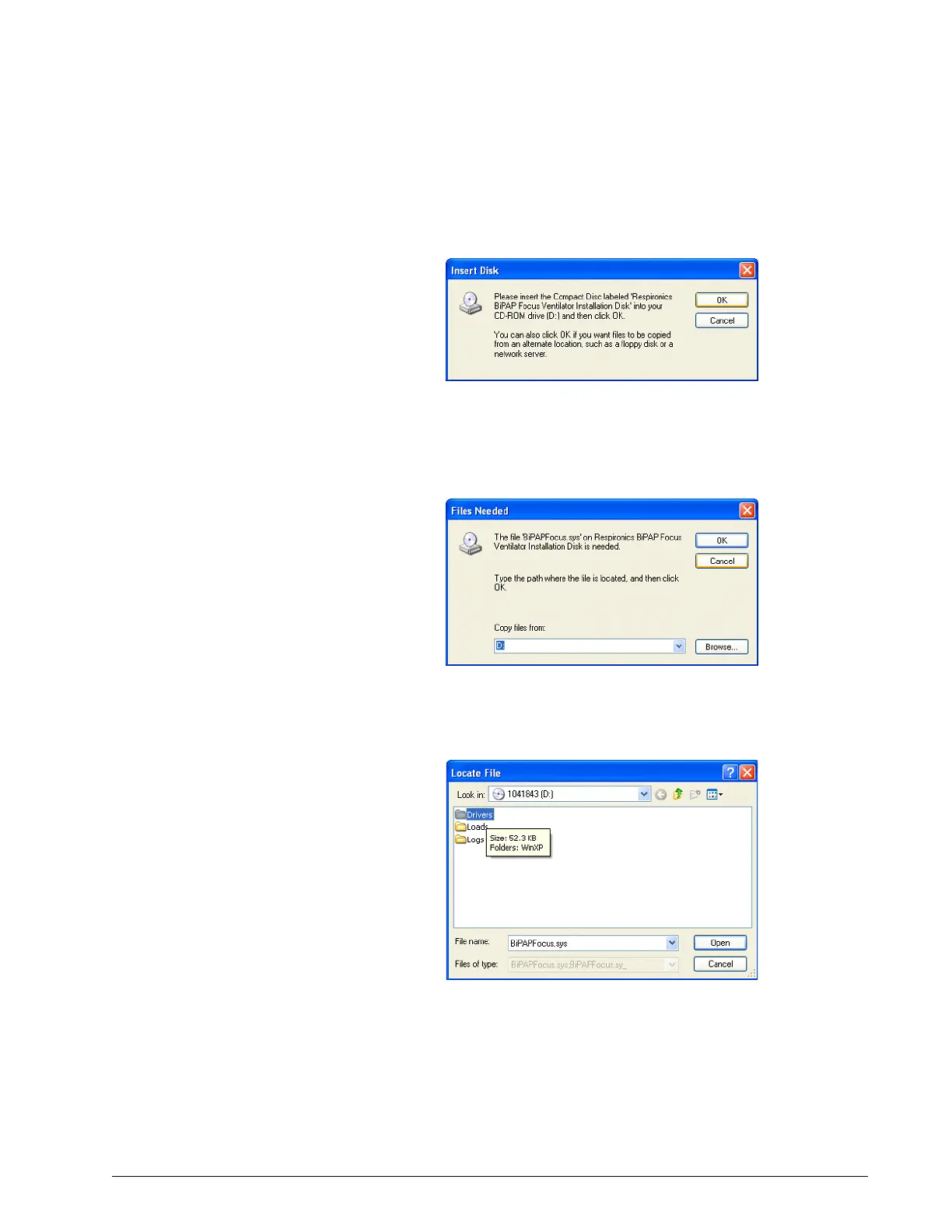
11. If prompted to insert the Respironics CD (already in the drive), click
OK (Figure 6-13).
Figure 6-13: Insert Disk Window
12. At the Files Needed window, click Browse and select the CD-ROM
drive (Figure 6-14).
Figure 6-14: Files Needed Window
13. Double-click the Drivers folder (Figure 6-15).
Figure 6-15: Locate File Window - Drivers


 To Next Page