Chapter 6
6-14 BiPAP Focus Ventilator Service Manual © Respironics, Inc. REF 1029568 Rev B
Ventilator Communications
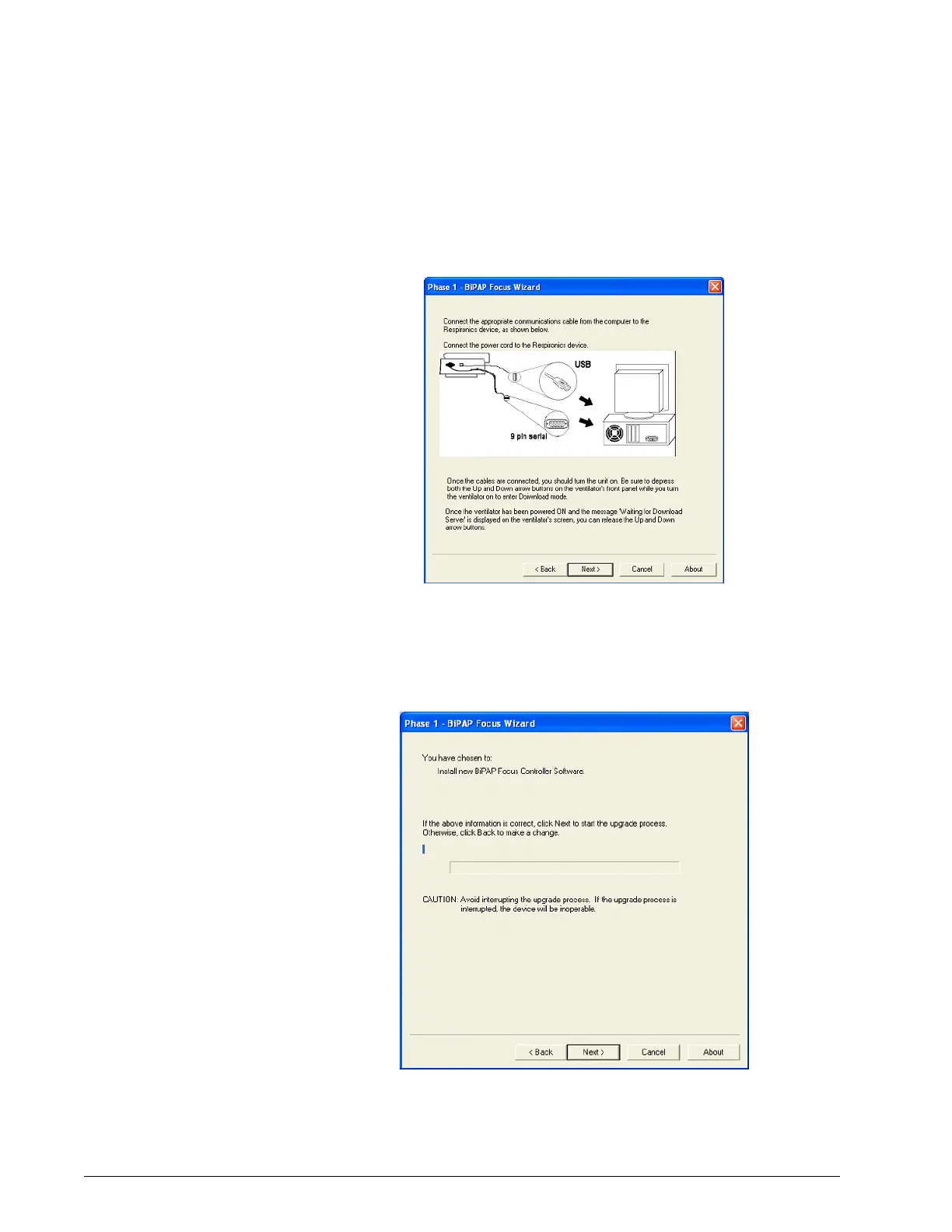
4. A window describes how to connect the communication cables to the
ventilator (Figure 6-24). (The cables have already been connected as
described in section 6.1.) Click Next.
Figure 6-24: Communications Cable Connection Screen
5. When Phase 1 BiPAP Focus Wizard appears, click Next (Figure 6-25).
The software erases the controller PCB software (Figure 6-26), and
then installs new software (Figure 6-27).
Figure 6-25: Do Not Interrupt Upgrade Message


 To Next Page